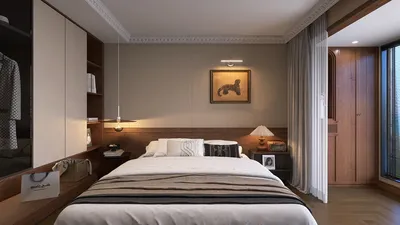


Designing a 2D floor plan in Homestyler is an easy-to-follow process that helps you effectively visualize and arrange your space. Whether you're in the midst of constructing a new house or updating an existing area, utilizing the right tools can truly enhance your experience. This guide will lead you through the fundamental steps of creating a 2D floor plan using Homestyler.
Step 1: Configure Your Design Environment
Prior to beginning your design, it's important to configure your Homestyler workspace appropriately:
Step 2: Initiate Your Floor Plan Drawing
With your workspace set up, you can now begin to draw your layout:
Step 3: Incorporate Windows and Doors
Adding windows and doors is crucial for a lifelike floor plan:
Step 4: Measure Your Floor Plan
Precise dimensions are essential for any successful floor plan:
Step 5: Save and Share Your Floor Plan
After finalizing your floor plan, it’s the right moment to save it:
Conclusion
Sketching a 2D floor plan in Homestyler can be a fulfilling endeavor, empowering you to turn your design concepts into reality. By adhering to these steps, you'll be able to establish a clear, comprehensive layout for your surroundings.
FAQ
Q: Is there a free version of Homestyler available? A: Yes, Homestyler provides a free version with limited features that are adequate for simple projects.
Q: How can I enhance my Homestyler skills? A: There are a variety of online tutorials and courses that can assist you in sharpening your skills.
Homestyler's roots trace back to Autodesk, the global leader in design and engineering software. That heritage lives on in every feature we build. Today, with a community of more than 18 million users worldwide, Homestyler continues to make professional-quality interior design accessible to everyone — from first-time decorators to seasoned architects.
Welcome to the Top 2D Floor Planner
Concevez maintenant gratuitement
































