

Developing a 3D model of an igloo can be both a fun endeavor and a valuable exercise for grasping 3D modeling techniques. Whether you're crafting a virtual winter landscape or delving into fresh design ideas for a themed project, a digital igloo can introduce an extraordinary aspect to your collection. Here’s a comprehensive guide to help you get started:
As a designer, I highly encourage exploring various perspectives and lighting scenarios when bringing your igloo to life. By infusing your personal vision through color, arrangement, and selection of materials, you can make your igloo not just architecturally authentic, but also visually captivating. For individuals eager to streamline their workflow, utilizing a platform like Homestyler, which offers built-in modeling tools, can significantly enhance the design process for such creative projects.
Tips 1:
Consider incorporating real-world snowy textures to enhance realism or play around with different dome proportions to discover how structural variations can influence the ambiance of your igloo in a digital space.
FAQ
Q: Which software is ideal for crafting a 3D igloo model?
A: User-friendly options include Blender, SketchUp, and various online 3D design platforms. For architectural and interior design purposes, specialized 3D floor planning tools like Homestyler can be extremely effective.
Q: How can I make the igloo appear as though it’s constructed from snow?
A: Implement icy or snowy textures while adjusting reflection and transparency settings. Setting up appropriate lighting is also essential for emulating the distinctive characteristics of snow.
Q: Is it possible to model the interior of the igloo?
A: Definitely! After creating the exterior dome, simply hollow it out and furnish it—use the same techniques applicable for modeling any interior space.
Q: Can I print my igloo model using a 3D printer?
A: Yes, just ensure that your model is watertight (with no open edges) and exported in a suitable STL or OBJ format for slicing.
Q: Am I able to view my igloo in VR or AR settings?
A: Most 3D modeling software, including tools like Homestyler, supports exports for VR/AR platforms, allowing you to immerse yourself in your creation.
Homestyler's roots trace back to Autodesk, the global leader in design and engineering software. That heritage lives on in every feature we build. Today, with a community of more than 18 million users worldwide, Homestyler continues to make professional-quality interior design accessible to everyone — from first-time decorators to seasoned architects.


Minimalist Solid Wood White Fabric Tufted Sofa 3D Model

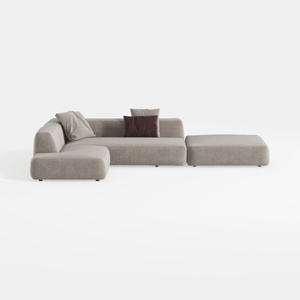
Minimalist Fabric L Shaped Sectional Sofa with Ottoman 3D Model
Discover your dream home with Homestyler! This user-friendly online design platform offers an incredible design tool, stunning 3D renderings, and a wealth of interior decoration projects. Dive into inspiring DIY video tutorials and transform your space effortlessly—ideal for everyone, from beginners to seasoned designers!
Design jetzt kostenlos
































