

In recent weeks, I’ve been experimenting with various floor plan design tools for my projects, and two prominent names that emerged were Floor Plan Creator and Planner 5D.
At first glance, both tools appear to perform similar functions—they enable users to create layouts, visualize spaces in 3D, and customize furniture and materials. However, after applying both on a café renovation project, I discovered they provide notably different workflows.
1. Initial Impressions
The moment I accessed Floor Plan Creator, I found its interface to be both professional and intuitive. After uploading my sketch, I activated the AI layout feature, and in a matter of seconds, I received three variations of 2D and 3D layouts to explore.
In contrast, Planner 5D boasts a playful and visually appealing interface. It’s tailored for beginners, allowing me to start constructing walls, moving furniture, and trying out different layouts almost immediately.
2. Experience of Workflow
Here’s where my experiences took a noticeable turn:
3. Quality of Renderings
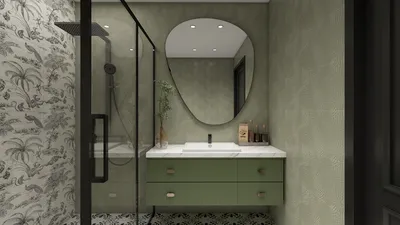
For this café project, achieving realistic visuals was essential since I intended to showcase the design to my client:
If your clients require near-photographic quality, Floor Plan Creator clearly stands out.
4. Libraries of Models & Flexibility
Both applications provide 3D furniture and material libraries, yet the breadth of options varies significantly:
5. Designer Feedback (G2 Reviews)
Prior to testing the tools myself, I explored the feedback from other designers. On G2, Floor Plan Creator enjoys an impressive 4.6★ rating based on 77 verified reviews. Here are some key highlights:
These insights aligned closely with my own experiences.
6. Collaboration & Delivery to Clients
One of the features I appreciate most about Floor Plan Creator is how seamlessly it allows for design sharing:
7. Feature Comparison Overview
8. Conclusion
After extensive use of both applications, I would summarize my experience in this manner:
In my view, Floor Plan Creator regularly delivered quicker, more polished outcomes—yet Planner 5D still remains relevant for informal design and experimentation.
Editor: Usher
Role: Global Product Manager for Traffic Growth at Homestyler, AI Prompt Script Specialist & Interior Design Expert
Looking to transform your space? Try Homestyler! This user-friendly online design platform offers a powerful design tool, stunning 3D renderings, and a wealth of inspiring projects and video tutorials. Discover endless possibilities for your home design journey today!
Zaprojektuj teraz za darmo
































