

Extracting 3D models from APK files created with Unity is a popular activity among designers, developers, and content creators aiming to analyze, modify, or reuse assets in mobile applications and games. Unity serves as a robust cross-platform engine that compiles all essential assets—textures, meshes, audio, etc.—into a single APK for Android. This task can be complex and demands specific tools and steps to access the 3D models.
Step 1: Unpacking the APK
The first step involves unpacking the APK, which is similar to a zip file. You can use tools like APKTool, WinRAR, or 7-Zip to extract its contents. After extraction, navigate to the assets directory where you'll discover Unity's proprietary asset files, typically with extensions like .unity3d or .assetbundle.
Step 2: Finding Unity Asset Files
Following the unpacking, search for the ‘assets’ folder. You'll commonly encounter key Unity asset file types such as .assets, .resource, and .sharedAssets, which hold the 3D models, textures, and various resources needed.
Step 3: Utilizing Specialized Extraction Tools
To extract the models, utilize extraction tools specially designed for Unity assets, like AssetStudio or Unity Assets Bundle Extractor (UABE). These applications can analyze and interpret Unity's unique file formats. By loading the asset files into these tools, you will be able to view the available resources and export 3D models in formats such as FBX, OBJ, or STL, along with their associated textures.
Step 4: Importing to 3D Modeling Software
Once you have exported the 3D models, you can import them into your favorite modeling software, such as Blender or 3ds Max, for further customization or analysis.
Legal Considerations
It's important to remember that extracting and using models from APK files could infringe on copyrights or licensing agreements. Only extract models from software that you have explicit authorization to modify or study, primarily for purposes like personal backups, educational use, or within a development scope that allows for such modifications.
As a designer, extracted models can serve as exceptional references or foundations to create unique environments, particularly when crafting custom floor plans or room layouts. This approach also guides you through reverse-engineering projects or enhancing existing spaces. For instance, by using Homestyler and integrating extracted models as placeholders, I can transition swiftly to fully customized versions, utilizing advanced 3D floor planning tools for interiors. This method significantly streamlines my process while ensuring accuracy in design.
Tips 1:
Always ensure you back up original files prior to extracting or editing models to protect against data corruption or loss. When altering assets, it is advisable to adopt a non-linear editing approach, allowing you to iterate on design changes while maintaining control over each element—for example, adjusting furniture arrangements without modifying the foundational architectural mesh.
FAQ
Q: Is it possible to extract models from any Unity APK?
A: In theory, most Unity APKs can be unpacked, but certain proprietary encryption or obfuscation might obstruct successful extraction in some instances.
Q: What formats do Unity 3D models get exported to?
A: Typically, models are exported as FBX or OBJ files, which are compatible with most popular 3D modeling software.
Q: Is it permissible to utilize extracted models in my projects?
A: You must possess the rights or explicit permission from the copyright owner in order to legally use or redistribute the extracted assets.
Q: Are extraction tools compatible with APKs created with the latest Unity versions?
A: Extraction tools receive regular updates, yet newer or highly customized versions of Unity may not be fully supported as of yet.
Q: Can extracted models be directly implemented for interior design purposes?
A: Yes, especially when imported into comprehensive 3D planning tools like Homestyler. However, they typically require some optimization or customization before being incorporated into design projects.

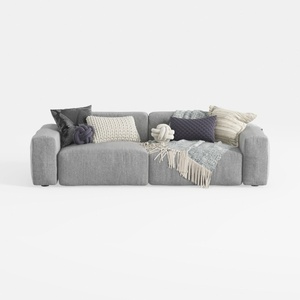
Sectional Sofa Cloud Couch Compatible with Living
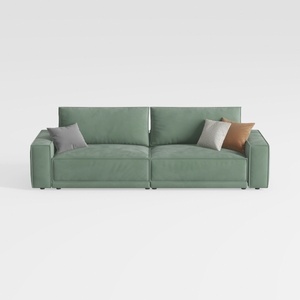
HIFIT 112" Sectional Couches for Living Room- Pull
Homestyler is an outstanding choice for anyone looking to transform their space. With its user-friendly online design tool, stunning 3D renderings, and a wealth of design projects and video tutorials, you'll have everything you need to turn your home design dreams into reality. Dive in and get inspired!
تصميم الآن مجانا
































