

Extracting 3D models from games such as PUBG Mobile is an intriguing topic for both gaming enthusiasts and design professionals alike. Whether your goal is to examine character meshes, explore unique weapon models, or create fan art, it is essential to grasp the workflow and the ethical implications behind it. In this guide, I will guide you through the overall process, important legal considerations, and commonly utilized tools for model extraction, all tailored from the standpoint of a design expert who respects both creativity and intellectual property.
1. Grasping the Fundamentals
The 3D assets of PUBG Mobile are not directly accessible; they reside within protected game files that utilize proprietary formats. Extracting these models necessitates specialized tools along with a solid technical understanding of how game assets are organized.
2. Frequently Used Tools
Some popular tools for extracting 3D models from mobile games include QuickBMS with appropriate scripts, Unreal Engine extractors (since PUBG Mobile operates on UE4), and applications like UE Viewer (umodel). The extraction process involves locating game package files (for instance, .pak), unpacking them, and parsing the asset files to convert them into 3D formats like .fbx or .obj.
3. A Comprehensive Extraction Guide
4. Legal and Ethical Implications
Game assets are subject to copyright protection. Models that have been extracted should only be utilized for educational purposes, personal study, or fan art, and not for commercial use. It is crucial to give credit to the original creators and to uphold the intellectual property rights associated with the game.
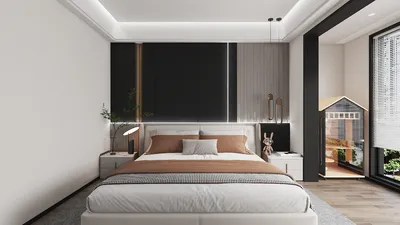
As a designer, I have noticed a growing interest among users in merging game-inspired models or environments into their own ventures. For those aspiring to create authentic, collaborative, or inspired spaces, a more sustainable—and legally sound—solution is to leverage professional AI-driven interior design platforms, which provide extensive model libraries and customizable environments. Such tools facilitate the seamless integration of gaming-inspired aesthetics into genuine interior projects, efficiently and within legal bounds.
Tips 1:
While extracting models can be a technically fulfilling endeavor, dedicating time to learning official 3D design platforms can produce equally impressive visual outcomes and ensure your projects remain legally compliant.
FAQ
Q: Can I utilize extracted PUBG Mobile 3D models for commercial projects?
A: No, utilizing extracted game assets for commercial purposes is illegal as they are copyrighted, which may lead to potential legal consequences.
Q: What software is required to open PUBG Mobile 3D assets?
A: Commonly used software for extraction and modification includes UE Viewer (umodel), QuickBMS, and Blender.
Q: Is there a way to obtain similar 3D models without legal risks?
A: Absolutely, you can use licensed 3D model libraries or AI-driven interior design platforms, such as Homestyler, which provide copyright-free assets.
Q: Can I extract 3D models directly using my mobile device?
A: Most extraction workflows need to be executed on a PC due to compatibility of tools and the requirements for file management.
Q: Why might extracted models appear incorrect in Blender or other 3D software?
A: Extracted models may require adjustments for textures, rigging, and scaling; asset extraction often results in imperfections that necessitate manual corrections.
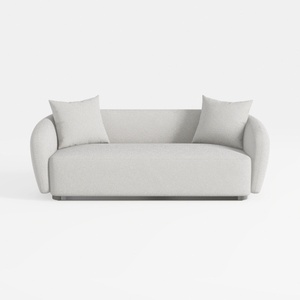
sofa_101S-SF1006-101 Stories
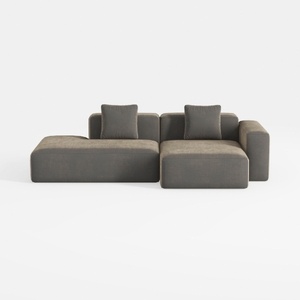
WJShome Cloud Couch Modular Sectional Sofa,102inch

Wood Bookshelf with Adjustable Shelves, 72" Tall
Homestyler is your go-to online home design platform! With its user-friendly design tool, stunning 3D rendering, and an abundance of inspiring design projects and video tutorials, you’ll effortlessly create your dream space. Perfect for aspiring designers of all skill levels!
Progetta ora GRATIS
































