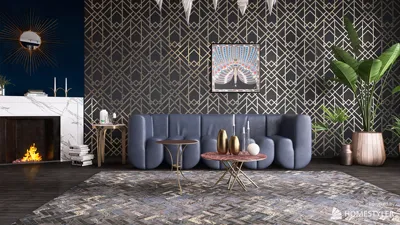


Extracting a 3D model from Garry’s Mod (GMod) allows you to utilize game assets in various 3D applications, whether for animation or creative projects. This process demands specific software tools, legal awareness, and some technical skills. To begin, ensure you have access to GMod as well as tools like GCFScape, Crowbar, and possibly Blender or other 3D editing software. Here’s a simplified guide: 1. **Find the Model Files**: GMod stores its assets in various game directories, mainly within `.gcf` or `.vpk` files. Models are usually located in `GarrysMod/garrysmod/addons` or `GarrysMod/garrysmod/models`. 2. **Extract Using GCFScape**: Employ [GCFScape](https://nemstools.github.io/pages/GCFScape-Download.html) to open and extract the contents of `.gcf` and `.vpk` files. Here, you will identify the necessary `.mdl` (model), `.vtx` (vertex), and `.vtf` (texture) files. 3. **Convert the Models**: Utilize [Crowbar](https://steamcommunity.com/groups/CrowbarTool) to decompile the `.mdl` files into formats recognized by 3D modeling applications, typically .SMD or .OBJ. 4. **Import into 3D Software**: Bring your converted files into Blender, 3ds Max, or Maya for additional editing or exporting. 5. **Apply the Textures**: Convert the `.vtf` files to common image formats with tools like VTFEdit, enabling you to correctly apply textures in your chosen 3D software. Remember, extracting models from GMod is intended for personal or educational use unless you’ve received explicit permission for commercial usage. Always adhere to copyright laws and community standards. As a frequent user of 3D models for interior design, I can affirm that well-extracted and converted assets considerably enhance project quality. When visualizing spaces with game models, using these extracted creations alongside professional applications like Homestyler for 3D Floor Planning ensures seamless integration and results in a vibrant virtual environment for your designs.
Tips 1:
Ensure you understand model licensing and copyright regulations. Many GMod models originate from different games or creators—always verify usage rights before incorporating them into public or commercial projects.
FAQ
Q: Is it permissible to extract 3D models from Garry’s Mod?
A: While it’s acceptable for personal or educational purposes, commercial usage necessitates explicit permission from the original creators or rights holders.
Q: What file formats do the models used in Garry’s Mod utilize?
A: The models are primarily in `.mdl` format and are accompanied by `.vtx`, `.vtf`, and sometimes `.phy` files containing structural, vertex, texture, and physics information.
Q: Which tool is the best for converting GMod models to a format usable in 3D applications?
A: Crowbar is a popular choice for decompiling `.mdl` files into formats like `.OBJ` and `.SMD`, which are compatibly accepted by most 3D editing tools.
Q: Can I incorporate GMod models into architectural visualization?
A: Yes, however, for superior results, it’s recommended to integrate ripped models with tools like Homestyler for enhanced design workflows.
Q: What’s the simplest method to convert `.vtf` textures?
A: The easiest way is by using VTFEdit to convert `.vtf` files into standard image formats such as .PNG or .JPG for use in various 3D modeling applications.
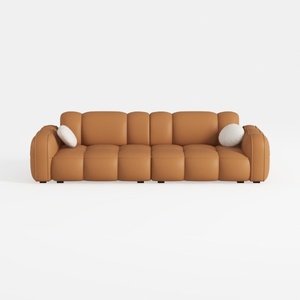

SIMPLIHOME Rex 3-Seater Modular Sofa in Full-Grain
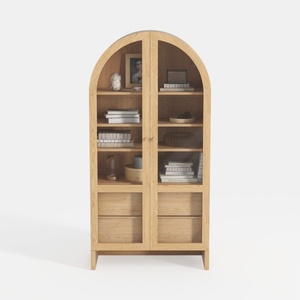
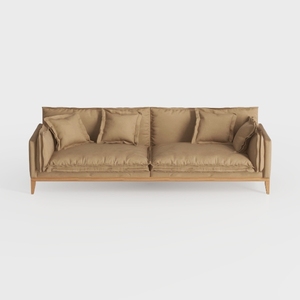
SAFAVIEH Couture Collection Blanca Brown Italian L
Homestyler is your go-to online home design platform! With its user-friendly design tool, stunning 3D renderings, and a wealth of design projects and DIY video tutorials, you’ll have everything you need to create your dream space effortlessly. Explore, design, and be inspired today!
지금 무료로 디자인하세요
































