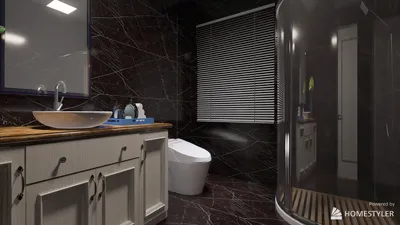


Designing 3D floor plans can be both thrilling and challenging for those passionate about interior design. If you're eager to explore 3D floor design with Java, you've come to the right spot! Java, thanks to its powerful libraries and frameworks, serves as an excellent platform for creating applications that visualize floor plans in a three-dimensional space. To embark on this journey, you should become acquainted with Java's 3D graphics functionalities, particularly through libraries such as Java3D or JOGL (Java Binding for OpenGL). These libraries facilitate the drawing and manipulation of 3D objects, simplifying the process of crafting realistic floor layouts. Begin by ensuring you have a functional Java Development Kit (JDK) installed on your computer, available for download from the official Oracle website. After setting up your environment, kick off a new Java project and import the essential libraries for 3D rendering. For example, if you're utilizing Java3D, the javax.media.j3d package is crucial. Next, you can start constructing your 3D environment. Define the dimensions of your room's walls, floor, and ceiling using the Shape3D class. Use QuadArray or TriangleArray classes to outline the surfaces of your room, and don’t forget to assign colors and textures to infuse character and depth into your floor plan. Lighting is pivotal in 3D rendering. Incorporate the Light class to introduce both ambient and directional light sources into your scene, boosting your floor plan's realism and visibility. Try out various light settings and positions to get the perfect atmosphere. Once your foundational layout is established, think about incorporating furniture and additional elements into your 3D floor plan. You can create 3D models of furniture just like you did for your room, or download ready-made models from numerous online repositories. Adjust their scales to ensure they fit seamlessly within your room's dimensions. User interaction is another key element to think about. Add event listeners to empower users to navigate through the 3D space, including features for zooming in and out or rotating their view. Java provides ample methods to manage mouse and keyboard events which can significantly improve the user experience. In conclusion, compile and run your application to watch your 3D floor plan come alive! You'll be able to experience your designs in an immersive environment, making it an exceptional asset for both personal endeavors and professional showcases. Keep in mind that practice leads to perfection; the more you explore Java's 3D capabilities, the more adept you will become in creating captivating floor plans. Also, to further enhance your designs, consider using Homestyler for an easier and more intuitive design process.
Tips 1:
To achieve more sophisticated features, think about integrating JavaFX, which enhances graphics and user interface elements.
FAQ
Q: What libraries are optimal for 3D graphics in Java? A: Java3D and JOGL rank among the top choices for 3D graphics in Java development.
Q: Is it feasible to utilize Java for real-time 3D rendering? A: Absolutely! With the appropriate libraries and optimizations, Java is indeed capable of real-time 3D rendering.
welcome to Homestyler
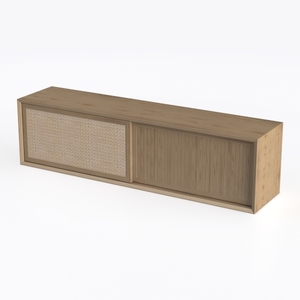
JOZZBY Set of 3 Storage Cabinet, Sideboard Buffet
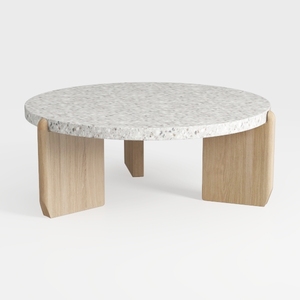

Japanese Floor TableSmall Coffee Table & Tea Table
Looking to revamp your space? Homestyler offers a user-friendly online design tool that lets you create stunning interiors with ease. Enjoy brilliant 3D renderings, a wealth of design projects, and helpful video tutorials to inspire your creativity. Transform your home today!
今すぐ无料でデザイン
































