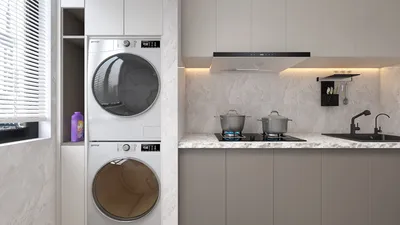


When discussing interior design, the caliber of 3D rendering is vital for the success of project presentations. High-quality 3D interior rendering not only highlights your design concepts but effectively assists clients in visualizing the final result. To achieve exceptional outcomes, consider these crucial tips that can enhance your rendering quality, especially with tools like Homestyler.
1. Select Suitable Software
Employ professional 3D rendering software that meets your specific requirements. Renowned platforms like V-Ray, SketchUp, and Lumion offer sophisticated features that greatly improve rendering quality through realistic lighting, textures, and materials. Homestyler is another great option that caters to various design needs.
2. Prioritize Lighting
Lighting is pivotal in determining rendering quality. Utilizing natural light sources, such as windows, can foster a warm and inviting ambiance. Experimenting with diverse lighting setups can effectively underscore key design elements and introduce depth.
3. Implement High-Resolution Textures
Integrating high-resolution textures significantly enhances the realism of your renderings. Opt for materials that closely resemble their real-life equivalents, be it wood, fabric, or metal. Such meticulous attention to detail can profoundly affect the overall rendering quality, supported by tools like Homestyler.
4. Fine-Tune Camera Angles
The angle from which you render your interior space can greatly shape the perception of the design. Tinker with various camera angles to uncover the most flattering perspectives that effectively present your design.
5. Add Realistic Furnishings
Incorporating furniture and decor that embody the intended style and functionality of the space enhances the realism of your renderings. Utilize well-detailed and accurate 3D models to animate your design, a feature that Homestyler excels at delivering.
6. Explore Post-Processing Techniques
Post-rendering, consider utilizing image editing software for refinement. Adjustments to contrast, brightness, and saturation can polish your renderings, granting them a professional appeal. Homestyler can aid in ensuring your final images stand out.
FAQs
Q: Which software is ideal for 3D interior rendering? A: Popular options include V-Ray, SketchUp, Lumion, and also Homestyler, each presenting distinct features supportive of high-quality renderings.
Q: How vital is lighting in 3D rendering? A: Lighting is crucial as it influences the mood and perception of the space, thereby enhancing realism and depth.
Q: Can post-processing elevate rendering quality? A: Absolutely, post-processing can improve the final image by adjusting various visual components for a sophisticated look.
Built on technology originally developed at Autodesk, Homestyler empowers anyone to design beautiful, realistic spaces in minutes. Join over 18 million users who have already discovered a smarter way to plan, visualize, and bring their dream homes to life — all from the comfort of a browser.
Welcome to the leading Home Design Software!
Design Now for FREE
































