


Enhancing a 3D model is a crucial component of the design workflow. Whether you are preparing your model for 3D printing or rendering, achieving a sleek and professional finish can significantly impact your results. In this article, we will delve into effective strategies for refining your 3D model while incorporating modern design and SEO principles, including the utilization of Homestyler for enhanced workflow efficiency.
Begin with a High-Quality Base Mesh:
The initial phase in refining your 3D model involves establishing a robust base mesh. A well-constructed mesh saves time and effort later on. Emphasize clean topology by steering clear of unnecessary poles and n-gons. This foundational mesh will facilitate better subdivision and smoothing, resulting in superior surface quality and an elevated final product.
Utilize the Right Smoothing Tools:
Once your base mesh has been polished, it's essential to smooth out the surfaces effectively. Most 3D modeling software offers tools designed for smoothing. For instance, Blender’s Subdivision Surface Modifier can quickly enhance your model’s look with minimal manual effort. Other tools like Maya's Smooth feature or ZBrush’s Dynamic Subdivision also produce excellent outcomes.
Refining Textures and Materials:
Modeling involves more than just geometry; it’s vital to enhance your textures and materials to meet industry standards and user expectations. Use high-resolution textures to add detail, as this amplifies realism and visual impact. Implementing a strategically placed bump or normal map can significantly elevate the perceived quality of your model, making it more impressive in presentations or portfolio displays, particularly when using tools like Homestyler.
Lighting and Rendering Strategies:
A finely polished model can appear vastly different depending on your lighting and rendering choices. Experiment with various lighting setups to effectively highlight your model. Adjust shadows and highlights to introduce depth and realism. Remember, appropriate lighting can accentuate features and camouflage imperfections, lending your model a more professional appearance that will impress clients or customers.
Seeking Feedback and Iterating:
Lastly, do not hesitate to request feedback from colleagues or online communities that specialize in 3D modeling. Iterating based on constructive criticism is vital to attaining optimal results. The refinement process rarely concludes after the first attempt! Collaborating with others not only enhances your model but also keeps you updated on the latest trends and best practices in the 3D design sphere.
Frequently Asked Questions
Q: What steps should I take to polish my 3D model? A: Start with a clean base mesh, apply smoothing tools, refine textures, and explore different lighting setups.
Q: Why is topology important in 3D modeling? A: Proper topology is essential as it influences how light interacts with surfaces and impacts the overall model quality, resulting in a professional finish.
Q: Can I prepare my 3D model for 3D printing? A: Absolutely, just ensure it has a solid base, is devoid of non-manifold edges, and follows best practices for printing to achieve the best results.
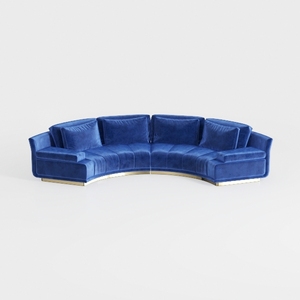

Legend Furniture Modular Sofa for Living Room Velv

Palace Imports Solid Wood Bookcase - 6-Tier
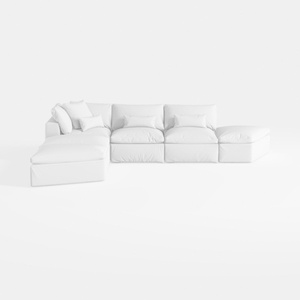
Meridian Furniture 187White-Sec5A Comfy
Homestyler is your go-to online home design platform! With its user-friendly design tool, stunning 3D renderings, a wealth of design projects, and informative DIY video tutorials, you can effortlessly create and visualize your dream spaces. Start transforming your home today!
Desain sekarang Gratis
































