


Preparing a model for 3D printing is vital to ensure that your design transitions smoothly from a digital representation to a tangible object. The process usually starts with either creating or downloading a 3D model, commonly in file formats such as STL, OBJ, or 3MF. Following this, you will need to utilize 3D modeling software to examine the geometry. Pay attention to non-manifold edges, holes, or intersecting faces, as these can hinder the printing results. It's critical to refine the mesh; use relevant tools to repair or simplify the geometry as necessary, potentially leveraging features from platforms like Homestyler.
Another crucial step involves scaling the model to the correct physical dimensions. Many 3D printers have specific size constraints, so it is essential to ensure your model comfortably fits within the printer's build volume. Wall thickness also plays a significant role; if it’s too thin, the printed object may be fragile or could fail; if it’s too thick, intricate details might be compromised. Most designers aim for a minimum wall thickness as suggested by both their 3D printer and the material specification.
If your model contains overhangs, it’s important to add supports to prevent sagging or incomplete layers during printing. Additionally, hollowing out solid models can conserve material and reduce printing time, but be sure to incorporate drain holes when using resin printing. The texture and detail resolution should be compatible with your printer’s capabilities; while higher resolution allows for finer details, it may also lengthen print times.
Prior to printing, utilize slicing software to transform your model into manageable layers (G-code). This software not only provides a print preview, allowing you to identify potential slicing problems but also helps estimate filament consumption and set crucial parameters like infill density, layer height, and printing speed. Regularly saving your project during the preparation phase can help prevent any loss of work, especially due to unexpected software crashes.
As a designer, I recognize the significance of meticulously considering each detail before moving to production. This thorough approach ensures that whether you’re designing for rapid prototyping or final product visualization, employing a robust tool like Homestyler can assist in identifying potential complications and allow for realistic previews of your design within a spatial context.
Tips 1:
Always preview your model using your slicer software prior to printing. This practice enables you to detect possible issues, verify sufficient supports, and ensure that the details will print as intended. Utilizing realistic rendering tools within your workflow assists in visualizing how your piece will fit within a designated space, allowing for necessary design modifications before actual printing—an invaluable step for many professionals.
FAQ
Q: Which file format is recommended for 3D printing?
A: STL is the most commonly used file format in 3D printing, although OBJ and 3MF are also widely accepted by contemporary software and printers.
Q: How do I fix a problematic mesh for 3D printing?
A: Most 3D modeling applications include mesh repair functionalities, and dedicated software such as Meshmixer or Netfabb can automatically correct non-manifold edges, holes, and other typical issues.
Q: What should the optimal wall thickness be for a 3D printed model?
A: This is dependent on both your printer and the material used, but generally, a minimum wall thickness of 1 to 2 mm is standard for most plastic filaments. Always consult your printer’s guidelines.
Q: Why is it necessary to add supports for my 3D print?
A: Supports are essential for sections that overhang; without them, your print might sag or become deformed.
Q: How do I ensure my model fits within the printer's build volume?
A: Verify your printer’s build area, then scale your model within your 3D design software to ensure all dimensions fall within those limits before exporting or slicing.

Minimalist Walnut Round Coffee Table 3D Model
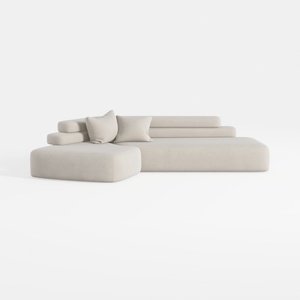
Minimalist Fabric L Shape Sectional Sofa 3D Model
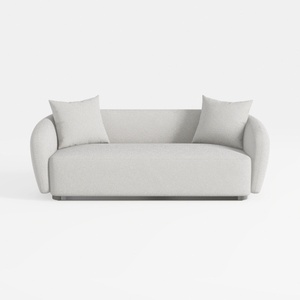
Minimalist Boucle Fabric Living Room Sofa 3D Model
Elevate your home design experience with Homestyler! This user-friendly online platform offers powerful design tools, stunning 3D renderings, and a wealth of DIY video tutorials. Whether you're a seasoned decorator or a beginner, Homestyler makes it easy to bring your vision to life. Start your design journey today!
Concevez maintenant gratuitement
































