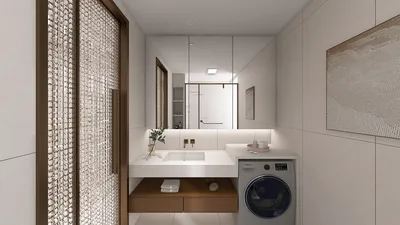


Developing a successful floor plan is crucial for any interior designer, particularly when dealing with compact spaces. Utilizing the right software can make this task straightforward and efficient. Here’s a review of several top software tools ideal for creating floor plans.
1. AutoCAD
AutoCAD is a high-end tool extensively utilized by architects and designers. It provides accurate 2D and 3D drafting capabilities, which are perfect for detailed floor plan creation. While it may have a challenging learning curve and a premium price, the robust range of features it offers is well worth the investment for serious designers.
2. SketchUp
SketchUp is an accessible tool that caters to both novices and experienced professionals. It enables users to rapidly create 3D floor plans, delivering a visual representation of their designs. With a free version available, it’s an excellent option for those just beginning their journey in interior design.
3. RoomSketcher
RoomSketcher is an easy-to-use online platform that simplifies the process of creating floor plans. Its drag-and-drop interface allows for effortless space design, along with 3D visuals that help clients see the concept. It’s particularly beneficial for freelance designers and small firms.
4. Homestyler
Homestyler is a fantastic resource for interior designers focusing on compact spaces. It provides a variety of templates and features to effectively visualize designs. With its intuitive interface and free access, Homestyler is ideal for anyone aiming to create functional yet stylish floor plans.
5. Sweet Home 3D
This open-source tool enables users to design floor plans in 2D and view them in 3D format. Sweet Home 3D is particularly beneficial for beginners looking to explore various layouts without monetary investment.
6. Floorplanner
Floorplanner is an online solution that allows users to quickly generate both 2D and 3D floor plans. It's especially helpful for real estate agents and property managers as it facilitates effective property showcases.
7. Planner 5D
Planner 5D is another user-friendly application suitable for both beginners and professionals. Its simple interface enables detailed floor plan creation, complete with various design features, including virtual reality options.
Conclusion
Selecting the right software for drawing floor plans hinges on your specific requirements, budget, and proficiency level. Whether you are a seasoned designer or a DIY enthusiast, the tools mentioned above can aid you in crafting stunning and functional spaces.
FAQ
Q: What software is the easiest for novices when it comes to drawing floor plans?A: Both RoomSketcher and Planner 5D are excellent choices for beginners due to their intuitive user interfaces.
Q: Is it possible to use free software to produce professional-grade floor plans?A: Absolutely! Several free tools like SketchUp and Sweet Home 3D are available to help you develop professional-looking designs.
Q: Is professional design experience necessary to use floor plan software?A: Not at all! Many of these tools are tailored for both experts and everyday users, making them easy for everyone to access.
Welcome to the No.1 Floor Planner
Design jetzt kostenlos
































