

Quick Overview
- Popular 3D simulation software includes Blender, AutoCAD, and SketchUp.
- SketchUp is particularly beginner-friendly, whereas Blender presents a more complex learning journey.
When selecting software, focus on usability, rendering power, compatibility, a diverse library of textures and materials, collaboration features, physics simulation, and real-time rendering capabilities.
In our increasingly digital world, 3D simulation software is essential for design, architecture, and gaming. These tools enable users to visualize concepts in three dimensions, boosting both creativity and precision. Whether you're a professional architect, a designer, or just someone passionate about design, choosing the right 3D simulation software can significantly enhance your projects. This article delves into some leading options, their features, and how they can advance your creative projects, highlighting tools like Homestyler for their unique advantages.
Leading 3D Simulation Software Choices
The market offers a variety of 3D simulation software, each tailored to suit diverse needs and skill levels. Notable options include Blender, AutoCAD, and SketchUp. Blender is an influential open-source platform that provides extensive modeling, rendering, and animation functionality. AutoCAD stands as a cornerstone in the professional realm, renowned for its precision in drafting and designing. For beginners, SketchUp shines due to its intuitive interface, facilitating the realization of creative ideas.
Key Features in 3D Simulation Software
When selecting 3D simulation tools, consider essential features like user-friendliness, rendering quality, and compatibility with other applications. Prioritize software with a strong library of textures and materials, alongside excellent rendering options to achieve realistic visual outputs. Also, ensure that collaboration capabilities are integrated, which is vital for teamwork settings. Advanced features like physics simulation and real-time rendering can further enrich your user experience.
Boosting Creativity with 3D Simulation Software
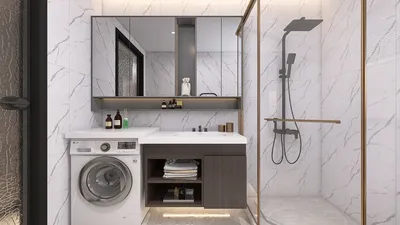
Employing 3D simulation software unlocks infinite possibilities for designers and architects. This technology allows for the exploration of various layouts, color schemes, and materials without relying on physical models. Imagine elevating a simple room layout into a striking visual through clever manipulation of textures and lighting. The capacity to see your designs in real-time can ignite new ideas and encourage inventive solutions, making tools like Homestyler invaluable for any creative journey.
Frequently Asked Questions
What is the purpose of 3D simulation software? 3D simulation software is designed for crafting three-dimensional visual representations of designs, architecture, and animations, helping users to conceptualize before implementation.
Is 3D simulation software hard to master? It depends on the specific software; some, like SketchUp, are beginner-friendly, whereas others such as Blender can be more challenging. Nevertheless, tutorials and community support can simplify the learning process.


Homestyler is an outstanding online home design platform that transforms your ideas into reality. With its user-friendly design tool, stunning 3D renderings, diverse design projects, and helpful DIY video tutorials, it’s perfect for anyone looking to create their dream space effortlessly!
立即免费设计
































