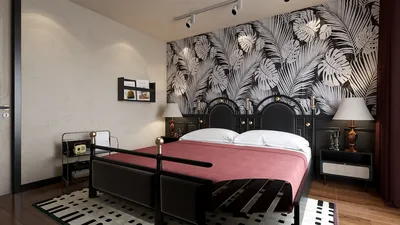


Throughout my experience designing gaming rooms for various clients and myself, I've found that the right lighting can deliver an immediate and significant enhancement. Proper lighting sharpens visual clarity, minimizes fatigue, and boosts immersion. The Illuminating Engineering Society suggests that ideal ambient light levels for home living spaces typically fall between 100–300 lux, while task lighting aimed at ensuring visual precision often seeks 300–500 lux; gaming environments require a blend of comfortable ambient light with focused task lighting. WELL v2 guidelines further stress the importance of controlling glare and ensuring visual comfort, which can notably enhance reaction times and sustained attention during extended gaming sessions.
The importance of human factors can rival that of aesthetics. Research from Steelcase indicates that supportive environments contribute to better concentration and decreased cognitive load—lighting plays a crucial role as a silent performance enhancer. I advocate for a versatile lighting scheme: gentle ambient base lighting (150–250 lux), adjustable task illumination at the workstation (300–500 lux), and accent RGB lights for added atmosphere. Consistency in color temperature is also essential: maintaining a range of 3000–4000K keeps the eyes relaxed and the onscreen colors well-balanced, while temperatures above 5000K may come off as overly clinical during late-night gaming. For a deeper dive into how lighting affects visual comfort and well-being, refer to the WELL v2 guidelines on Light.
Ambient Lighting: The Essential Element of Comfort
Begin with a dimmable ambient layer to ensure your screen is not the sole source of light. Implementing LED strip lights behind shelves, wall-washing fixtures, or a frosted ceiling lamp can evenly distribute light, minimizing the contrast that leads to eye strain. Keeping ambient glare at a minimum is crucial; investing in indirect fixtures and diffusers is worthwhile. Target an ambient light level of 150–250 lux throughout the room, while maintaining a consistent color temperature of 3000–4000K for evening use. If your room's layout is changing—designating areas for PC, console, and streaming activities—consider using an interior layout planner along with Homestyler to map out light distributions and cable pathways effectively.
Task Lighting: Precision Illuminated at Your Desk
The performance of your mouse and keyboard hinges on the quality of the lighting above them. A compact desk lamp featuring a high-quality LED with a CRI of 90+ and an adjustable arm can illuminate your controls without flooding the screen with excess light. Position the lamp at an angle of 30–45° relative to the work surface to minimize glare on glossy accessories. If you're in the process of assembling or upgrading a dual-monitor setup, side-mounted light bars with adjustable color temperatures (3200–6500K) will help maintain contrast while alleviating eye strain.
Accent & RGB Lighting: Enhancing Immersion without Causing Eye Strain
RGB lighting should complement gameplay experience rather than dominate it. The simplest way to achieve this is by adding bias lighting behind the monitor—a neutral 6500K strip can help reduce contrast and enhance perceived black levels. Layering RGB lights along shelves or the underside of the desk with low-brightness settings (20–40%) is advisable. Avoid placing saturated colors on reflective surfaces since they can produce glare-infused streaks in your line of sight. In terms of color psychology, cool blues foster calmness and focus, magenta infuses energy during short bursts, while warm ambers aid in winding down post-session.
Ceiling Fixtures: Uniform Coverage without Bright Spots
Flush-mount LEDs or straightforward rail systems with adjustable heads can wash walls with light and highlight artwork or collectibles. Opt for wide beam angles (60–90°) to ensure even room luminosity. If ceiling heights are low, avoid hanging pendants that could disrupt camera frames during streaming or obstruct visibility. Dimmable drivers should be a priority; smooth transitions via 1–10V dimming or Zigbee/Thread-based systems will enhance your lighting experience.
Screen-Friendly Lighting: Combat Glare and Preserve Contrast
Position lights away from the direct reflection paths of your screens. Test this by standing behind the lights and observing the screen for any bright spots; adjustments in height or angle may be necessary. Utilizing matte diffusers and wall-washing techniques can significantly reduce harsh reflections. High CRI lighting ensures that the in-game colors and skins appear true to their designer's vision, particularly in games with complex palettes.
Color Temperature Management: Daytime vs. Nighttime Gaming
For daytime gaming, a slightly cooler ambient light (3700–4200K) can align with daylight cues and maintain alertness. Conversely, during nighttime sessions, lowering the temperature to 3000–3500K can alleviate visual strain and facilitate better sleep readiness after you log off. If your system allows for scene creation, set quick presets like 'Focus' (4000K, 60% brightness), 'Stream' (4000K ambient + RGB highlight at 30%), 'Chill' (3000K, 25% brightness), and 'Photo/Build' (4500K task at 80% for hardware adjustments).
Smart Controls: Quick Scene Adjustments and Synchronization
Smart lighting isn't just about novelty; it's about swift control. Map your scenes to hotkeys or voice for instantaneous transitions. For streamers, linking accent lighting to alerts or chat milestones should be done sparingly—subtle pulsing effects are preferable to glaring strobe lights. It's essential to emphasize platforms that support local control to prevent lag. If you have devices from multiple brands, consider using Matter or HomeKit bridges to unify them while keeping firmware updated to ensure accurate colors across all fixtures.
Acoustics and Lighting: Achieving a Harmonious Room
Hard RGB bars and reflective fixtures can bounce sound in compact spaces. Combining lighting upgrades with acoustic enhancements—such as fabric panels, rugs, and lined curtains—can lead to positive outcomes. Such soft surfaces not only improve sound diffusion but also assist in scattering light evenly. For filming purposes, utilizing a pair of softboxes with grid baffles can help avoid light spills on walls while providing clean skin tones on camera.
Materials and Sustainability: Choosing Quality LEDs
Opt for LEDs equipped with stable drivers, minimal flicker, and recyclable aluminum casings. Avoid inexpensive strips that suffer from voltage drop; choosing products with consistent brightness throughout the length and adequate heat dissipation is critical. Dim-to-warm fixtures can replicate the warmth of halogen bulbs during night sessions, while modular magnetic track lights offer flexibility as your setup evolves, reducing the need to discard old fixtures.
Placement Strategies: Simple Improvements by Room Type
In compact bedrooms: utilize bias lighting behind the monitor, combine it with one dimmable ceiling light, and include a compact task lamp. For studio apartments: wall washes can create designated zones, RGB accents can delineate the gaming area, and a narrowly focused desk light will keep glare away from neighbors. In dedicated gaming rooms: implement cove lighting on two walls, ceiling tracks to accent shelves, and under-desk diffused strips for ambient uplift without visible diode points. When planning layouts or cable routing, consider an interior layout planner, like Homestyler, to visualize your design effectively.
Budget to Professional: Prioritizing Lighting Upgrades
If you're working within a limited budget, the priority should be on establishing proper ambient lighting first (a quality dimmable ceiling fixture or bias lighting behind the TV) before integrating a CRI 90+ task lamp. Progress to RGB strips equipped with high-quality diffusers and a well-calibrated desk lamp. At the premium level, allocate separate circuits for ambient, task, and accent lighting, integrate smart scene capabilities, and incorporate ceiling rails to enable dynamic highlighting.
Expert Guidance and Standards
According to visual comfort benchmarks established by the IES, ambient light levels of approximately 100–300 lux are ideal for relaxed residential settings, while 300–500 lux is recommended for clarity in tasks—this blend should guide the lighting design of your gaming room. The glare and flicker reduction principles outlined in WELL v2 advocate for using indirect, dimmable LED solutions with consistent Correlated Color Temperature (CCT). This informs the layered approach that supports comfort during extended gameplay sessions.
Frequently Asked Questions
Q1: What lux level should I aim for in a gaming room?
A1: Aim for an ambient light of 150–250 lux and task light at the desk of 300–500 lux. This combination keeps your eyes comfortable while maintaining screen contrast, in accordance with IES lighting guidelines.
Q2: Is RGB lighting harmful to eye health?
A2: RGB lighting isn't harmful by itself. Keep RGB brightness low (20–40%) and avoid direct view of the LED sources. Adding neutral 6500K bias lighting behind the monitor can help reduce contrast, allowing RGB to provide atmosphere without strain.
Q3: What color temperature works best for late-night gaming?
A3: Opt for a temperature range of 3000–3500K, which feels more comfortable and assists with post-session relaxation. Cooler temperatures can appear harsh at night, impacting your readiness for sleep.
Q4: How can I avoid screen glare?
A4: Implement indirect ambient lighting, position task lights at a 30–45° angle to the surface, and refrain from using fixtures that face your display. Employ matte diffusers and wall-wash strategies for effective glare reduction.
Q5: Are high CRI LEDs necessary?
A5: Yes, using CRI 90+ lighting ensures accurate color rendering, which is particularly beneficial for content creation, hardware assembly, and experiencing games with intricate color palettes.
Q6: Can smart lighting enhance the quality of my streams?
A6: Definitely. Preset scenes allow for quick transitions from gameplay to camera-friendly lighting. Softboxes or diffused key lights with high CRI will ensure your skin tones appear natural during streams.
Q7: How should I layer lighting in a small space?
A7: Use bias lighting behind the monitor, a dimmable ceiling fixture for ambient light, and a compact task lamp. Keep RGB lighting indirect—placing it under shelves or desks to maintain a clutter-free visual environment.
Q8: What method is best for planning lighting placement prior to purchase?
A8: Outline your designated areas and visualize lighting trajectories. Utilizing an interior layout planner such as Homestyler can provide an effective approach to evaluating glare lines and cable layouts.
Q9: Is flicker important to consider when choosing gaming lights?
A9: Absolutely. Low-flicker drivers can help mitigate visual fatigue, especially at reduced dimming levels. Always opt for fixtures outfitted with quality drivers for smooth dimming capabilities.
Q10: How does acoustics correlate with lighting in a gaming room?
A10: Hard and shiny fixtures can reflect sound; equipping your space with soft materials like rugs, curtains, and panels enhances acoustics and aids in even light diffusion.
Q11: What’s the simplest upgrade I can make instantly?
A11: Installing neutral bias lighting behind your monitor and adjusting ambient lights to 3000–3500K can significantly reduce eye strain and heighten perceived contrast quickly.
Q12: Are ceiling rails a smart investment?
A12: Yes, especially in dedicated gaming areas. Adjustable heads allow you to highlight shelves and art, refine wall washes, and adapt as your setup changes.



Homestyler is your go-to online platform for transforming home design dreams into reality. With its user-friendly design tool, stunning 3D renderings, creative design projects, and helpful video tutorials, you'll find everything you need to explore and create your ideal space effortlessly!
Progetta ora GRATIS
































