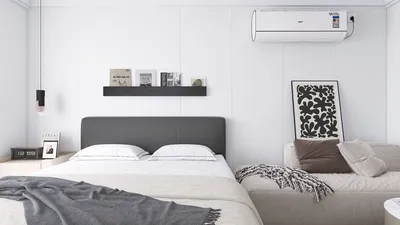


Utilizing grayscale architecture rendering with Photoshop serves as a formidable method for visualizing housing masterplans. This approach emphasizes form, space, and overall composition, allowing you to eliminate the interference of color. Whether you are an architect, designer, or student, mastering this technique can enhance your presentations and improve communication with clients, particularly when combined with tools like Homestyler.
To begin with grayscale rendering, adhere to these crucial steps:
Understanding Grayscale Rendering
Grayscale rendering is the process of transforming your architectural designs into various shades of gray. This technique effectively highlights the structural components and spatial organization, making it simpler for clients to comprehend the layout and design intentions behind the project.
Step-by-Step Guide to Grayscale Rendering
Before you start working in Photoshop, ensure that your architectural model is fully prepared. Export your design from CAD software in a high-resolution format, as a higher resolution ensures that details are well-preserved in your grayscale rendering.
Launch Photoshop and import your exported file. It's important to have your layers organized for easy editing. Consider separating different elements of your design—like buildings, landscaping, and roadways—into individual layers.
To change your image to grayscale, navigate to the 'Image' menu, select 'Adjustments,' and click on 'Black & White.' This step allows you to modify the grayscale mix, enhancing specific aspects of your design.
Employ the brush tool to create shadows and highlights. A soft brush with reduced opacity will help you achieve a more realistic effect. This part of the process is vital in adding depth and rendering a three-dimensional quality to your artwork.
Incorporate textures to surfaces such as walls, roofs, and roads. You can either locate various free textures online or craft your own. Overlay these textures onto the corresponding layers and employ blending modes to create a lifelike appearance.
When you are pleased with your grayscale rendering, make any final tweaks to contrast and brightness to boost visibility. The 'Levels' or 'Curves' adjustments will give you more precision in this tuning.
Benefits of Grayscale Rendering in Housing Masterplans
Employing grayscale in your housing masterplans helps concentrate on design components without the interference of color. This enables clients to visualize spatial arrangements and layouts more effectively, fostering productive discussions concerning functionality and flow.
Best Practices for Effective Grayscale Renderings
1. Maintain simplicity: Keep renderings uncluttered to focus attention on your design.
2. Be consistent with lighting: Ensure that the direction of your light source remains uniform throughout the rendering for a harmonious appearance.
3. Explore different perspectives: Varying angles can significantly alter the perception of space.
Conclusion
Grayscale architecture rendering in Photoshop transcends mere technique; it is an artistic endeavor that can significantly improve the presentation of housing masterplans. By concentrating on structural elements and spatial relationships, you can communicate your design intentions more effectively, further enhanced when using platforms like Homestyler.
FAQ
Q: What advantages does grayscale rendering offer over color? A: Grayscale rendering accentuates the form and spatial dynamics of the design without color distractions, making it easier for clients to grasp the layout.
Q: What Photoshop tools are vital for grayscale rendering? A: Essential tools include the brush tool for adding shadows and highlights, the Black & White adjustment for image conversion, and texture overlays to enhance realism.
welcome to Use No.1 Home Design Software
Zaprojektuj teraz za darmo
































