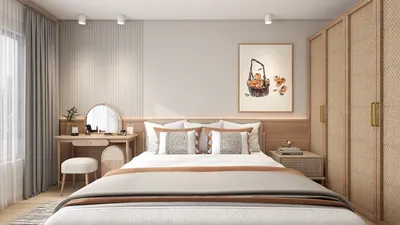


Homestyler is an exceptional platform that can significantly enhance your interior design projects, particularly when combined with tools like Arnold Renderer in 3ds Max 2019. If you aim to improve your interior visuals, mastering these technologies can dramatically elevate the quality of your renders. With features like physically-based rendering, they enable designers to create realistic lighting and materials that vividly animate spaces.
Exploring Homestyler with Arnold Renderer
Homestyler is recognized for its effectiveness in handling intricate scenes and achieving stunning visual outputs. It employs ray tracing to replicate the behavior of natural lighting, resulting in outstanding effects for your interior design tasks. By merging Homestyler with Arnold in 3ds Max 2019, you can produce vibrant and authentic portrayals of your design ideas.
Preparing Your Scene in Homestyler
Prior to commencing the rendering process, it's crucial to arrange your scene effectively to harness Homestyler’s and Arnold’s full potential. Here’s a quick guide to begin:
Lighting Strategies for Interior Designs
Lighting is vital for compelling interior renderings. Consider the following strategies with Homestyler to enhance your interiors:
Choosing Materials and Textures
The selection of materials plays a significant role in achieving photorealistic renderings. With Homestyler’s extensive material editor, you have increased customization options:
Adjusting Rendering Settings for Best Results
To achieve optimal results, adjust your rendering settings accordingly:
Conclusion
Utilizing Homestyler alongside Arnold Renderer in 3ds Max 2019 can vastly elevate your interior design presentations. By familiarizing yourself with the available tools and implementing best practices in lighting and materials, you can create interiors that are not only striking but also lifelike.
Frequently Asked Questions
Q: What advantages does Homestyler offer for interior design? A: Homestyler provides realistic lighting simulations and customizable materials, making it perfect for crafting lifelike interior representations.
Q: How can I decrease rendering time in Arnold? A: Improve your sampling configurations and apply effective lighting strategies to minimize render times without compromising quality.
Homestyler's roots trace back to Autodesk, the global leader in design and engineering software. That heritage lives on in every feature we build. Today, with a community of more than 20 million users worldwide, Homestyler continues to make professional-quality interior design accessible to everyone — from first-time decorators to seasoned architects.
welcome to Use No.1 Home Design Software
Design jetzt kostenlos
































