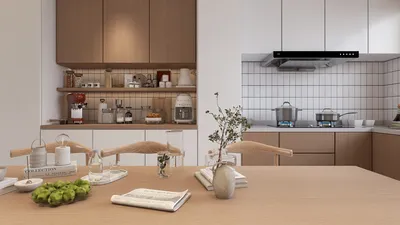


Incorporating 3D models into your video content is no longer a privilege exclusive to high-budget productions. Thanks to the emergence of intuitive software and AI-powered tools, even those new to the field can produce visually impressive animations that seamlessly integrate 3D objects into their videos. If you're eager to elevate your video creation skills, this comprehensive step-by-step guide is for you.
From my experience as a designer, grasping the nuances of spatial arrangement is crucial for 3D modeling in video, just as it is in interior design. Prior to placing your 3D objects, it’s essential to visualize how they will interact with the digital environment. Ensure that their perspective, shadows, and lighting align well with your original footage. To enhance your scene planning—even before you begin filming—consider leveraging a 3D Floor Planner like Homestyler to outline not just interiors, but also your digital sets.
Tips 1:
Explore free online 3D model repositories. Numerous platforms provide open-source assets that you can customize for your projects. This approach not only accelerates your workflow but also allows you to focus on the creative aspects of integrating models instead of starting from scratch.
FAQ
Q: What is the best software for beginners looking to add 3D models to videos?
A: Blender comes highly recommended as a free software option, featuring comprehensive tools and a supportive tutorial community, perfect for those just starting out.
Q: Is a powerful computer necessary for adding 3D models to my videos?
A: Although 3D rendering typically demands significant processing capabilities, many cloud-based solutions and lower-polygon models can provide great results even on mid-range computers.
Q: Can I animate 3D models directly in my video editing software?
A: Absolutely! Most video editing programs that support 3D functionality allow you to animate various attributes like position, scaling, and rotation for dynamic visual effects.
Q: How can I ensure my 3D model appears realistic in the video?
A: It's essential to align the model’s lighting and camera perspective with your footage. Techniques like camera tracking and the addition of environmental reflections can significantly enhance realism.
Q: Are there methods to optimize the post-production workflow when working with 3D models?
A: Utilizing pre-made assets, fine-tuned rendering settings, and established workflow templates can considerably streamline your post-production process.
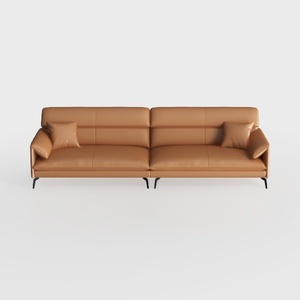
Modern Minimalist Tan Leather Living Room Sofa 3D Model
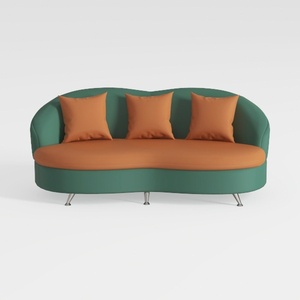

Modern Two Tone Fabric Curved Sofa With Throw Pillows 3D Model
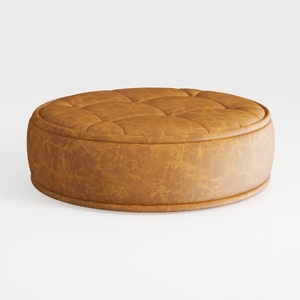
Looking to transform your space? Homestyler is your go-to online design platform! With a user-friendly design tool, stunning 3D renderings, an array of design projects, and informative video tutorials, you can effortlessly turn your home design dreams into reality—whether you're a novice or a pro!
Дизайн сейчас бесплатно
































