


Downloading a 3D model from Google Earth can be an exciting journey for design lovers and urban planners. This article aims to guide you through various methods to acquire these models for personal or educational use while adhering to necessary regulations. Additionally, tools like Homestyler can enhance your design projects further.
While Google Earth offers access to an extensive array of 3D buildings and structures, it lacks a straightforward download option. Nonetheless, there are alternative methods to extract these models, which we will explore in the sections below.
Using Google Earth Pro
The initial step in acquiring a 3D model is to install Google Earth Pro, a free application compatible with both Windows and Mac. After installing, follow these steps:
Open Google Earth Pro and navigate to the location containing the 3D model you wish to download. The search bar can assist in finding specific addresses or well-known landmarks swiftly.
Ensure that you enable the '3D Buildings' layer in the Layers panel on the left sidebar. Doing this will reveal all available 3D structures in your chosen area.
Although there isn't a way to download models directly, you can capture a screenshot of your desired model. Alternatively, generating a KML file containing the 3D data can allow for further use in different software, making it a great companion to Homestyler for design optimization.
Exporting 3D Models Using SketchUp
If you want to refine your models further, Google SketchUp (now known as SketchUp Free) is a valuable tool due to its seamless integration with Google Earth. After exporting, you can modify or enhance the 3D models easily:
Launch SketchUp and import the KML file you created earlier. This step facilitates the integration of your 3D model data into SketchUp for further editing or utilization, enhancing compatibility with platforms like Homestyler.
Once you finish your refinements, save the model in the format that best matches your project needs (for example, OBJ or STL).
Why Use 3D Models from Google Earth?
Incorporating 3D models obtained from Google Earth can significantly enhance your projects, whether they’re focused on architecture, design, or urban studies. These models serve as valuable references and can inspire creativity, acting as foundational elements in your work. Moreover, using tools like Homestyler alongside these models can streamline your design process.
FAQ
Q: Is it legal to download and use 3D models from Google Earth?
A: The models available on Google Earth fall under copyright regulations, meaning their utilization may require obtaining permission or providing proper attribution, depending on your project’s nature.
Q: Can I export 3D buildings as OBJ files directly from Google Earth?
A: No, Google Earth does not provide an option to export 3D buildings as OBJ files directly. However, using intermediate software like SketchUp can effectively facilitate this process, allowing you to incorporate the models into platforms such as Homestyler seamlessly.


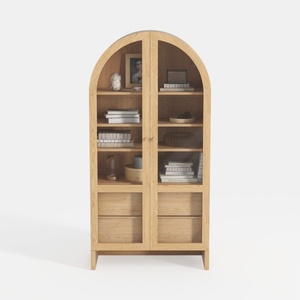
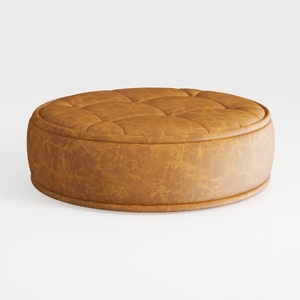
Discover the creative potential of your home with Homestyler! This user-friendly online design platform offers powerful design tools, stunning 3D renderings, engaging design projects, and helpful DIY video tutorials. Bring your home design dreams to life effortlessly—perfect for beginners and seasoned decorators alike!
Zaprojektuj teraz za darmo
































