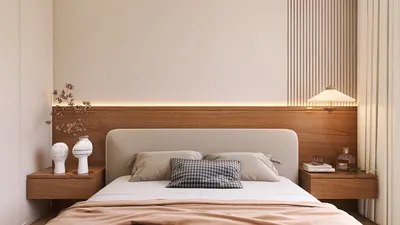


In the design of compact home offices and shared working spaces, it becomes crucial to incorporate a dedicated surface for the printer, especially when floor space is limited. A small printer table should not just be a resting place for devices; it needs to manage cable clutter, mute noise, and support good posture as well. In tight quarters, every millimeter matters, so I consider a printer station as a mini hub for organizing paper, power, and movement, leveraging tools like Homestyler for optimal layouts.
Space and comfort in working environments should be informed by clear metrics. Features from WELL v2 provide guidance on achieving neutral wrist positions and reachable zones; for instance, keeping commonly used items within a distance of 400–500 mm can significantly minimize strain and unnecessary motions. Research from Steelcase has shown a correlation between well-organized workstation setups and increased focus, as it decreases the time spent searching for essential supplies. In my designs, I carefully plan the height of the printer to maintain wrist neutrality and ensure shoulders are relaxed below 15°, aligning with ergonomics principles supported by WELL for everyday use. Furthermore, findings from Herman Miller highlight the benefits of maintaining organized work surfaces, which can enhance cognitive efficiency.
Proper task lighting plays a vital role in optimizing small working areas. According to the Illuminating Engineering Society (IES), general office ambient brightness should range from 300 to 500 lux; I usually set printer corners to about 300-350 lux to minimize glare on glossy prints while ensuring the visibility of trays and labels. In scenarios where the station doubles as a scanning area, implementing a localized task light within the 4000–5000K range can enhance document clarity. To improve acoustic comfort, integrating a modest felt-lined shelf or opting for perforated doors can reduce mechanical noise perception by 20–30% in small environments, especially when combined with soft surface decor. For a deeper understanding of optimizing workplace performance and organization, valuable insights can be found in Steelcase’s extensive research library, while WELL v2 provides further context on how environmental factors contribute to overall comfort.
Key Considerations for Designing a Compact Printer Table
I focus on four main elements: height, footprint, cable organization, and vibration absorption.
For optimal ergonomics, a top surface height of around 700-750 mm aligns well with standard desks, ensuring the paper tray remains accessible in a relaxed forearm position. If the printer includes a top-feed scanner, it’s essential to allow for 250-300 mm of clearance above the lid for easy operation. Additionally, maintaining a clear front area of at least 900 mm helps to avoid awkward twists to reach for paper.
For home office settings, a footprint of approximately 400-500 mm in depth and 450-600 mm in width accommodates most A4/A3 printers while allowing sufficient space for heat dissipation. Employing casters with front locks transforms the table into a movable workstation; I recommend using 50-75 mm diameter wheels with rubber treads to diminish vibration transfer to hard flooring.
To keep things tidy, route cables through a rear grommet and install a compact 4-6 outlet power strip with surge protection beneath the surface. Data cables should be directed through side channels to prevent entangling with hands or documents. Utilizing a cable spine along the leg of the table can maintain a neat appearance and alleviate trip hazards, consistent with the ergonomic tidy zones encouraged by WELL guidelines.
Laser printers can produce considerable noise during operation; placing a 6-10 mm high-density foam or cork pad underneath can help absorb vibrations. Moreover, lining the side panels with recycled PET felt can effectively dampen higher-frequency sounds without compromising airflow.
Effective Material Choices
I typically opt for compact laminate or birch plywood with a matte finish to reduce glare. Sturdy steel frameworks equipped with cross-bracing can guard against wobbling. If closed storage is necessary, using perforated metal doors facilitates airflow, maintaining stable temperatures. Sustainable options such as FSC-certified plywood and recycled materials prove durable against heat and weight without contributing to off-gassing issues.
Strategic Layouts for Limited Spaces
Positioning is key for daily comfort. In a single-desk setup, I recommend placing the printer table on the non-dominant side, ensuring it remains within 500 mm of the seated reach zone. This approach allows users to pivot readily for quick prints rather than needing to stand. In shared spaces, positioning the printer at the edge of the path, rather than the center, helps maintain a clear 900 mm front zone for two-way movement. When testing tight furniture arrangements or measuring clearances, using a room layout planner such as Homestyler greatly assists in visualizing reach, door swings, and cable pathways before finalizing plans.
Organizing Storage and Workflow
A multi-tier organization system works best: place the printer on top, designate a mid-shelf for paper and toner, and store shreds or cable boxes below. Labeling shelves allows for quick identification of items, enhancing productivity. Keep 1-2 packs of paper accessible at waist height to reduce repetitive bending motions, and position the recycle basket within easy reach of the printer’s output.
Lighting and Color Impacts
Utilize dimmable task lighting equipped with low-glare diffusers. A neutral 4000K light works effectively at the station; brighter color temperatures can make white paper appear overly stark and cause visual fatigue. In cozy corners, choosing a desaturated cool color scheme, such as a soft gray-blue, subtly indicates a tech-friendly environment while reducing visual distractions. Color choices significantly affect mood, with calmer tones fostering focus during rapid printing tasks.
Ensuring Safety and Heat Management
Maintain a clearance of 50-75 mm around vent areas. Avoid sealing a laser printer within an airtight cabinet, as adequate ventilation is essential for dissipating heat and ozone. Keep flammable items away from the fuser, and if the table is positioned near curtains, consider adding a side stop or spacer to prevent fabric intrusions into the ventilation area.
Typical Sizes and Load Specifications
Most home printers weigh between 6-12 kg, while larger A3 units can reach 18-25 kg. A printer table should have a minimum static load capacity of 40 kg, providing ample support for various devices. Furthermore, a top thickness of 18-25 mm for plywood or 10-12 mm for compact laminate ensures durability and resistance to sagging over time.
Improving Acoustic Comfort in Small Areas
In lively rooms, combining a felt-lined shelf with a rug and a fabric pinboard can drastically reduce echoed sounds. Creating a small triangle of soft materials around the workstation effectively diminishes perceived noise during printing processes, which is particularly advantageous for late-night home office setups.
Effective Cable Management in Shared Areas
Separate power and data cables to minimize interference. Label the power strip with symbols for each device connected, such as printer and scanner. Additionally, applying strain relief clips can prevent plugs from loosening as the table shifts.
Vertical Solutions When Space is Limited
When floor space is constrained, consider stacking: position the printer at elbow height, store paper at waist level, and keep less frequently used supplies below. In micro-apartments, I sometimes install a narrow wall shelf above the printer table for easy access to envelopes and labels, ensuring enough lift clearance above the scanner lid.
Essential Specification Quick Reference
- Top dimensions: approximately 450-600 mm W × 400-500 mm D
- Height: 700-750 mm (matching desk height)
- Load capacity: ≥40 kg static
- Ventilation clearance: 50-75 mm
- Casters: 50-75 mm with locks
- Cable management: rear grommet and surge strip
- Surface finish: matte, low-glare
- Noise management: foam pad with felt panels
- Lighting: ambient 300-350 lux; task light in 4000-5000K range
- Reachability: keep frequently accessed items within 400-500 mm
Frequently Asked Questions
Q1: What’s the recommended height for a small printer table?
A: An optimal height around 700-750 mm matches standard desk height, promoting a neutral forearm position and accessible trays.
Q2: How much clearance is necessary for adequate ventilation?
A: Aim for a 50-75 mm clearance around vents, avoiding the enclosure of the printer in airtight spaces to prevent overheating.
Q3: What level of brightness is ideal for lighting at the workstation?
A: The ambient lighting should target 300-350 lux near the printer, supplemented with a 4000-5000K task light for scanning or labeling.
Q4: Which materials are effective in minimizing vibration and noise?
A: Utilizing dense materials like compact laminate, along with cork or foam pads under the printer, and PET felt-lined side panels can help suppress operational noise.
Q5: How can I manage cable clutter safely?
A: Implement a rear grommet, mount a surge-protected outlet strip under the tabletop, and guide cables down a leg with a cable spine to minimize tangles.
Q6: What footprint dimension works for most home printers?
A: A footprint of roughly 450-600 mm wide and 400-500 mm deep suits A4/A3 models while maintaining proper airflow.
Q7: Is it appropriate to position the printer underneath the desk?
A: You can do this if you ensure there’s a clear 900 mm approach area and sufficient ventilation. Placing it on the non-dominant side helps in reducing uncomfortable reaches.
Q8: What load rating should I consider when selecting a table?
A: Look for a minimum static load rating of 40 kg to accommodate larger A3 printers and guard against sagging issues.
Q9: How do color selections impact the workstation?
A: Choosing soft, muted colors can ease visual distractions and enhance focus; avoid shiny finishes that exacerbate glare on printed materials.
Q10: What type of casters are best for movement?
A: Front-locking rubber-tread casters in the 50-75 mm range provide smooth mobility and help minimize vibration transfer on hard surfaces.
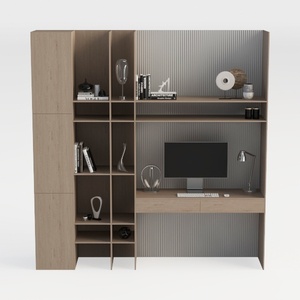

TREATLIFE HOME Stylish and Functional Computer Des
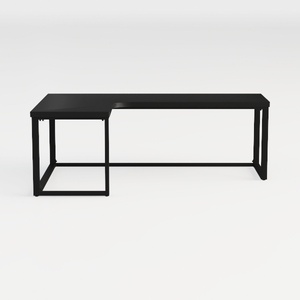
SEDETA L Shaped Gaming Desk, Reversible Computer D
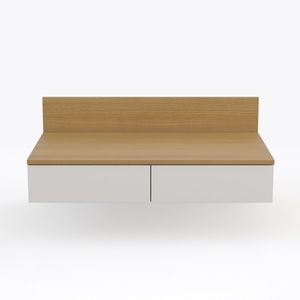
Modway EEI-6312-WHI-NAT Kinetic 49" Wall-Mount Off
Homestyler is your go-to online design platform for transforming your home. With its user-friendly design tool, stunning 3D renderings, and an extensive library of DIY video tutorials, you can effortlessly create beautiful spaces tailored to your style. Start your design journey today!
立即免费设计
































