

I consider the conference room table as a critical component that influences behavior within the space. The dimensions, style, and materials of the table play a significant role in affecting how individuals posture themselves, maintain eye contact, and share ideas. Successful rooms typically combine the right table proportions with optimal lighting, sound management, color impact, and integrated technology. Research supports this; for instance, Gensler’s U.S. Workplace Survey indicates that environments designed for collaboration yield higher productivity ratings. Additionally, Steelcase notes that well-furnished meeting areas enhance both perceived efficiency and engagement levels. The WELL v2 standard highlights the importance of visual comfort, suggesting that appropriate lighting and glare management can alleviate cognitive fatigue during prolonged meetings. With tools like Homestyler, envisioning such spaces becomes easier.
My approach focuses first on ensuring direct sightlines, reachable distances, and adequate space around the table. I recommend lighting levels of 300-500 lux at the table surface while adhering to glare reduction guidelines as per IES recommendations. Steelcase research identifies technology issues as a major source of frustration in meetings; therefore, ensuring power and data access within 18-24 inches of each seating position is crucial to minimizing clutter from cords. For color, insights from Verywell Mind suggest that softer blues and greens promote relaxation and concentration—ideal for brainstorming sessions. In contrast, warmer neutral tones can enhance relational dynamics in client meetings. For comprehensive guidelines, IES resources on task lighting and the WELL v2 standard on visual comfort are invaluable.
Establishing the Appropriate Shape and Seating Capacity
The shape of the table significantly influences interaction dynamics. Rectangular configurations facilitate formal, agenda-centric meetings, while boat-shaped tables enhance sightlines and equality among participants. Oval shapes encourage natural dialogue and diminish hierarchical impressions. Round tables, although space-consuming, provide an inclusive atmosphere for smaller teams. Generally, I recommend allocating 24-30 inches of space per person along the edge, increasing to 30-36 inches when accommodating personal items like laptops and drinks, as elbow contact during long discussions can distract focus.
Clearances must be prioritized. Allow 42-54 inches between the table edge and walls or storage units for circulation and chair movement; 60 inches is ideal when accessibility or service areas are crucial. Utilizing a room layout tool like Homestyler can effectively visualize chair movements, camera angles, and door placements before finalizing any arrangements.
Get the Proportions Right
Proportions are essential for comfort and presence during video meetings. A standard table height is typically 29-30 inches, paired with chairs that provide a 17-19 inch seating height ensures ergonomic knee room and wrist alignment. For table depth, ranges of 42-54 inches are adequate for small to medium tables, while larger tables accommodating 10-16 individuals might require depths of 48-60 inches. Length should be sized according to (seats/2) × 60 inches for rectangular or boat shapes, but it's vital to perform actual chair fit tests.
Integrated Power, Data, and Technology Solutions
Successful meetings rely heavily on seamless technology. I propose strategically placing power units every 24-30 inches along the centerline of the table, incorporating AC, USB-C PD, and USB-A connections. For hybrid meeting spaces, incorporating at least two cable management systems containing retractable HDMI/USB-C and spare adapters is essential. To maintain a tidy surface, employing a trough or spine beneath the table can conceal cords, allowing for more legroom. Ensure that the main camera captures the length of the table to include all participants in the view; an auxiliary camera positioned at an angle can help in capturing whiteboard content clearly.
Lighting to Preserve Visual Acuity
People naturally focus on facial expressions as well as screens. In lighting design, I aim for 300-500 lux on the table surface, ensuring balanced vertical illumination on participants' faces. Utilizing soft and diffuse lighting from larger pendants or acoustic-luminaire hybrids effectively minimizes glare. Maintaining a low unified glare rating (UGR) through the use of diffusers and indirect light sources is critical. A correlated color temperature of 3500K to 4000K promotes alertness while preserving the natural appearance of skin tones. Dimming lights to 10% during presentations should not render the table in darkness; instead, complementary task lighting along walls for whiteboards is recommended, following IES guidelines for visual comfort.
Acoustic Comfort Considerations
The presence of hard surfaces can exacerbate noise issues in meetings. To combat this, I implement ceiling-level acoustic treatments (NRC 0.7+) alongside noise-absorbing features like felt baffles or acoustic panels. For the table itself, a matte, textured surface type lessens sounds from papers while reducing microphone echoes. Keeping HVAC noise levels below NC 30-35 is crucial in meetings, as higher levels lead to distracting background sounds for remote participants. For those frequently engaging in hybrid formats, consider beamforming edge-microphone arrays, ensuring the table surface does not act as a sound reflector.
Tactile Quality and Durability of Materials
Table finishes should not only engage touch but also resist marks from coffee and constant cleaning activities. I recommend using high-pressure laminate (HPL) or FENIX NTM materials for their matte, low-gloss finish that looks great on video and minimizes glare. For a more upscale look, solid wood or wood veneer topped with a durable coat can add warmth when paired with sturdy metal bases. Avoid reflective materials like chrome and glass that can cause distracting glares. Designing with rounded edges can help prevent injuries and damage. If sustainability is essential, seek certified materials and low-VOC finishes while ensuring a relaxing sensory environment for extended periods.
Color Psychology and Visual Harmony
The colors within the room set the intellectual atmosphere. Soft desaturated blues and greens can enhance focus and physiological stability for strategic tasks, while warm neutrals with an accent (such as deep teal or muted burgundy) create an inviting atmosphere for client interactions. It’s important to maintain a calm tabletop color—neutral mid-tones with low reflection ensuring visibility of laptops and documents. Attention to visual rhythm, like aligning fixture placements with chair centers, is essential for maintaining equilibrium in video presentations.
User Considerations: Edges, Reach, and Accessibility
Participants shouldn't have to stretch uncomfortably to access shared resources. Keep essential items within a 16-18 inch reach from the table edge. Infrastructure like power modules should be located within a natural arm range—not at the center where taller individuals monopolize accessibility. For accessibility requirements, evaluate knee clearance and table bases: options such as T-legs or offset columns often provide superior legroom, particularly beneficial for wheelchair users. When retrofitting existing spaces, using an interior layout planner like Homestyler to assess base positioning can prevent conflicts with chair arms.
Selecting an Appropriate Table Base
Choosing the wrong base can negate the benefits of an excellent tabletop. Slab ends convey strength and steadiness but may restrict knee space; pedestal bases offer increased legroom but require a heavier base to remain stable. For larger tables, a central spine with lateral supports enhances wire organization and maintains legroom. Aim for a maximum bend of 1.5 mm across long tabletops; a robust substrate or hidden stretcher provides stability when participants lean in for engagement.
A Focus on Hybrid Meetings: Visibility and Sightlines
Camera orientation is critical during hybrid meetings. I ensure primary speakers are positioned at the shorter end facing the display, aligning their eye levels with the camera for the best engagement. Avoid situating taller individuals immediately in front of the camera lens to prevent obstructed views of their faces for remote viewers. Matte surfaces with high diffusion and cool white lighting (around 4000K) keep content visible during whiteboard discussions. Testing a standard call setup with laptops active can reveal whether glare from the table edge is an issue; if so, adjust the color temperature slightly or add texture to the table surface.
Considerations of Spatial Ratios and Room Layout
The functionality of a table is heavily dependent on its room context. As a general guideline, the table should occupy approximately 40-60% of the room’s area to ensure efficient movement and presentation areas. Maintain a distance of 7-10 feet from the primary display to the front edge of the table for mid-sized conference rooms, adjusting according to the screen size and participant density. If modular partitions are involved, using a layout simulation tool can assist in testing various configurations to ensure all aspects, including camera, audio, and power placements, align properly.
Design Trends for 2024-2025
Emerging trends include (1) integrated power solutions with magnetic covers, enhancing adaptability; (2) acoustic-luminaire solutions that merge lighting, acoustics, and cable management into cohesive elements; and (3) nano-technology laminates that enhance resistance against fingerprints and glare in video settings. The demand for USB-C power delivery at 65-100W per seat is rising, with smaller rooms increasingly adopting oval or boat shapes to diminish hierarchy in visual presentations.
Sample Sizing Recommendations
- 4–6 people: 72–96 × 42 inches (round 54–60 inches).
- 6–8 people: 96–120 × 42–48 inches (oval/racetrack 96 × 48).
- 8–10 people: 120–144 × 48–54 inches (boat 132 × 54 balances reach and presence).
- 12–16 people: 168–240 × 54–60 inches with multiple power zones.
Ensure to validate with actual chair widths (20–24 inch plus arms) and maintain a clearance of 42-54 inches from walls.
Maintenance for Longevity
Workspaces often encounter spills and accidental marks. Therefore, selecting finishes that are abrasion-resistant and maintaining low-gloss properties is essential; consider replaceable edge banding or solid-wood edges with tough surface coatings. Establish cleaning protocols that are gentle on the finishes—avoid harsh chemicals on matte surfaces. Choose hardware that incorporates accessible service panels; should a power unit falter, it should ideally be replaceable quickly, minimizing downtime.
Frequently Asked Questions
The ideal shapes for meeting tables are typically boat-shaped or racetrack ovals. They maintain a sense of equality while ensuring consistent distances to the camera, allowing remote participants to engage effectively.
Plan for 42-54 inches between the table edge and walls or storage solutions to facilitate comfortable movement and space for chair mobility; 60 inches is best where service or accessibility is necessary.
Aim for lighting levels between 300-500 lux at the table surface, utilizing soft, diffused sources with low glare. Keeping a color temperature around 3500-4000K balances alertness while ensuring natural skin tones are preserved.
Plan for 24-30 inches of space per person, adjusting for chair arms and laptop use. For tighter spaces, accommodate with a minimum of 22-24 inches, though comfort and productivity may be compromised without sufficient elbow room.
Include in-surface power modules every 24-30 inches along the table's centerline, integrating AC and USB-C PD. Use a trough or spine beneath the table to keep cables hidden and protect legroom.
Opt for matte HPL or nano-technology laminates with low mirror-like reflectance. Stay clear of glass and high-gloss veneers, as these can create glare and visible smudges.
Combine ceiling acoustic treatments or acoustic pendants (NRC ~0.7) with sound-absorbing wall panels. Select a textured, matte surface for the table to minimize microphone feedback and paper noise.
A standard table height of 29-30 inches works well for most seated tasks. Pair with chairs having seat heights of 17-19 inches to support proper ergonomic posture and sufficient knee clearance.
Aim for the table to cover roughly 40-60% of the room's footprint and prioritize rounded corners. Oval or boat shapes often provide increased comfort in confined spaces.
Desaturated blues and greens encourage calmness and prolonged focus; warmer neutrals enhance client-facing environments for a welcoming feel. Maintaining a neutral, low-gloss tabletop increases document and device visibility.
For seating arrangements, T-legs or central spines usually provide better knee clearance over slab-end bases, particularly advantageous for wheelchair users. Always match base locations with chair arm spacing in your layout planner before finalizing choices.
Ensure USB-C power delivery at 65-100W is accessible at key seating positions to accommodate modern laptop requirements. Integrate USB-A connections for peripherals and legacy devices.
Choose modular power solutions, easily replaceable surface materials, and a cable management system with ample capacity. Select resilient matte finishes and surfaces that can be refurbished or exchanged.
Adapt your workspace for short, dynamic meetings with tables that stand at 40-42 inches high complemented by perch stools, along with anti-fatigue flooring for added comfort.
Utilize matte boards with consistent lighting around 3500-4000K, position a secondary camera at an angle to minimize glare, and avoid using glossy markers that could create reflective blooms during video calls.
Homestyler's roots trace back to Autodesk, the global leader in design and engineering software. That heritage lives on in every feature we build. Today, with a community of more than 18 million users worldwide, Homestyler continues to make professional-quality interior design accessible to everyone — from first-time decorators to seasoned architects.

Minimalist Modern Linear LED Ceiling Lamp 3D Model

Natural Rattan Woven Pendant Lamps Minimalist Boho 3D Model
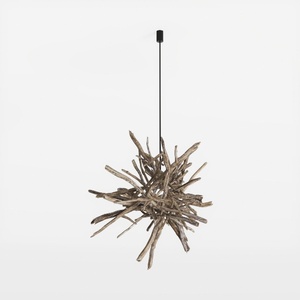

Rustic Driftwood Branch Pendant Chandelier 3D Model
Discover the creative power of Homestyler! This user-friendly online home design platform offers an innovative design tool, stunning 3D renderings, and inspiring DIY video tutorials. Perfect for transforming your ideas into reality, Homestyler makes designing your dream space easy and enjoyable!
Design Now for FREE
































