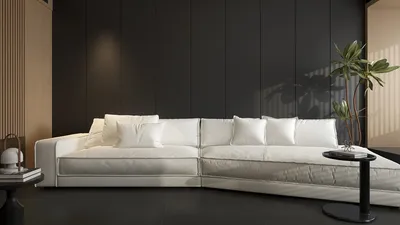


Control rooms often operate under immense pressure, where every second is critical. Clear decision-making and effective layouts are essential for operators to perform efficiently. Drawing from my experience in designing mission-critical spaces in hot, humid southern climates, I believe the key to success lies in effectively integrating human factors, resilient infrastructure, and a visually calming environment that minimizes cognitive strain, enhanced further by tools like Homestyler to visualize designs.
In a control room, ensuring both productivity and well-being is non-negotiable; these factors are operational necessities. According to WELL v2 standards, maintaining illuminance levels of 300–500 lux on work surfaces while managing glare can significantly enhance operator comfort and accuracy. Research from Steelcase demonstrates that optimal ergonomic designs and supportive seating effectively alleviate musculoskeletal issues and boost focus during extended shifts. I strategically incorporate adjustable lighting solutions, balanced contrast ratios, and ergonomically designed seating tailored to fit a wide range of body types, ensuring sustained alertness during long 12-hour shifts.
Control rooms face high-stakes scenarios that include weather fluctuations, grid instability, logistical coordination, and emergency responses. Insights from Gensler’s workplace research confirm that having the right tools and clear visual cues is crucial for peak performance. Therefore, I focus on designing optimal sightlines, effective lighting adjustments, and acoustic barriers that facilitate accurate monitoring, prompt escalation, and smooth collaboration, particularly in high-pressure situations.
Fundamental Guidelines for Designing Control Rooms in Southern Regions
• Resilience to heat and humidity: Select equipment with buffer zones for heat, ensure integrated cooling systems for server racks, and separate HVAC environments for operators to maintain a consistent temperature of 72–75°F while effectively controlling humidity levels. Opt for low-VOC materials that do not emit harmful gases, ensuring air quality even during extended operations.
• Enhancing visual clarity and reducing cognitive load: Strive to maintain a contrast ratio of 3:1 to 5:1 between operator desks and surrounding displays; opt for matte finishes to reduce any unwanted glare on display surfaces. Task lighting should be calibrated between 350–500 lux, and large display screens' brightness should be consistent to reduce eye strain.
• Precision in ergonomics: Suggest desk heights ranging from 700 to 740 mm with sit-stand capabilities; position monitors at an angle 15 to 20 degrees below eye level; ensure appropriate spacing for keyboards at 50–75 mm; and include armrests that support natural shoulder alignment. Focusing on these ergonomic details can minimize fatigue during lengthy monitoring sessions.
• Strategic redundancy: Ensure dual power sources, UPS connections to generators, alternative network pathways, and physically separated critical circuits to bolster reliability. Design equipment rails to facilitate optimal airflow and effective thermal management.
Optimized Layout Zones for Clarity and Speed
I organize the control space into three distinct sections: a dedicated operator area, a collaborative hub, and a technical backstage zone. The operator core is aligned directly with the main display wall, ensuring uninterrupted sightlines; collaboration occurs at tables placed behind, separated by sound-dampening partitions; and equipment rooms feature independent cooling to minimize noise and heat.
For quick iterations and stakeholder engagement, I often utilize a room layout tool, like Homestyler, to visualize aspects such as sightlines, circulation paths, and console density, facilitating informed design choices.
Visual Systems: Screens, Illuminance, and Glare Control
• Display hierarchy: Position primary KPIs in the center top third of the display wall, while alerts should occupy peripheral areas, utilizing contrasting colors without overwhelming saturation to reduce alarm fatigue. Employ color psychology thoughtfully—reserve red for urgent alerts and use amber and cyan for status signals to alleviate false urgency.
• Layered lighting strategies: Maintain ambient lighting from 200 to 300 lux, task lighting up to 500 lux, and minimal accent lighting. Edge-lit fixtures should control glare while ensuring uniformity across the operator space. Circadian-friendly lighting variations from 3500 K at night to 4000–4500 K during the day help maintain alertness without harsh blue light peaks.
• Reflective color specifications: Opt for ceilings that reflect 80–85% of light, walls that reflect 50–60%, and floors reflecting 20–30% for optimal contrast and to prevent blinding reflections on screen surfaces.
Acoustic Comfort for Effective Decision-Making
Since continuous monitoring heavily relies on verbal communication, I aim for NC levels between 30 and 35 in the operator space and an RT60 of approximately 0.5 to 0.6 seconds by employing high-NRC sound-dampening wall panels and acoustic ceiling features. I also enclose discussion areas with glazed fronts to maintain auditory privacy, incorporating sound masking at 40–45 dBA for a balanced background sound environment.
Understanding Human Factors During Shift Work
Shift changes necessitate subtle recovery strategies. I integrate micro-pause signals within the lighting (subtle intensity fluctuations every hour) and equip every operator with footrests and wrist supports alongside ergonomic task chairs. Nearby breakout areas—positioned just outside the operator zone—facilitate brief mental breaks. Shifting color temperatures toward warmer tones in the evening can mitigate circadian rhythm disruptions while ensuring visibility for intricate tasks.
Building Resilient Infrastructure and Risk Management
• Power systems: Dual power connections for each console; adequate UPS runtime to manage generator startup; rigorous monitoring of power quality on crucial circuits.
• Networking: Redundant fiber pathways, separated VLANs for operational and administrative tasks, and physical diversity in conduits.
• Thermal control: Independent CRAC or VRF systems for equipment rooms; separate VAV for operator areas; hot-aisle containment; temperature and humidity sensors strategically placed throughout the environment.
• Safety protocols: Employ clean-agent suppression systems (where code allows) in equipment areas, enhanced smoke detection capabilities, and independent circuit routes for egress lighting.
Sustainable Materials and Eco-Friendly Choices
Opt for low-gloss, fingerprint-resistant laminates for working surfaces, anti-static dense carpet tiles for noise dampening and cable protection, and breathable materials capable of managing humidity. Where applicable, choose modular flooring to facilitate easier access to power and network management while emphasizing low-VOC finishes and recycled content to align with wellness objectives. Durable materials also support reduced lifecycle downtime, which is essential for 24/7 operations.
Operational Procedures and Spatial Strategy
It's vital to map alarm pathways and escalation processes before finalizing furniture placements. Operators should seamlessly alternate between primary and secondary screens, all within a 60-degree line of sight, ensuring tertiary data is just a minimal turn away. Circulation paths should remain unobstructed with clear access behind consoles for supervisors and incident response teams. I also incorporate color-coded edge lighting in collaborative areas to subtly indicate active sessions without distracting operators.
Ergonomic Console Configurations
Height-adjustable sit-stand consoles with memory presets cater to diverse operator needs, while structured cable management prevents overheating. Monitors that can articulate maintain a consistent viewing distance and reduce the need for neck movement. Additionally, incorporating rounded edges on desktop surfaces mitigates forearm strain during extensive data entry tasks.
Real-Time Environmental Monitoring
Utilize dashboards to display critical room metrics—such as noise levels, temperature ranges, and lighting status—enabling supervisors to fine-tune environmental conditions during peak operational times. Simple notifications, like 'glare alerts' activated by excessive brightness near the display wall, can assist in maintaining visual comfort.
Commissioning, Testing, and Personnel Training
Before we go live, I simulate potential incidents to evaluate sightlines, audio clarity, and teamwork transitions. I establish lighting scenes for different times, including day and night plus critical event situations. It’s crucial to train operators on how to make console adjustments and encourage them to personalize their task lighting and monitor settings, fostering a sense of ownership that promotes consistent performance.
Standards and Research as a Foundation for Decisions
To establish guidelines for lighting uniformity, glare control, and visibility thresholds, I base specifications on IES standards for interior lighting and task visibility, pulling health and comfort principles from WELL v2 for acoustics, light quality, and air quality when relevant. For understanding workplace behavior and collaboration, Gensler’s research library provides valuable insights into how space design impacts decision-making and focus.
• IES resources on best practices for lighting design: ies.org/standards
• WELL v2 recommendations for enhancing light and comfort: wellcertified.com
Implementation Strategy
1) Discovery phase: Systematic mapping of workflows, event scenarios, and alarm hierarchies.
2) Concept development: Zoning strategies, sightline analysis, thermal and acoustic modeling, and conceptual lighting designs.
3) Detailed design work: Specifications for console ergonomics, MEP separation, power and network redundancy, and material selections.
4) Pilot testing: Full-scale mockups incorporating operator feedback; refine designs iteratively.
5) Commissioning phase: Calibration of lighting, sound masking, display brightness, and temperature balance.
6) Post-occupancy evaluation: Measurement of lux levels, RT60, NC, thermal comfort metrics, and operator feedback to optimize settings.
Frequently Asked Questions
Q1. What are the best illuminance levels for control room operations?
A1. It is recommended to maintain ambient lighting at 200–300 lux and task lighting between 350–500 lux on work surfaces. Consistency should reach a uniformity ratio of at least 0.6, and glare must be managed to UGR ≤ 19 to reduce eye strain during extended operations.
Q2. How should operators be positioned in relation to the display wall?
A2. Central sightlines should be clear, with primary content located within a 60-degree horizontal field of vision. Circulation paths should not intersect in front of operators; allow 1.2–1.5 meters of clear space behind consoles for supervisors and quick responses.
Q3. What acoustic targets are effective for clear communication without inducing fatigue?
A3. Target an NC level of 30–35 in the operator zone and achieve an RT60 close to 0.5–0.6 seconds. Implement high-NRC wall panels, acoustic ceilings, and carpet solutions. Use sound masking at 40–45 dBA to create a stable background atmosphere without overwhelming area noise.
Q4. What are the crucial ergonomic factors for 12-hour shifts?
A4. Employ sit-stand consoles with adjustable height (700–740 mm), position monitors 15–20 degrees below eye level, provide a viewing distance of 600–800 mm, and include 4D armrests with wrist support to minimize strain and enhance alertness.
Q5. How should color usage be managed in a high-stress environment?
A5. Use red exclusively for critical alarms and opt for amber and cyan for status indications, maintaining neutral background palettes with mid-tone wall colors (50–60% reflectance) to reduce anxiety and promote efficient visual processing.
Q6. What standard redundancy measures should be in place?
A6. Implement dual power feeds supported by UPS and generator setups, create A/B network paths, isolate VLANs, and ensure a diverse range of conduit installations. Maintain separate cooling loops for equipment areas along with continuous monitoring for power quality and temperature regulation.
Q7. What considerations should be made for design in southern climates?
A7. Address humidity control by separating HVAC systems, selecting finishes that withstand high moisture levels, and allowing for optimal heat dissipation strategies within racks using hot-aisle containment to maintain stable equipment temperatures.
Q8. What essential steps should be taken for commissioning prior to going live?
A8. Conduct mock incident simulations to assess sightlines and auditory clarity, adjusting lighting for different scenarios, balancing HVAC systems, calibrating sound masking, and providing operator training for console operation.
Q9. How can the environment be adapted for future technology upgrades?
A9. Implement modular consoles, utilize raised or modular flooring for easy cable access, oversized conduits for flexibility, and maintain 20–30% spare capacity in network racks to accommodate future changes.
Q10. Which metrics should be monitored post-occupancy?
A10. Track metrics including lux levels, uniformity, UGR, NC/RT60, temperature and humidity ranges, power quality incidents, and operator comfort surveys. Use this data to refine lighting scenes, sound masking levels, and temperature setpoints.
Q11. Can collaborative spaces coexist without disrupting operators?
A11. Absolutely—create acoustically separated huddle areas, employ visual barriers for privacy, and utilize subtle lighting indicators to showcase active sessions, ensuring they are strategically positioned away from the operator core.
Q12. What types of flooring are most effective?
A12. Utilize dense, low-pile carpet tiles with high-quality backing for sound absorption and cable protection, coupled with modular access systems for flexible management of power and data connections.
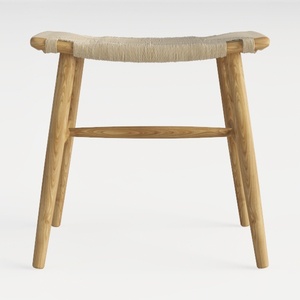
Maven Lane 31" Sophia Backless Bar Stool
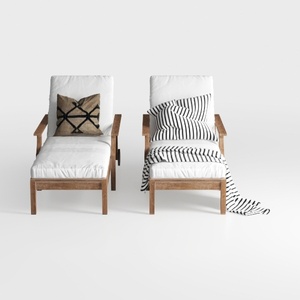
Minimalist Solid Wood Outdoor Chaise Lounge Set with Fabric Cushions 3D Model

Homestyler is an outstanding online home design platform perfect for every decor enthusiast. With its easy-to-use design tool, stunning 3D renderings, and abundant video tutorials, you can effortlessly transform your ideas into beautiful spaces. Unleash your creativity and start designing today!
Diseño ahora GRATIS
































