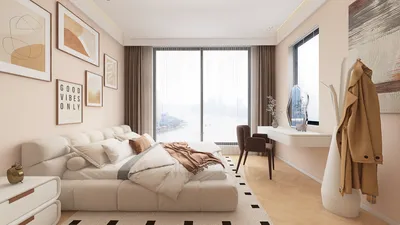


A thoughtfully designed staff room goes beyond just being a relaxation area—it serves as a hub for tranquility, teamwork, and lesson preparation. When educators recharge effectively, it directly enhances student learning. Research from Steelcase indicates that providing individuals with options and control over their environments is linked to increased engagement and overall well-being. Their findings point out that spaces designed to accommodate various working styles can significantly lower stress and boost performance. Furthermore, the WELL v2 standard underscores the importance of good lighting, sound management, and ergonomic design as essential elements for promoting the health and satisfaction of the occupants, with tangible effects on alertness and productivity. Utilizing tools like Homestyler can help visualize and refine these elements in the design process.
Teaching is an intellectually demanding profession. Insights from Steelcase reveal that when spaces allow for task switching through clear environmental indicators, cognitive fatigue decreases significantly. WELL v2 guidance suggests that lighting specifically aligned with visual tasks while minimizing glare can enhance comfort and focus throughout the day. Implementing these principles into a staff room can cultivate a more composed atmosphere: designated areas for concentration, collaboration, and relaxation; ergonomic seating; superior sound control; and well-planned lighting that benefits both the eyes and the mind.
In my work designing faculty spaces for both K–12 and higher education, I've found that the most effective staff rooms operate like versatile ecosystems. These spaces incorporate a quiet zone for grading, a cozy social area for unwinding, a collaborative table for team planning, and a convenient kitchenette that is easy to maintain. When discussing potential layouts, utilizing a room layout tool can facilitate quicker approval and minimize costly alterations by allowing stakeholders to visualize adjacencies and sightlines before finalizing decisions.
Design Goals That Matter
Staff rooms should recharge energy, minimize friction, and nurture collaboration. I prioritize four key areas: sound control, ergonomic design, lighting quality, and intuitive space flow. Each factor critically influences teacher focus and stress levels and must be addressed first during the planning stages, followed by careful selection of materials and furnishings.
Plan the Space in Functional Zones
Organize the room according to behavior and sound levels rather than solely by furniture type. A typical arrangement moving from quiet to bustling is effective: (1) Focus Area—either enclosed booths or a small reading table equipped with task lighting; (2) Collaboration Zone—ideal for teamwork with a counter-height table featuring writable walls and pin-up boards; (3) Lounge—offering soft seating with warm, indirect lighting; (4) Refresh Area—consisting of a compact kitchenette with durable surfaces. If experimenting with layouts, an interior design tool like Homestyler can assist in testing circulation paths, storage access, and sightlines with a simple drag-and-drop interface.
Ergonomics: Fit the Body, Support the Brain
Teachers spend substantial hours grading and preparing lessons; an ill-suited table or chair can exacerbate fatigue. Choose adjustable task chairs with lumbar support, maintain work surfaces at heights between 26–29 inches for seated tasks, and include counter-height options around 40–42 inches for collaborative activities, catering to various body types and mitigating static posture concerns. Select mesh-backed chairs with adjustable arms and synchronous tilt functionality. Ensure keyboard placement promotes a neutral wrist position and add footrests in booths for better posture stability.
Lighting That Works All Day
Incorporate layers of ambient, task, and accent lighting. For grading and screen activities, aim for 300–500 lux at the workspace using low-glare fixtures with a high color rendering index (CRI 90+). Avoid glaring light spots above lounge areas; instead, opt for indirect or wall-wash lighting to create a softer ambience. Utilizing tunable white or balanced 3500–4000K lighting in task spaces maintains alertness without making the ambiance feel sterile. Personal adjustable task lights in focus areas allow educators to control brightness, which aligns with WELL v2’s push for personal agency and glare reduction.
Acoustic Comfort and Speech Privacy
Staff rooms are often positioned near corridors or communal student areas. Combining sound-absorbing materials (NRC 0.75+ ceiling tiles, acoustic wall panels, upholstered seating) with diffusion strategies (bookshelves, ribbed wood panels) can effectively control reverberation. Utilizing carpet tiles or cork flooring helps reduce foot noise and facilitates maintenance. In smaller spaces, introducing a discreet white noise machine can obscure conversations near printers and kitchenettes, thereby enhancing perceived privacy without extensive renovations.
Materials and Durability
Choose long-lasting, easily cleanable finishes with low emissions. Opt for high-pressure laminate for work surfaces, solid-surface or compact laminate for kitchenettes, and performance fabrics with stain resistance to enhance longevity without a clinical feel. Incorporate warm woods or wood-like laminates to create a calming atmosphere while using a matte finish to minimize glare. Prioritize materials with GreenGuard Gold or similar low-emission certifications to align with health-focused indoor air quality standards.
Color Psychology for Rest and Focus
Soothing blues and muted greens aid in recovery, while warm neutral tones maintain a welcoming environment. Reserve vibrant accents for project areas to energize group tasks. Strive for visual harmony: 60% neutral base, 30% secondary calm colors, and 10% accent. Natural textures—like veneered shelves, felt panels, and plants—soften the environment and provide restorative micro-moments between classes.
Storage, Power, and Cleanability
Clutter can quickly diminish the appeal of a staff room. Implement a clear organizational hierarchy: personal storage cubbies or lockers should be situated near the entry, shared supply cabinets in collaborative zones, and concealed recycling bins near the kitchenette. Distribute power outlets at the edges of tables and in lounge areas to encourage tidy surfaces. Choose easily wipeable materials and seamless backsplashes in food prep areas, and consider undermount sinks for efficient clean-ups.
Layout Patterns That Reduce Friction
- Maintain 42–48 inches for primary pathways; allow for a 60-inch clearance in tight corners.
- Position lounge seating away from walls to create conversations islands and acoustic buffers.
- Situate printers and copiers in a semi-isolated niche to minimize noise and manage queues effectively.
- Arrange focus desks perpendicular to main thoroughfares to reduce visual distractions.
- For limited spaces, consider using a sliding door for the focus enclave to save on swing clearance requirements.
Furniture Mix for Different Modes
- Focus: Small desks with privacy barriers, ergonomic task chairs, and individual lamps.
- Collaboration: Counter-height tables with stools, mobile whiteboards, and pin-up rails.
- Lounge: Sofas that seat two or three, high-backed lounge chairs, and side tables at 24–26 inches for drinks and laptops.
- Dining/Refresh: Compact dining tables with stackable chairs; include microwaves and refrigerators under the counter to maintain clean sightlines.
Technology and AV
In the collaborative area, mount a display between 55 and 65 inches for efficient group meetings. Include a user-friendly plug-and-play bar for on-the-spot video conferences with parents or specialists. Provide table outlet boxes for power and USB-C connections. Keep technological devices out of the lounge to promote relaxation; instead, add discreet charging points throughout the space.
Sustainability and Maintenance
Opt for materials that are durable and repairable, rather than disposable. Modular carpet tiles facilitate targeted replacement after spills. Choose LED lighting with extended lifespans and dimming capabilities. Implement daylight sensors and occupancy controls to reduce energy consumption and maintain consistent brightness—a dual benefit for comfort and operational savings. Integrating plants can enhance perceptions of air quality and reduce stress, with an emphasis on low-maintenance species.
Small Room, Big Impact: Compact Layout Recipe
For rooms measuring less than 180 square feet: install a 30–36 inch deep bench along one wall, including two task stations with privacy screens; across from it, position a loveseat paired with a narrow table and floor lamp; include a 48x24 inch mobile project table in the center; and a compact kitchenette with an undercounter refrigerator near the entrance. Utilize a layout simulation tool to ensure the project table can easily slide towards the lounge, transforming it into a lunch area during breaks.
Wayfinding, Boundaries, and Culture
Clearly establish this as a restorative environment. Utilize soft signage, coat racks, and a cubby wall to delineate the entrance, incorporating a tactile flooring change to indicate quieter behavior. A small corkboard showcasing victories—like student acknowledgments or colleague gratitude— fosters a positive environment and gently encourages respectful use of the space.
Budget Priorities
Prioritize investment in sound control, ergonomic seating, and lighting first; these factors yield the most significant enhancements to comfort. Next, allocate resources towards durable surfaces for the kitchenette and frequently used areas. Finally, consider additional features such as tunable lighting and plush lounge chairs if the budget permits. A phased implementation approach allows for immediate comfort improvements while leaving room for future enhancements.
Implementation Checklist
- Confirm spatial zones and relationships based on behavioral requirements.
- Validate lighting intensity and potential glare through a brief photometric analysis.
- Select task chairs and surfaces that accommodate the widest spectrum of body types.
- Integrate sound-absorbing features within the ceiling and on at least one wall.
- Strategically plan storage solutions early on to prevent clutter.
- Test layouts with cardboard mockups or a design visualization tool to gather teacher insights before making purchases.
FAQ
Q1. What lighting levels should I target for grading and screen work?
A1. Aim for lighting levels of 300–500 lux at the work surface using low-glare fixtures; ensure a CRI of 90+. Provide task lights for individual control and keep general lighting even to minimize eye discomfort.
Q2. How do I control noise without building new walls?
A2. Combine ceiling tiles with an NRC of 0.75+, acoustic wall panels, area rugs, and upholstered furnishings. Position noisy machinery away from common areas and consider subtle sound masking options near printers.
Q3. What’s the most important investment in furniture?
A3. Ergonomic task chairs featuring adjustable lumbar support and armrests are crucial. They significantly influence educator fatigue during grading and planning. Pair them with stable desks and adequate task lighting.
Q4. How can color contribute to teacher well-being?
A4. Implement a calm palette of muted blues and greens, along with warm neutrals for restorative effects; use brighter accents in collaboration areas to invigorate. Keep a balanced color scheme to minimize visual noise.
Q5. What amount of space should I allocate for circulation?
A5. Ensure primary circulation paths measure 42–48 inches wide and allow for a diameter of 60 inches at turns to curb bottlenecks and enhance accessibility.
Q6. What are effective storage solutions?
A6. Provide personal cubbies or lockers near the entrance, concealed recycling and waste bins close to the kitchenette, and shared supply cabinets in the project area. Integrate cord management systems to keep working surfaces tidy.
Q7. How can I design for various work modes in a single room?
A7. Establish distinct areas: a quiet nook with privacy screens and task lights, a collaboration table with whiteboards and pin-up displays, and a lounge area with comfortable lighting for relaxation. Atmospheric cues like rugs and lighting transitions can signify different behavioral purposes.
Q8. What sustainable options offer the greatest impact?
A8. Select LED lighting with sensors for occupancy and daylight control, modular carpet tiles for easy updates, and low-emission materials such as GreenGuard Gold certified products. Durable surfaces in the kitchenette help minimize waste in the long run.
Q9. How can technology benefit staff without overwhelming the environment?
A9. Position AV equipment in the collaboration zone, featuring a 55–65 inch display and a straightforward video bar; offer discrete charging options at other locations. Avoid screens in lounge areas to protect relaxation and reduce cognitive stress.
Q10. What’s an effective strategy for very small staff rooms?
A10. Use wall benches featuring two compact task stations, a slender loveseat, a mobile table measuring 48x24 inches on casters, and a short kitchenette. Verify layout efficiencies using an interior design tool to ensure smooth circulation and usability.

POLY & BARK Poole Lounge Chair in Distressed Green

Acme Pelton Fabric Loose Back Sofa with Pillows
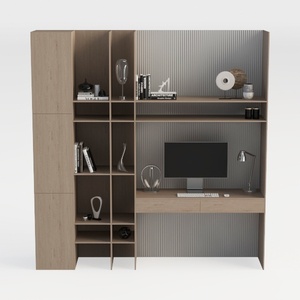

TREATLIFE HOME Stylish and Functional Computer Des
Looking to transform your home design ideas into reality? Homestyler is your go-to online platform! With its user-friendly design tool, stunning 3D renderings, inspiring design projects, and helpful video tutorials, you can easily create your dream space, no experience needed!
Concevez maintenant gratuitement
































