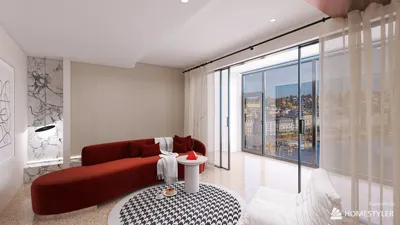


Having designed numerous small conference rooms, I find Nalanda Hall to be a quintessential challenge, featuring limited space, high expectations, and a varying group of users. The objective is not merely to add more chairs but to orchestrate elements like sightlines, acoustics, lighting, and technology so that this compact space functions as if it were larger. Recent studies in workplace dynamics reveal that this attention to detail is beneficial: Steelcase indicates that over 70% of meetings now include remote participants, making layout, audio, and camera arrangements crucial. Moreover, Gensler’s U.S. Workplace Survey highlights a continued demand for areas that promote hybrid collaboration, with meeting rooms increasingly utilized for spontaneous sessions rather than formal gatherings.
When square footage is limited, human comfort metrics become even more critical. WELL v2 advises maintaining light levels between 300 and 500 lux for collaborative efforts, while warm-neutral color temperatures of 2700 to 3500K help minimize visual discomfort and enhance alertness without causing glare. Research from Herman Miller emphasizes that options like adjustable tables and dynamic seating contribute to longer and healthier working durations, particularly in spaces where users frequently switch focus between screens, tables, and collaborators. This data plays a vital role in guiding my design decisions.
Before I begin with designs, I analyze usage patterns such as quick meetings, client presentations, workshops, and hybrid discussions. If a combination of these activities occurs regularly, the room requires a flexible core, including a reconfigurable table, conveniently located power sources, and storage solutions that can conceal cables and markers. Whenever feasible, I utilize layout simulation tools such as Homestyler to visualize different arrangements quickly, allowing me to assess clearances, camera angles, and sightlines before installation, eliminating guesswork.
Establishing the Room’s Purpose
Small rooms achieve optimal functionality when they are not overburdened with multiple uses. If Nalanda Hall is primarily utilized by 4-6 people during hybrid calls, my design will prioritize sightlines to the front display and microphone coverage over maximizing seating. A teardrop-shaped table, with its narrower end directed at the screen, allows participants to remain in camera frame while reducing head movement. For workshops, using a slim, flip-top table on locking casters enables rapid conversion for standing sessions.
Select the Right Table Size, Avoid Oversizing
For a compact conference room measuring around 12-16 m², I recommend a table depth of 700-760 mm, providing enough space for laptops and notebooks without impeding movement. I strive for at least 900 mm of clear space behind chairs; ideally, 1000-1100 mm if the area also accommodates storage or doors. Rounded corners help avoid injury and give a softer visual line, making the small room appear more expansive without sharp boundaries.
Optimizing Screen, Camera, and Sightlines
Success in hybrid meetings largely depends on camera positioning. Ideally, the primary display should be centered on the short wall. Position the camera slightly above eye level (1.2-1.4 m from the finished floor) and align the table’s long axis with the camera's line of sight. Diagonal layouts that place half the room in profile should be avoided. If the primary display is on a long wall, orient the table to face the camera directly. Maintain a distance of 1.8-2.2 m from the first row to a 55-65" display for optimal viewing without causing fatigue or loss of facial recognition.
Acoustic Comfort in a Functional Space
Small rooms can often amplify sound excessively. Aim for a mid-band reverberation time (RT60) of around 0.4-0.6 seconds for clear communication. Achieving this typically requires three key adjustments: placing a high-performance acoustic panel on the wall opposite the display to capture direct reflections, installing sound-absorbing ceiling tiles or felt baffles above the table, and incorporating softer elements like fabric pinboards or bookcases with varied contents against the side walls. Avoid parallel hard surfaces and consider staggering panel depths or adding slatted wood with acoustic backing to mitigate flutter echo.
Illuminating to Flatter Features and Mitigate Glare
Relying solely on overhead lights can result in faces appearing washed out on video calls and can create unwanted shadows. I recommend layering three different light sources: a diffused front fill (such as wall grazing or linear slots above and in front of the screen), adjustable ambient ceiling lights at 300-500 lux, and sidewall sconces or backlit panels to balance contrast for cameras. The correlated color temperature should be maintained around 3000-3500K, aiming for a CRI of 90+ to ensure natural skin tones. Shielded optics and matte finishes on tables help prevent glare on screens and laptops.
Implementing Power and Cable Management
It is essential to ensure that every seat is located within 450 mm of a power source. A tabletop module including USB-C and USB-A ports, alongside a recessed grommet for HDMI/USB connections, will keep the work surface neat. Use an under-table cable tray that routes to a central floor box beneath the table to avoid entangled cables and microphone issues. Dedicate a shelf or credenza for meeting technology, labeled clearly to eliminate cable clutter, which detracts from the room's spaciousness.
Selecting Chairs with Comfort in Mind
Opt for compact chairs with a width of 500-550 mm and open arms that allow users to pivot easily. I prefer breathable mesh backs for comfort during extended sessions and glides over casters when the floor is hard and the table is stationary; for tables that frequently reconfigure, casters are more appropriate. A seat height range of 430-520 mm accommodates various users effectively. Ensure that armrests are below table height for easy access and circulation.
Understanding Color Psychology and Spatial Perception
Color choices can visually enlarge a small room without resorting to stark white. I suggest a muted, deeper hue (like teal, green, or blue-gray) for the display wall to minimize contrast and reduce eye strain, complemented by lighter neutral tones on adjacent walls to enhance perceived width. Insights from Verywell Mind illustrate that blues and greens foster calmness and focus, while warm neutrals deliver a welcoming ambiance without overwhelming sensory input. Low-sheen finishes are also advisable to minimize camera noise and reflections.
Storage Solutions That Disappear
A dual-purpose credenza can effectively conceal AV equipment and organize meeting materials. A wall unit with sliding doors, 300-400 mm in depth, prevents door swing issues. A narrow drawer can store markers, sticky notes, remote controls, and cables, while the top surface serves as a hospitality area for refreshments, keeping the primary table clear.
Sustainable Material Selection
In small spaces, material choices become more important—select wisely. I prefer to use FSC-certified veneers, linoleum, or sustainably sourced wood for tabletops, as well as low-VOC certified fabrics. Acoustic felt made from recycled PET offers sound dampening without excessive weight. Choosing durable, easy-to-clean surfaces prolongs their lifespan and minimizes the need for replacements—an essential component of sustainability. Furthermore, finish the flooring in calm, slightly darker tones than the walls to create a grounded impression.
Signage and Identity in the Space
Rooms with glass fronts benefit from a privacy band at seated eye level to help reduce distractions while maintaining an open feel. If Nalanda Hall possesses a unique cultural or institutional narrative, subtly integrating elements such as graphic film motifs, a standout piece of art, or a color accent that resonates with the campus identity is advisable. Keeping visual clutter to a minimum is essential; a single impactful design element often carries more weight than numerous smaller details.
Layout Strategies for Nalanda Hall
- Focused Hybrid: Consider a teardrop or boat-shaped table for 4-6 individuals, featuring a centrally located camera, with a front credenza for codec and cable management.
- Workshop Flexibility: Use narrow flip-top tables (600-650 mm deep) on casters, parking them along the perimeter to facilitate a central standing space.
- Client Presentation: Opt for a fixed table that conceals power outlets, accompanied by a display wall painted in a darker neutral to enhance contrast and polish while on camera.
When evaluating these options, I utilize quick prototyping in an interior layout planner, such as Homestyler, to verify chair spacing, camera angles, and microphone coverage before finalizing decisions.
Adjustments Following Installation
No design survives the first interactions with actual users without adjustments. I ensure to conduct check-ins one week and one month post-installation to tweak microphone sensitivity, lighting presets, and chair arrangements. A simple addition of an acoustic panel behind the primary speaker or a slight increase in ambient light can significantly impact the effectiveness of the room.
Key Data Sources for Design Decisions
- Trends in hybrid collaboration and space utilization: Research from Gensler and Steelcase sheds light on the growing prevalence of mixed-presence meetings and the necessity for camera-friendly configurations.
- Lighting and environmental comfort: Guidelines from the WELL Building Standard (WELL v2) recommend 300-500 lux in collaboration zones and target glare control with a color temperature of 2700-3500K.
- Ergonomics and posture: Research from Herman Miller underscores the importance of adjustable workspaces and dynamic seating to mitigate fatigue.
Frequently Asked Questions (FAQ)
1) What table shape is appropriate for a small hybrid conference room?
A teardrop or boat-shaped table is ideal as it angles the edge seats toward the display and camera, capturing faces instead of profiles while narrowing the end facing the screen for improved circulation.
2) How bright should the room be for video conferencing?
Aim for an ambient light level of 300–500 lux, utilizing a 3000-3500K color temperature. Incorporate a diffused front fill for even facial illumination on camera, while shielding optics help prevent glare on screens.
3) What is the seating capacity without overcrowding the room?
For a space of 12–16 m², the practical range is four to six seats, ensuring 900–1100 mm of clearance behind each chair. For eight seats, focus on slimmer chair designs and a shallower table to maintain flow.
4) What is the optimal height and position for the camera?
Place the camera 1.2-1.4 m off the floor, centered relative to the display, and aligned with the table’s long axis to ensure participants are squarely facing the lens, supporting natural eye contact.
5) How to minimize echo in a small hard-surfaced room?
Implement absorptive materials on the ceiling above the table, position a primary acoustic panel opposite the display, and incorporate soft furnishings along the side walls to target an RT60 of around 0.4-0.6 seconds for clear audio.
6) Which finishes are best for visual clarity on camera?
Opt for low-sheen surfaces, maintain a CRI of 90 or above for lighting quality, and select muted mid-tone wall colors. A darker hue behind the display panel helps minimize contrast and prevents facial features from appearing washed out during video calls.
7) What is the best approach to power and cable management?
Ensure tabletop power modules are accessible from every seat, include a central floor box underneath the middle of the table, and utilize an under-table tray to keep cables organized. Clearly label all ports and store adapters in a designated drawer in the credenza.
8) What chair characteristics are suitable for limited spaces?
Select chairs that are compact (500-550 mm wide), have breathable backs, and arms that can slide under the table easily. Use casters for frequently reconfigured layouts; otherwise, glides help maintain stability without noise.
9) Can color genuinely create a sense of spaciousness?
Absolutely. Lighter colors on the side walls coupled with a slightly deeper shade on the display wall create depth, extending the visual limits of the room. Blue and green hues are known to foster calm and focus without feeling uninviting.
10) How do I plan for both workshops and video conferences?
Utilize narrow flip-top tables on casters that can be parked along the perimeter to maintain a central open space. Ensure the camera and display remain fixed on the short wall for reliable hybrid meetings.
11) Which audio equipment is essential?
Implement a beamforming table microphone or a ceiling array specifically tuned for the room dimensions, along with digital signal processing (DSP) technology for echo cancellation. Place speakers close to the display wall for effective audio-visual synchronization.
12) Are dimming controls necessary?
Indeed. Creating presets for “Video Call,” “Presentation,” and “Workshop” settings saves time while ensuring consistent lighting levels. Including a small control panel near the entrance allows for swift adjustments.
13) Is a whiteboard still relevant in a hybrid meeting space?
Absolutely. Use a matte, low-gloss board or light gray ceramic steel to reduce glare and position it adjacent to the display; consider a secondary camera angle for remote participants to easily view it.
14) How often should I reevaluate the layout?
Observe room usage after one month, and then conduct assessments quarterly. Minor adjustments to chair arrangements, microphone sensitivity, or lighting settings can significantly enhance the user experience without requiring new furniture solutions.
References: Gensler Research Institute; Steelcase workplace insights; WELL Building Standard (v2); Herman Miller research on ergonomics.
Originally incubated at Autodesk, Homestyler has grown into one of the most widely adopted home design platforms in the world, now trusted by over 18 million users. Whether you're a homeowner exploring ideas or a professional designer delivering client-ready renders, Homestyler brings industry-leading 3D technology to your fingertips — no experience required.
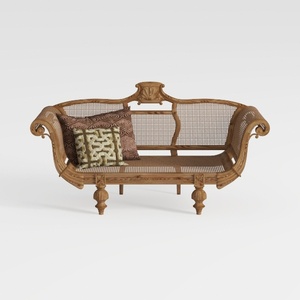

Vintage Carved Solid Wood Rattan Loveseat 3D Model
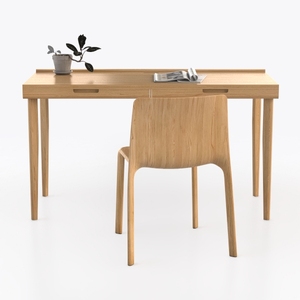
Minimalist Solid Oak Home Office Desk and Chair 3D Model

Minimalist Solid Oak Fabric Upholstered Dining Chair 3D Model
Discover your inner designer with Homestyler! This user-friendly platform offers an intuitive online design tool, stunning 3D renderings, and a wealth of inspiring design projects and video tutorials. Whether you're a novice or a pro, Homestyler makes home design effortless and enjoyable!
Дизайн сейчас бесплатно
































