


When I think of second-class waiting areas, I see them as compact ecosystems designed to facilitate smooth movement, ease anxiety, and bear heavy usage while maintaining their aesthetic appeal. The key is to create ergonomic seating arrangements, ensure appropriate lighting, provide intuitive navigation paths, and select materials that are easy to maintain and visually enduring. Well-thought-out spaces can modify behavior; as per Gensler’s research, 44% of employees feel that their physical surroundings significantly affect their productivity. This insight is crucial for public waiting areas, which often face high levels of stress and congestion. Furthermore, lighting plays a crucial role, with IES advising a range of 300–500 lux for waiting zones to strike a balance between visual comfort and navigational clarity, effectively reducing glare and illuminating dark corners.
The psychology of color can subtly influence emotions. According to Verywell Mind, shades of blue and green can alleviate stress levels, while vibrant reds can heighten alertness—ideal for areas near boarding screens, yet tranquil in seating spaces. From a wellness perspective, the WELL v2 standard highlights the importance of quality lighting and sound dynamics for enhancing occupant satisfaction, prompting an emphasis on uniform brightness and optimal reverberation times. These findings aren’t mere theories; they greatly affect the comfort of travelers, who may find themselves waiting for 20 to 60 minutes while managing luggage and sifting through timely information.
Establishing the Layout First: Defining Zones and Clearing Sightlines
I begin with three essential zones: a quiet seating area, active circulation paths, and service points such as ticket kiosks, vending machines, and water fountains. Designing the circulation as a continuous loop around seating clusters prevents walk-through disruptions in the quieter zones. Ensure unobstructed sightlines to digital displays from 80% of seating options; partition heights should be kept between 42 to 48 inches to mitigate noise while maintaining visibility. Utilizing a room layout planner can help analyze aisle widths and sightlines before making any commitments.
Optimizing Ergonomic Seating for Comfort
Second-class doesn’t imply inferior ergonomics. Aim for a seat width of 18–20 inches, a height of 17–18 inches, and a backrest angle between 100–105°. Consider a mix of two-thirds armless chairs (facilitating faster turnover and flexibility for bags) and one-third arms for those who may need assistance. Introduce perch rails at the ends of seating arrangements for quick stays. It’s crucial to include at least 5–10% accessible seating, allowing for 36-inch clearances on the sides and a 60-inch turning radius. Employ high-resilience foam with a density of 2.5–3.0 lb/ft³ to ensure durability and comfort, along with tightly woven, easily cleanable fabrics that withstand high public use.
Lighting: Ensuring Calmness, Visibility, and Glare-Free Environments
A layered lighting strategy promotes relaxation and orientation. Target 300–400 lux for ambient light, and 400–600 lux for task areas like counters and kiosks (following IES standards). Maintain a low unified glare rating (UGR) by using batwing optics or indirect lighting solutions, with color temperatures set between 3000–3500K for calm areas and 3500–4000K for active aisles to foster alertness. Incorporate dimmable options to adjust for late-night scenarios. Ensure a color rendering index (CRI) of at least 90 near signs and display screens, preserving both legibility and accurate skin tone representation. If natural light streams in, complement it with solar shades (3–5% openness) equipped with sensors to manage glare.
Enhancing Acoustic Comfort Without Creating a 'Dead Room'
Noise is often linked to stress. I aim for an RT60 of 0.6–0.8 seconds for medium-sized rooms using acoustic ceiling tiles (NRC 0.8+), sound-absorbent wall panels at ear height, and soft flooring or large rugs in seating areas. Instead of excessive overhead sound masking, distribute smaller emitters throughout. Position louder services (like vending machines and coffee stations) away from quiet zones and avoid hard parallel walls that cause sound reflections.
Utilizing Color Psychology: Serene Areas, Lively Edges
Employ muted greens, blues, or desaturated teals on expansive surfaces to promote steady heart rates, as indicated by Verywell Mind’s analysis on calming hues. Use warmer tones (such as ochre, rust, or terracotta) to signal movement or highlight service areas. Limit the use of red to wayfinding or as edge accents rather than on seating fabrics. Harmonize the color scheme with the lighting temperature: cooler whites enhance colors for clarity, while warmer whites enrich neutral tones and wood elements.
Effective Information Design and Wayfinding to Minimize Frustration
Travelers tend to skim information quickly. Position primary digital boards 7–8 feet above ground level, tilted at 15–20° for better visibility. Duplicate essential messages on secondary displays integrated within seating areas so passengers avoid standing unnecessarily. Utilize a three-tier system: 1) major signs for zones and gates; 2) directional arrows at critical points; and 3) icons to represent amenities. Maintain high contrast ratios (7:1 for vital text) and limit message density since overly complex information can slow movement. Integrating hearing loops at service counters enhances communication for those requiring assistance.
Power Accessibility, Bag Management, and Micro-Behaviors
Behavior often dictates infrastructure needs. I recommend placing power outlets every 2 to 3 seats, blending standard AC plugs with 65W USB-C ports for laptop charging. Conceal cables beneath seating to minimize visual clutter. Implement storage solutions for bags and ensure 12–14-inch clearance under benches for carry-ons. Add lean rails along perimeter walls for those who prefer standing. Properly positioned trash and recycling bins every 20–30 feet help keep the area tidy, while water bottle fillers at service points prevent mess near seating.
Materials: Sturdy, Easy to Clean, and User-Friendly
In second-class waiting areas, materials must withstand rigorous use. I opt for mineral-based wall paints with scrub-resistant qualities, compact laminate or phenolic surfaces at kick zones, and anti-microbial, bleach-cleanable upholstery. For flooring, choose rubber or luxury vinyl tile (LVT) with 28–40 mil wear layers to absorb sound and endure constant traffic. If the budget permits, incorporate wood accents sparingly at touchpoints to soften the environment, as strategic warmth can enhance user comfort without incurring high maintenance costs.
Room Layout Ratios That Facilitate Smooth Navigation
An effective layout should appear effortless. Allocate 35-40% of the space for circulation in high-traffic areas; for longer dwell times, this can reduce to 30-35%. Main aisles should measure 6-8 feet wide while secondary cross-aisles can range from 4-5 feet. Seating clusters of 3-5 seats create social zones without causing overcrowding. Curved edges promote smooth traffic flow and help to mitigate congestion at intersections. Using an interior layout tool allows for scenario testing—considering late arrivals, disability accommodations, or high-traffic situations after delays.
Maintaining Thermal Comfort and Air Quality: Essential Elements
Maintaining thermal neutrality is key to reducing tempers. I recommend keeping temperatures between 21-23°C and minimizing air movement in seating areas to prevent drafts. Discreet air displacement systems beneath benches work well in crowded environments. It's essential to monitor CO2 levels during peak occupancy times; when levels exceed 800-1,000 ppm, individuals tend to feel fatigued and irritable. Select diffusers that don't direct air onto individuals; the ideal aim is to provide comfort that's felt rather than seen.
Prioritizing Safety, Accessibility, and Operational Efficiency
Every aspect must adhere to codes and accommodate peak activity. Maintain a minimum corridor width of 44 inches, incorporate contrasting nosings on stairways, and allow 18-24 inches of clearance on pull-side door areas. Install tactile warning strips at circulation intersections near platform edges. For cleaning efficiency, design with modular elements: removable seat cushions, panelized walls, and service access behind kiosks. Choose materials that come with clear maintenance instructions to ensure the space remains welcoming even after extensive use.
Innovative Strategies for Compact and Legacy Spaces
When space is at a premium, think vertically: wall-mounted storage, streamlined benches, and integrated displays can reclaim valuable floor area. Use mirrors selectively to create the illusion of depth while avoiding glare. Higher reflectance ceilings (with a Light Reflectance Value of 80+) can enhance brightness without requiring more fixtures. For legacy areas, upgrading cable raceways and adding standalone power stations can modernize functionalities without significant renovations.
Pursuing Sustainability While Ensuring Longevity
Opt for modular seating that can be reupholstered instead of replaced. Select low-VOC finishes and prioritize products with Environmental Product Declarations (EPDs) or Health Product Declarations (HPDs) when feasible. Implement daylighting controls and occupancy sensors to efficiently manage energy consumption without compromising user comfort. The most sustainable approach is often to adapt—design spaces for reconfiguration to remain relevant as foot traffic patterns shift.
A Comprehensive Checklist from Concept to Commissioning
- Outline traffic patterns and typical dwell times before drawing any seating layouts.
- Confirm sightlines to displays from over 80% of seating.
- Maintain ambient light levels at 300-400 lux with low glare; adjust color temperature by area (3000-3500K for calm zones and 3500-4000K for active zones).
- Target an RT60 of 0.6-0.8 s by layering ceiling and wall sound absorption.
- Incorporate various seating types while ensuring 5-10% are accessible.
- Distribute power outlets every 2–3 seats; ensure cable management is integrated.
- Select finishes that are easy to clean and resistant to wear.
- Validate layout efficiency using a simulation tool prior to procurement.
Frequently Asked Questions
Q1: What is the optimal lighting level for a waiting area?
A1: For general seating, achieving 300–400 lux ensures comfortable visibility. Service counters and kiosks should have between 400–600 lux to accommodate specific tasks while maintaining low glare utilizing indirect or batwing lighting solutions (refer to IES standards).
Q2: How many accessible seats should I plan for?
A2: It’s advisable to designate at least 5–10% of total seating for accessibility, allowing for 36-inch side clearances and a 60-inch turning radius. Distribute these seats evenly across zones to ensure optimal access to information displays.
Q3: What seating arrangements are ideal for second-class waiting areas?
A3: A combination of two-thirds armless chairs for flexibility and one-third with armrests for assisted standing offers an effective balance. Including perch rails at the ends can alleviate crowding during busy times.
Q4: Which colors are most effective at reducing stress levels?
A4: Soft blues and greens are linked with calmness, while bright reds may stimulate energy levels. It's effective to keep tranquil colors on larger surfaces and use warm tones to guide movement, aligning with insights from Verywell Mind's color psychology.
Q5: How can I manage acoustics without making the area feel lifeless?
A5: Strive for an RT60 of 0.6–0.8 seconds using various ceiling and wall absorption methods (NRC 0.8+), limited wall panels placed at ear height, and softer flooring materials. Instead of over-absorbing, opt for gentler sound masking solutions.
Q6: What width should aisles be to ensure efficient flow?
A6: Primary aisles should be 6–8 feet wide, while secondary cross-aisles can be 4–5 feet wide to support peak traffic without taking up excessive space. Ensure a minimum corridor width of 44 inches for egress and maintain unobstructed sightlines to key signage.
Q7: How much power supply is necessary?
A7: Power outlets should be readily available every 2–3 seats, featuring both AC and 65W USB-C ports for convenience. Concealing cables under seating or using raceways alongside standing-height charging surfaces will help maintain a tidy environment.
Q8: What finishes are most durable in public waiting areas?
A8: Opt for easy-to-clean, bleach-compatible upholstery with over 100,000 double rubs, compact laminate or phenolic materials for areas prone to wear, and rubber or heavy-duty LVT flooring (28–40 mil). Selecting modular components allows for quick replacements when needed.
Q9: How can I manage glare from windows effectively?
A9: Consider specifying solar shades with a 3–5% openness, positioning screens at right angles to windows when possible, and implementing daylight sensors to adjust artificial lighting during varying conditions. Matte finishes around displays can significantly reduce glare.
Q10: What strategies help manage luggage without adding clutter?
A10: Provide under-bench clearances of 12–14 inches to accommodate carry-ons, install bag perches near seating, and place lean rails along walls. Keep circulation paths clear by positioning disposal bins and water bottle fillers at the edge of zones.
Q11: Is it possible for small waiting areas to seem spacious?
A11: Definitely—utilizing higher light reflectance ceilings, compact benches, integrated displays, and wall-mounted storage can create that impression. Strategically placed curved corners and selective use of mirrors can amplify perceived spatial volume without increasing actual square footage.
Q12: How can I ensure my layout is adaptable for future needs?
A12: Incorporate modular seating, movable partitions, flexible power options, and additional data drops into your design. Utilizing layout planners allows for testing of potential service configurations prior to modifications.
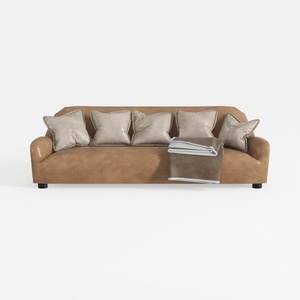

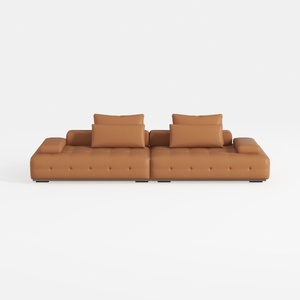
Valencia Nathan Nappa Leather Couch - 4 Seats with
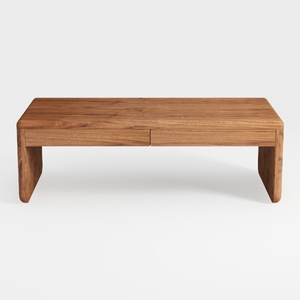
Coaster Home Furnishings Lynette Rectangular Eco F
Looking to redesign your space? Homestyler offers an intuitive online design tool that makes home design effortless. With stunning 3D rendering, a plethora of design projects, and helpful DIY video tutorials, you can inspire your creativity and visualize your dream home like never before!
Zaprojektuj teraz za darmo
































