

Creating an effective SCADA control room centers on clarity, durability, and user-friendly details. By ensuring clear sightlines to essential displays, establishing a robust infrastructure, and providing ergonomic features, operators can act swiftly and precisely. Studies show that variations in posture and task-specific lighting can alleviate cognitive fatigue during demanding monitoring tasks, enhancing focus throughout prolonged shifts. Moreover, following WELL v2 standards, which stress the importance of visual comfort, can lead to better performance by managing luminance contrast and reducing glare in environments crucial for visual precision.
It’s essential that operational efficiency is measurable. Research from Herman Miller highlights how ergonomic seating and promoting movement can significantly decrease musculoskeletal discomfort while enhancing attention during extended periods of work. According to IES recommendations, achieving balanced vertical and horizontal lighting levels is critical for maintaining legibility on screens, especially in low-light scenarios. My design principles incorporate layered lighting that complies with these standards and allows operators to adjust task lighting independently for optimal illumination at their workstations.
Core Spatial Strategy
Establishing a clear axial alignment is key: main video walls and process displays should align within a 15–20° horizontal field of each operator's direct line of sight. Consoles are arranged in staggered arcs to facilitate team communication without the need for raised voices, keeping critical alarms centralized. To explore alternative configurations or simulate sightlines prior to building, I often utilize a room layout design tool like Homestyler, which allows for effective planning.
Ergonomics: Consoles, Seating, and Reach
Adjustable consoles with a monitor-to-eye distance of 22–32 inches, ensuring the top of the screen is at or slightly below eye level, help minimize neck strain. Adequate cable management beneath desks and in rear channels keeps heat and noise away from operators’ legs. Seating should accommodate micro-movements—features such as breathable backs, adjustable lumbar support, and 3D armrests that don't obstruct console edges are vital. Research from Herman Miller connects varied posture and regular breaks to less discomfort during lengthy monitoring duties; I introduce sit–stand reminders into shift protocols to encourage healthy posture changes.
Visual Hierarchy and Display Design
A legible alarm hierarchy is crucial for quick recognition. I prefer using subdued base colors for background data, reserving bright hues for actual alerts. The psychology of color is important; as highlighted by Verywell Mind, red stimulates urgency for critical alerts, while cooler tones foster calmness for routine operations—though they should be used cautiously to prevent desensitization. Major displays should limit information density per tile, following a consistent grid structure. To prevent confusion, important components should be positioned away from the edges of display frames.
Lighting: Glare Control, Circadian Balance, and Adaptability
Lighting is a fundamental aspect of a successful SCADA environment. My approach involves using indirect, adjustable ambient lighting set within a warm-neutral range (3000–4000K) and high CRI task lighting for detailed tasks. IES standards prioritize achieving a balance between luminance and managing glare; employing matte surfaces and diffused luminaires can mitigate reflections on screens. According to WELL v2 guidelines, it's also beneficial to offer tunable lighting settings, allowing operators to adjust brightness during night shifts and create circadian-friendly atmospheres that help minimize sleep disruption during rotating schedules.
Acoustic Comfort and Speech Intelligibility
Managing noise levels is crucial for cognitive clarity. Using reinforced gypsum and mineral wool for walls, alongside acoustic ceiling clouds over console areas, can control reverberation and optimize speech clarity. White noise can help mask background sounds, but I prefer addressing noise sources directly, employing vibration isolation measures for server racks, using insulated doors, and carefully selecting HVAC diffusers to minimize disruptive high-frequency sounds aimed at operator positions.
Workflow, Zoning, and Behavioral Patterns
Effective SCADA rooms operate best with a clearly defined behavioral layout: zones for operations (focusing with minimal distractions), collaboration (for team discussions), and supervision (for monitoring alternatives) should be established, with circulation designed to flow behind consoles, thus preserving sightlines. Access routes should remain evident yet discreet; swing-free doors and minimalistic hardware are preferred to decrease accidental noise. Utilizing a room design simulation tool such as Homestyler can help test console configurations and circulation space.
Resilience: Power, Cooling, and Redundancy
When stakes are high, it’s important to plan for potential failures. Having dual UPS systems for console areas, designated circuits for video walls, and carefully organized cable management can significantly reduce vulnerability to outages. Cooling systems must consider both general climate control and server heat management; I advocate for separate HVAC settings for equipment zones that maintain positive pressure, alongside underfloor or rear-exhaust solutions to direct warm air away from operators’ workspaces. Service pathways and labeling must facilitate quick maintenance access without disrupting ongoing monitoring activities.
Materials and Finishes
Using low-gloss materials can minimize reflective distractions; anti-static flooring helps safeguard equipment, and rounded edges on consoles prevent wrist strain. Choosing sustainable materials—such as low-VOC paints, certified composites, and long-lasting textiles—ensures longevity and health. I strategically avoid textured materials near focus areas to limit visual distractions.
Human Factors: Fatigue Management and Shift Design
Managing fatigue is vital. Incorporating alternating microbreaks, ensuring easy access to hydration, and programming visual resets with distant focal points can help alleviate tunnel vision. Chairs featuring active support and personalized task lighting strengthen operator independence. Consistent auditory cues for alarms reduce startling effects while still maintaining urgency; ensuring sound thresholds do not contain harsh spikes is essential for comfort.
Security and Access Control
A layered security approach—with controlled entry points, defined credentialed areas, and camera systems that do not capture screen content—is necessary for protecting sensitive data. Supervisory stations should have unobstructed lines of sight to access areas to enable quick validations without disturbing operations.
Commissioning and Testing
Prior to final handover, I perform thorough evaluations of lighting at operator vision levels, testing for glare with active screen content, measuring reverberation durations, and simulating operational transitions. Integrating operator feedback is crucial for optimizing console heights, monitor placements, and lighting settings. Comprehensive documentation should include detailed diagrams outlining power, data flow, and cooling routes along with marked maintenance accessibility.
Authority References
For an in-depth understanding of workplace efficiency and environmental ergonomics, Steelcase offers valuable insights into cognitive load and posture in demanding settings, while WELL v2 provides actionable standards for visual comfort and lighting in 24/7 monitoring environments—resources that can greatly benefit SCADA room design.
FAQ
Ensure crucial displays are kept within 15–20° of the operator's natural line of sight, stagger consoles in shallow arcs, and keep significant information away from display bezels to avoid confusion.
For optimal eye comfort, use ambient lighting within the 3000–4000K range, incorporating high-CRI task lighting for paperwork, and allow dimming options for night shifts in alignment with WELL v2 principles.
Use matte console surfaces, incorporate baffles on lighting fixtures, establish controlled luminance ratios as per IES standards, and position monitors perpendicular to predominant light sources to reduce glare.
Implement height-adjustable consoles, position monitors at or slightly below the eye level, maintain a viewing distance of 22–32 inches, provide supportive adjustable chairs, and allow space for posture change.
Organize areas for operations (low-distraction), collaboration (discussion spaces), and supervision (overseeing operations), maintaining circulation behind consoles while protecting sightlines to monitor displays.
Minimize reverberation through the use of acoustic ceiling clouds and soft wall panels, isolate sources of vibrations, and ensure clear speech capabilities without depending on noise masking.
Engage dual UPS systems, designate independent circuits for display units, create distinct HVAC zones for technical areas, and ensure clearly marked service access for ongoing maintenance needs.
Use vibrant red color coding exclusively for important alerts, cooler shades for routine statuses, and maintain a consistent color palette to minimize alarm fatigue, as supported by color psychology findings.
Integrate anti-static flooring, select low-gloss materials to cut down reflections, feature rounded console edges to avoid wrist compression, and choose low-VOC constructions for durability and health benefits.
Utilize a room design visualization tool like Homestyler to model console arcs, sightlines, and movement patterns, conducting mock drills to assess communication pathways and access control.
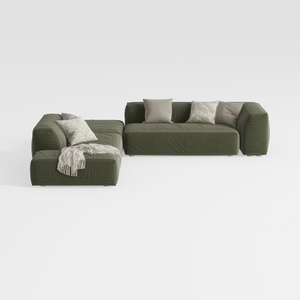
ovios 104" Cloud Sectional Couch with L-Shape
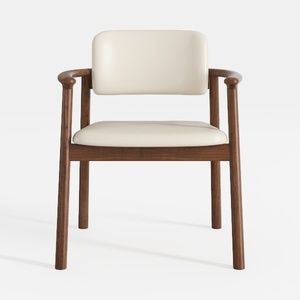
GIZNXBA Dining Chairs Wood with Arms, Side Chair


Bird's Nest-Shaped Hand-Woven Light Gray Aluminum
Homestyler is your go-to online home design platform, perfect for all skill levels. Enjoy its user-friendly design tool, stunning 3D renderings, and a wealth of inspiring design projects and DIY video tutorials. Transform your vision into reality effortlessly with Homestyler!
تصميم الآن مجانا
































