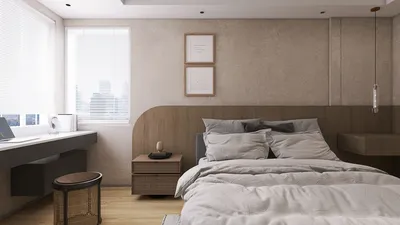


Creating your own floor plan can be an exhilarating experience that allows you to showcase your creativity while ensuring that your space functions well. Whether you are planning a new residence, renovating a current area, or simply experimenting with design concepts, grasping the basics of floor plan design is crucial. This guide will take you through the steps necessary to design your floor plan, providing valuable tips and introducing tools to help make your project a success.
The initial step in crafting your floor plan is identifying the purpose of each area. Consider how you and your family will utilize the spaces. For instance, will you require a home office, a guest room, or an open-concept living area? By listing your requirements and likes, you’ll gain a clearer vision of the layout you aim to create.
Next, think about the flow within your floor plan. An effectively designed space should facilitate smooth movement between rooms. Consider how individuals will navigate through your home, placing commonly used areas in proximity while ensuring a logical progression through the space. For example, situating the kitchen near the dining and living rooms is a practical choice.
Once you have a solid grasp of the function and flow, it’s time to select a scale for your floor plan. Designers typically utilize a scale of 1/4 inch on paper to represent one foot in reality. You can draft your ideas on graph paper or employ software like Homestyler, which offers an accessible platform for digital floor plan creation.
After establishing your scale, start the sketching process! Begin by outlining the exterior walls of your area, using your scale for accuracy. Then, add interior walls to delineate various rooms. Remember to factor in doors and windows, as these components will influence the natural light within the area and its overall atmosphere.
As you design, consider where to place furniture. Take into account the dimensions of your furniture and how it will integrate into the planned spaces. Visualizing the usage of your area, including how people will move around, can aid in deciding the optimal layout. If you need assistance, platforms like Homestyler's 3D rendering feature can help you visualize how everything interacts within the space.
Additionally, create zones throughout your area. For instance, in an open-concept living area, you could establish a living zone with a sofa and coffee table, and a dining zone with a dining table. This strategy enhances functionality while maintaining a sense of organization.
After finalizing your design, it is crucial to review and refine your floor plan. Look for potential issues like cramped areas or poor flow. Getting feedback from friends or family can provide a fresh viewpoint and aid in refining your plan.
Finally, once you are happy with your design, it is time to implement it. Whether you choose to hire a contractor or manage the project independently, having a detailed floor plan will be invaluable during the execution stage. Keep in mind that designing your floor plan is a blend of creativity and practicality, so take your time and enjoy the process!
Tips 1:
Utilize online design tools like Homestyler to easily visualize and modify your floor plan.
FAQ
Q: Can I design my own floor plan for free? A: Absolutely! Numerous online tools, including Homestyler, offer free options for designing floor plans.
Q: What is the best software for creating floor plans? A: Homestyler is highly recommended due to its user-friendly interface and extensive design capabilities.
Q: How detailed should my floor plan be? A: Your floor plan should encompass all critical elements, such as walls, doors, windows, and furniture placement.
Welcome to Homestyler!

2 Piece Velvet Upholstered Sofa Sets,Loveseat and
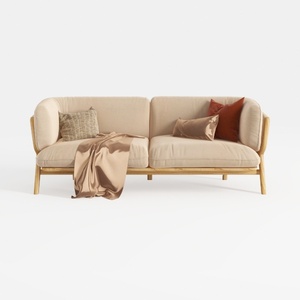

Tennozu Linen Fabric Loveseat Sofa, Convertible Fu
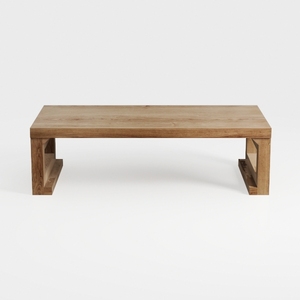
Bed Table Bed Desk Living Room Simple and Creative
Homestyler is your go-to online home design platform, perfect for both novices and seasoned decorators. With its user-friendly design tool, impressive 3D rendering, a plethora of design projects, and engaging video tutorials, transforming your space has never been easier or more fun!
지금 무료로 디자인하세요
































