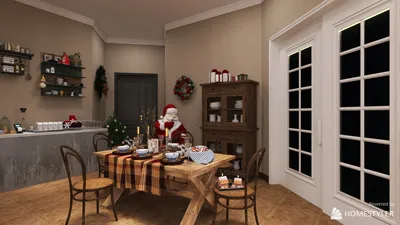


Crafting a 3D representation of a human heart merges art, science, and technology in a captivating manner. This endeavor is ideal for students, educators, healthcare professionals, and enthusiasts alike, as it facilitates the visualization of intricate anatomy and promotes deeper understanding. Below is a comprehensive guide to help you navigate this process effectively, potentially integrating tools like Homestyler for enhanced visualization.
Firstly, choose your modeling technique: digital modeling through software such as Blender, Autodesk Maya, or ZBrush, or opt for physical modeling with materials such as clay, resin, or 3D printing. Digital methodologies are particularly favored due to their adaptability and ease of sharing or modifying models.
Step 1: Gather Reference Images and Data
Collect high-resolution images, anatomical diagrams, or CT/MRI scans. Accurate references are vital to capturing essential details such as the heart's four chambers, valves, arteries, and veins.
Step 2: Select Your Modeling Software
Choose a 3D modeling tool that aligns with your requirements. Software like Blender offers a free option, while others like Maya or ZBrush present advanced sculpting capabilities. Remember to import your reference images into the software environment to ensure precision.
Step 3: Begin with Basic Shapes
Start constructing the heart’s main volume using basic geometric forms like spheres and cylinders. Subsequently, refine these shapes to accurately reflect the contours and proportions of a human heart.
Step 4: Sculpt Detailed Anatomy
Utilize sculpting tools to define anatomical features, including the atria, ventricles, and the major blood vessels. Focus on the surface texture and organic lines to replicate realistic tissue appearance.
Step 5: Texture and Color
Add textures to depict muscle fibers and blood vessels accurately. Adjust the color palette to mimic real anatomy; typically, utilize a blend of red and pink shades with blue for veins.
Step 6: Export or 3D Print
After finishing your model, export it in common formats like OBJ or STL for sharing, rendering, or 3D printing. If you plan to print it, consider breaking the model down into parts to emphasize specific structures.
As a designer, I continually look for tools that facilitate seamless 3D work and visualization. Utilizing detailed 3D render home features is crucial not only for representing hearts but also for medical and architectural visualizations. Platforms like Homestyler empower you to portray both organic and geometric forms professionally, an essential aspect whether you’re modeling a heart or designing a living space.
Tip 1:
Dedicate time to mastering shortcuts and unique techniques pertaining to your software. For example, Blender has add-ons that can expedite the anatomical modeling process. Additionally, do not underestimate the value of community-driven tutorials and forums, as they are excellent for troubleshooting and finding inspiration.
FAQ
Q: Which software is the best for creating a 3D heart model?
A: Blender and ZBrush are widely regarded as top choices due to their versatility and sculpting capabilities. Blender is an accessible, free option, while ZBrush specializes in fine anatomical details. Q: Do I need extensive medical knowledge to create an accurate heart model?
A: A basic understanding of cardiac anatomy can be beneficial, but detailed guides, videos, and anatomical diagrams can assist non-experts in their modeling journey. Q: Can I utilize my 3D heart model for educational initiatives?
A: Yes, 3D heart models find frequent application in teaching, simulations, and presentations. Q: How do I convert my 3D model into a tangible object?
A: You can export your digital creation in STL or OBJ formats and utilize a 3D printer. Ensure adjustments are made to accommodate printability. Q: What references should I consult for anatomical detail?
A: Use medical textbooks, online anatomy resources, and real heart images from CT/MRI scans to model with accuracy.


Homestyler is your go-to online platform for home design! With its user-friendly design tool, stunning 3D renderings, and a wealth of DIY video tutorials, you can effortlessly create and visualize your dream spaces. Explore endless design possibilities today!
تصميم الآن مجانا
































