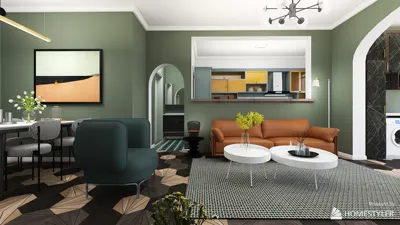


I once attempted to discreetly install a Qi pad beneath my bedside table to surprise a client, which was successful until the charging light inexplicably turned off due to my failure to leave a space for ventilation. This taught me an important lesson: while small spaces can ignite vast creativity, one must be mindful of heat management and accessibility. To visualize a charging station before starting any drilling, I often utilize tools that create a 3D layout, preventing mistakes similar to my own.
Inspiration 1: Wireless Charging Pad Under the Table with Access Slot
I'm a fan of hidden solutions due to their clean aesthetic. You can integrate a slim wireless charging pad underneath the edge of a table with a 1 cm access slot, allowing phones to charge when placed on the designated area. This setup hides cables, maintaining a tidy surface, but remember to allow for airflow and select a low-profile certified charger to prevent overheating.
Inspiration 2: Reclaimed Wood Tray with Charging Cable Channels
A shallow tray made of reclaimed wood, featuring milled channels, can organize charging cables neatly while also serving as a catch-all for keys. It's not only budget-friendly but also adds charm; however, wood can retain heat, so it’s wise to opt for short charging cycles and position the tray in a well-ventilated area.
save pin
Inspiration 3: Rotating Multi-Port Charging Hub within a Lazy Susan
Transform a lazy susan into a dynamic charging hub by placing a multi-port USB/PD block inside its base, with a single power cable leading out from the center. This is perfect for living-room coffee tables where multiple devices converge. To appropriately plan where ports and outlets should be located, treat the hub like a compact appliance and sketch a simple workflow, just as you would for a kitchen—this methodology also applies to table setups.
save pin
Inspiration 4: Lamp with Integrated Wireless Charging Feature
Integrating a wireless charging pad within a lamp not only provides illumination but also offers a charging solution without added clutter. The benefits include an elegant dual-purpose design; however, this may complicate bulb replacements and wiring, so it's advisable to select a lamp base specifically created for electronics and ensure the charger module is replaceable for maintenance purposes.
save pin
Inspiration 5: Fold-Down Side Table Equipped with Recessed Sockets
A wall-mounted fold-down table featuring recessed sockets and USB ports is ideal for compact bedrooms. It folds away when not needed, cleverly concealing outlets. Constructing one is relatively simple, and you can utilize a free plan generator to sketch dimensions beforehand, ensuring precise fold clearance and socket positioning.
save pin
Tips 1:
Always opt for certified power modules, ensure proper ventilation, and consider cable length and positioning. Although a budget fix can save costs, a poor electrical choice may lead to greater expenses down the road. I typically prototype using scrap wood before final installation—it's an economical and forgiving material.
save pin
FAQ
Q1: Are DIY charging solutions safe? Yes, if constructed with the appropriate components and installation methods. Always use UL-certified chargers to mitigate risks of short circuits and avoid enclosing high-watt modules without ventilation. For guidelines on safety standards, refer to UL 62368-1 (Underwriters Laboratories) for electronic device safety.
Q2: What essential tools do I need? You will require a drill, jigsaw, router or chisel for recesses, a multimeter for electrical testing, and cable clips. If permanent wiring is involved, a voltage tester and proper strain reliefs are also essential.
Q3: Can I incorporate fast charging into a DIY hub? Absolutely—select a multi-port USB PD hub that can handle the combined load. Keep in mind that fast chargers generate more heat than standard ones, so ensure the casing allows for adequate airflow.
Q4: What materials are ideal for a charging surface? Materials like thin wood, acrylic, or metal topped with a rubber mat are effective. Avoid anything that retains heat or could melt during extended charging; testing a prototype before final setup is advisable.
Q5: How can I conceal cables while ensuring easy access? Consider designing shallow channels or removable trays that effectively hide cables yet remain accessible. Using magnetic covers or hinged tops achieves a balance between concealment and convenience.
Q6: Is wireless charging typically slower than wired? Generally, wireless charging is a bit slower and less efficient compared to wired fast charging via USB-C PD. While wireless is handy for overnight charging, wired PD is preferable for quick recharges.
Q7: Is it possible to retrofit an old table? Definitely—retrofitting old furniture is one of my favorite creative challenges. Ensure that thin tabletops are reinforced where modules will be placed and pre-drill for cable routing. Always assess the structural integrity before making any cutouts.
Q8: Where can I find a layout tool for planning my project? Start with a straightforward sketch or utilize a free layout service to map out clearances and outlet positions. Many designers use basic floor plans to avoid unexpected issues—planning ahead saves time and reduces errors.
save pin
Homestyler is your go-to online home design platform, perfect for anyone looking to transform their space. With an easy-to-use design tool, stunning 3D renderings, and helpful video tutorials, you can effortlessly explore and create beautiful interior designs that inspire. Start designing today!
지금 무료로 디자인하세요
































