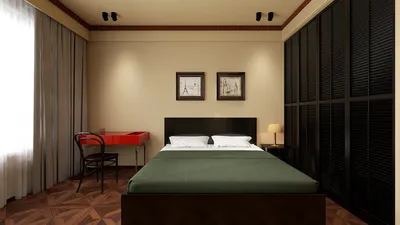


A client once approached me with a unique challenge: to create two distinctly different work environments within a compact 10 sqm room. One desired a minimalist standing desk, while the other longed for a cozy reading nook bathed in soft lighting. This experience taught me that designing shared spaces requires just as much finesse in negotiation as it does in aesthetics. I began drafting a dual workstation design that harmoniously blended both preferences. Working in small areas prompts clear decision-making, and I discovered that some of my most innovative solutions arose from this creative compromise.
1. Side-by-side dual workstation
I prefer positioning two slender desks next to each other, complemented by a shared low-profile credenza in between. This arrangement maintains visual flow while giving each individual their personal zone. The benefits of this setup include simplicity and a sense of togetherness; however, it can lead to distractions and noise if both parties are engaged in calls at the same time.
My advice: incorporate distinct task lamps and desktop decorations to reflect individual aesthetic preferences, ensuring they don’t clash. Budget-wise, consider DIY options for the credenza using flat-pack cabinets to reserve funds for higher-quality chairs.
save pin
2. Mirrored but personalized corners
When the space permits, replicating the layout allows each individual to enjoy their own corner, complete with similar storage solutions and desk dimensions. This symmetry creates a calming atmosphere, but I always recommend using varying textiles or artwork to prevent the area from resembling a showroom.
For instance, I designed this for a couple where the husband preferred a muted color scheme with functional accessories, while the wife opted for warm tones and greenery. The end result was a cohesive yet personalized space; a minor challenge was ensuring the scale of the furnishings didn’t create imbalance between the corners.
save pin
3. Shared hub + private retreat
An alternative strategy involves creating a communal workspace at the center for collaboration, paired with two small private areas for focused work. I often design a common table while incorporating mini-desks or individual booths along the walls. For clients who appreciate visual representation, I utilize Homestyler to generate realistic 3D mockups, allowing them to visualize sightlines before finalizing plans.
Benefits of this design include flexibility and support for various work styles. The downside, however, is the necessity for maintaining the tidiness of the communal area. A practical suggestion is to label drawers and implement color-coded storage solutions so that both users know exactly where items are kept.
save pin
4. Ergonomic his-and-hers setups
I believe in never compromising on ergonomics; providing two adjustable chairs, monitor arms, and matching footrests ensures comfort for both users. While the initial investment in ergonomic furniture might be higher, it leads to increased productivity in the long run. I typically suggest prioritizing chairs and the height of monitors.
One small tip: measure each person’s elbow height and adjust desks accordingly. If funds are limited, consider purchasing one premium chair and a quality task stool for the other partner while saving for a second chair.
save pin
5. Flexible hybrid desk for evolving needs
Consider designing a hybrid desk that easily transitions from accommodating two users to a single setup ready for video calls. Features like sliding panels, modular storage, and movable screens allow the space to adjust. I often pair this concept with AI-driven color palettes to quickly explore finishes without the need for physical samples.
The main advantage here is adaptability, allowing the space to evolve alongside changing work habits. The only minor drawback is the need for careful planning to ensure electrical wiring and lighting remain versatile.
save pin
FAQ
Q1: What’s the optimal desk layout for couples working from home?
A1: The best options are side-by-side slim desks or a shared central table paired with private corners. When selecting a layout, consider workflow (such as calls compared to focused work) and acoustic requirements.
Q2: How can I create a cohesive look for a shared office with differing tastes?
A2: Implement a unifying neutral base (for walls and larger furniture) and incorporate personal touches like lamps, rugs, and artwork. This strategy keeps the room unified while still allowing for individuality.
Q3: What ergonomic features are crucial for his-and-hers workspaces?
A3: Essential features include adjustable chairs, monitor arms, and appropriate desk heights. Focus on supporting seats and screen positioning, as even minor adjustments can significantly enhance comfort.
Q4: How can we manage shared storage to ensure both partners feel represented?
A4: Utilize labeled or color-coded drawers and divide shared storage equally. Combining open shelving with closed cabinets helps balance display items and personal storage.
Q5: Is it preferable to have matching furniture or mix styles within an office?
A5: Uniform larger pieces (like desks and storage) promote cohesion, while allowing varied smaller decorative items provides a personal touch. This blend minimizes visual clutter while enabling personality expression.
Q6: What budget should I set for a dual office setup?
A6: Allocate more funds for ergonomic items (like chairs and monitor arms) and lighting. A modest dual office setup can be achieved on a budget by focusing on essential features and opting for budget-friendly desks.
Q7: Does color selection influence productivity?
A7: Absolutely. Soothing neutral tones can enhance focus, whereas vibrant colors may boost creativity. For insights on how environment affects wellbeing, refer to Harvard Health Publishing’s recommendations on workspace ergonomics and wellness (from Harvard Medical School).
Q8: Is it practical for couples to share one printer and other equipment?
A8: Certainly! Position shared devices on a credenza or designated cart. Keep cables organized and accessible to prevent daily inconveniences.
Homestyler is your go-to online platform for effortless home design. With its user-friendly design tool, stunning 3D renderings, diverse design projects, and helpful video tutorials, you can easily bring your creative visions to life. Transform your space with confidence today!
Design Now for FREE
































