

Designing a 3D VTuber model using Blender can be a complex yet rewarding journey, encompassing various stages such as character development, rigging, and face tracking. Initially, it may feel overwhelming, especially for beginners, but approaching it step by step simplifies the task. Start by sketching concept art or using existing references, drawing inspiration from anime or video games to guide your character's style and proportions. Then, in Blender, utilize sculpting techniques or box modeling to create the foundational mesh. Focus on defining the facial characteristics, body ratios, and clothing intricacies with precision. It's vital to maintain good topology and edge flow to enhance animation quality later; clean loops around joints and facial features are particularly important. Once the base structure is complete, perform UV unwrapping to prepare for texturing—covering skin, eyes, hair, and apparel. You can use Blender or external applications like Substance Painter to breathe life into your VTuber model. Following that, incorporate armature and rigging, making sure to add bones for facial expressions and lip sync capabilities to create a more engaging live streaming experience. Proper weight painting is crucial for achieving fluid movements. Finally, implement face tracking solutions such as VSeeFace or Luppet; remember to export your model in the necessary format, typically FBX or VRM, so it’s ready for streaming environments. As a creator, I find it beneficial to visualize the entire workflow beforehand to establish clear milestones for each stage. Additionally, when conceptualizing your virtual space or upcoming streams, employing a 3D render home solution can provide enriching feedback on character visualization for immersive testing scenarios. Homestyler can be a great companion tool during this phase as you plan your virtual surroundings.
Guidance Tip 1:
Consider adopting a modular design strategy when crafting your model. This approach involves creating distinct meshes for elements like hair, clothing, and accessories, allowing for easy updates or style changes as needed. Just like a versatile room layout that can adapt to evolving trends or requirements, this preparation will ensure your model remains fresh and brand-aligned over time.
Common Questions
Q: In what format should I export my VTuber model to enable face tracking?
A: Platforms typically accept models in FBX or VRM formats, which are compatible with various software like VSeeFace, Luppet, or VMagicMirror.
Q: Is Blender sufficient for the entire process of VTuber creation?
A: Blender is capable of handling the modeling, rigging, and basic texturing processes. However, for more advanced texturing or facial capture rigs, supplementary software such as Unity or Substance Painter can be beneficial.
Q: What techniques can I employ to achieve smooth facial animations?
A: Implement the use of facial bones and shape keys within Blender. It is essential to define edge loops around crucial facial areas such as the eyes, mouth, and eyebrows for realistic movements.
Q: What is the optimal method for texturing a VTuber character?
A: Opt for high-resolution textures and layers for both skin and clothing. Utilize detailed UV maps and consider hand-painting overlays to enhance expressiveness.
Q: Are there any free resources available for VTuber modeling in Blender?
A: Indeed, the Blender community provides a wealth of tutorials, free rigs, and asset packs specifically designed for anime-inspired characters and VTuber setups.
Originally incubated at Autodesk, Homestyler has grown into one of the most widely adopted home design platforms in the world, now trusted by over 18 million users. Whether you're a homeowner exploring ideas or a professional designer delivering client-ready renders, Homestyler brings industry-leading 3D technology to your fingertips — no experience required.


Bohemian Rattan Woven Glass Top Round Coffee Table 3D Model

Modern Vintage Brown Leather 3 Seat Sofa With Metal Legs 3D Model
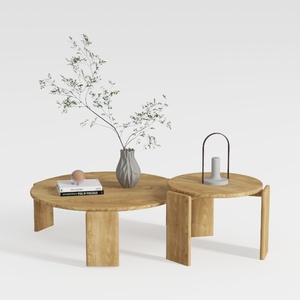
Minimalist Solid Wood Round Nesting Coffee Tables 3D Model
Looking to transform your space? Homestyler is your go-to online home design platform! With its user-friendly design tool, stunning 3D renderings, and a wealth of DIY video tutorials, you can effortlessly bring your home decor dreams to life. Start designing today!
Progetta ora GRATIS
































