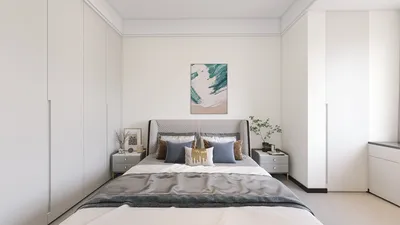


Crafting a 3D model from scratch is an exhilarating and fulfilling task, particularly for those passionate about interior design, architecture, or gaming. In this guide, we will walk you through the fundamental steps necessary to create your own 3D model with ease.
Step 1: Select Your SoftwareTo get started, it's important to choose the appropriate software for 3D modeling. Numerous options exist, ranging from beginner-friendly programs to advanced professional tools. Some popular selections include Blender, SketchUp, and Homestyler. Each platform offers distinct features, so find one that aligns with your expertise and project requirements.
Step 2: Outline Your ModelBefore diving into the software, take the time to craft a plan for your model. You might sketch your ideas on paper or use digital platforms to visualize your design. Consider dimensions, shapes, and textures that you want to incorporate. This planning stage is crucial as it will streamline your modeling process and keep you organized.
Step 3: Commence ModelingOnce your preparation is complete, launch your chosen software and begin constructing your 3D model. Start with fundamental shapes, like cubes or cylinders, and progressively develop them into more intricate designs. Most software offers a variety of manipulation tools, such as scaling and extruding, which allow you to create detailed models.
Step 4: Incorporate DetailsAfter establishing the basic structure of your model, it's time to enrich it with details. This may involve adding windows, doors, or complex patterns and textures. Utilize the tools within the software to refine the geometry and boost the aesthetic appeal of your model. Remember to consider proportions and scale for a realistic appearance.
Step 5: Apply Textures and ColorsWith your model finally taking shape, it’s time to introduce textures and colors. Most modeling applications enable you to create or import textures to apply to your model. Experiment with various materials to achieve the look you desire, whether that be natural wood, reflective metal, or soft fabrics.
Step 6: RenderingThe final phase involves rendering your model. Rendering is the technique of producing a high-quality image of your 3D creation. Most software contains built-in rendering engines to help you generate realistic images with appropriate lighting and shadows. Adjust the settings to ensure optimal results.
Step 7: Save and Export Your ModelAfter you are pleased with your 3D creation, make sure to save your work. Most software allow exports in multiple formats, which facilitates sharing or integration into other projects. Common formats include .OBJ, .FBX, or .STL, depending on your specific needs.
In conclusion, developing your own 3D model can be a delightful experience that allows you to manifest your creativity. With the right software and your imagination, you can produce remarkable models to enhance a variety of projects.
Tips 1:
Try different software options to discover which one suits your artistic style best. Each application has its unique advantages!
FAQ
Q: Is prior experience necessary for creating a 3D model?A: While some experience may be beneficial, many software tools cater to beginners and come with a wealth of tutorials.
Q: Can my 3D model be used in other software applications?A: Absolutely! Most 3D modeling software enables you to export your creations in various formats compatible with other programs.
Q: How long does it usually take to create a 3D model?A: The time required can vary greatly based on the model's complexity and your familiarity with the software.
welcome to Homestyler




Discover the ultimate home design experience with Homestyler! This user-friendly online platform offers a powerful design tool, stunning 3D renderings, and a wealth of inspiring DIY video tutorials. Transform your space effortlessly and unleash your creativity today!
Progetta ora GRATIS
































