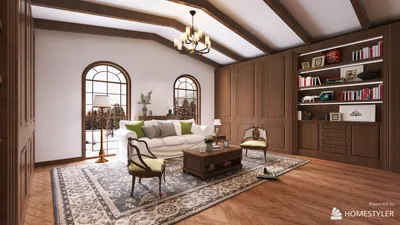


I’ve created stunning home theaters in various settings, such as spare bedrooms, basements, and dedicated screening rooms. The ideal room size is not a single measurement; it's achieved by balancing factors like viewing distance, screen width, seating depth, acoustic volume, and light control. The optimal combination aligns your space with your equipment and how you enjoy entertainment—be it sports, streaming, or cinema. For intuitive planning, consider using a tool like Homestyler to visualize your design.
Two crucial metrics guide effective sizing decisions. Firstly, viewing distance: it's common for integrators to advise a range of 1.2–1.6 times the diagonal screen size for comfortable viewing of 16:9 content. Research into human visual ergonomics highlights that a horizontal field of view of 20–40° maintains comfort during prolonged viewing, aligning well with this rule. Secondly, controlling ambient light and glare is essential: the WELL v2 Light concept emphasizes proper light levels for visual tasks and recommends glare reduction techniques—managing luminance contrast enhances perceived image quality and minimizes eye strain.
Noise levels are just as important as visuals in a home theater. Ensuring good acoustic comfort boosts speech clarity and helps reduce viewer fatigue; research by Herman Miller shows that noise distractions can significantly degrade performance. When designing home theaters, it's imperative to isolate sounds such as mechanical noise and tackle reverberation through choice of room finishes. I utilize specific wall and floor assemblies to manage sound transmission and select materials that absorb and reflect sound to fine-tune the space's acoustics.
Small Rooms (10' x 12' to 12' x 14')
In limited spaces, strive for a single row of 2–4 seats. A 100–120" screen harmonizes well with a viewing distance of 9–12 ft. Sightlines improve significantly if seats are arranged along the screen's centerline; avoid squeezing in side aisles that limit shoulder space. Maintain a ceiling height of around 8–9 ft to facilitate the placement of overhead speakers without overwhelming the room’s acoustics. For optimizing your layout, consider utilizing a room layout tool like Homestyler to visualize seating configurations and speaker arrangements.
Medium Rooms (13' x 18' to 15' x 20')
These dimensions allow for two rows—typically accommodating 4 seats in the front and 3–4 on a rear riser. Screen widths can expand to 120–135" diagonals with viewing distances of 11–14 ft for the front row and 15–17 ft for the back. Design a riser height of 8–12" with a slope of 1:12 to ensure easy access. Incorporate side absorption panels at first reflection points and blend in diffusion on the back wall to eliminate slap echo.
Large Rooms (16' x 22' and up)
In larger spaces, consider adding a third row or lounge-style seating. A 135–160" diagonal screen is well-suited for 12–16 ft viewing distances for the front row, and 18–22 ft for the back. Bass management can become more complex; it's advisable to use multiple subwoofers to balance modal peaks. With wider rooms, optimal speaker angles are afforded—position front left and right speakers about 22–30° off the centerline, surrounds at 90–110°, and height channels above at 45°—to enhance immersive imaging without overcrowding seating arrangements.
Screen Size vs. Viewing Distance
When it comes to 16:9 content, I recommend a viewing distance of 1.3–1.6 times the screen’s diagonal measurement to achieve a blend of clarity and comfort. For scope films (2.35:1), a slightly closer position enriches the cinematic experience. If your focus is on gaming or sports, a distance nearer to 1.2–1.3 times is preferred for better detail recognition; setups prioritizing movies generally feel more natural closer to 1.5 times.
Ceiling Height, Sightlines, and Riser Math
Ceiling height plays a critical role in determining the feasibility of risers and speaker placements. With ceilings between 8–9 ft, ensure risers are modest so that the eye-level of the rear row is at least 4–6" above that of the front row. I determine sightlines by tracing a line from the eye level of the back row to the lower third of the screen, ensuring there are no obstructions. Taller ceilings (9.5–10 ft) allow for deeper risers and better projector mounts without impeding pathways.
Acoustic Volume and Material Balance
In smaller rooms, if walls, floors, and ceilings are highly reflective, they may cause a boomy sound. It’s crucial to integrate absorption (such as fabric panels, thick rugs, upholstered seating) with diffusion (like slatted wood or sculpted bookshelves) to disrupt reflected sound waves. In larger environments, be cautious not to overly deaden the space; some reflectivity is necessary to maintain vibrancy. I strategically place bass traps in corners, absorbers at first reflection points, and diffusion behind seating to ensure crisp dialogue and a wide soundstage.
Lighting: Layered, Dimmed, and Glare-Free
Implement a layered lighting approach: utilize dimmable wall sconces, cove LED strips with a warm hue of 2700–3000K, and aisle marker lights for safety. Manage stray light from doors and adjacent areas with blackout curtains and light-sealed trims. The WELL v2 Light framework emphasizes the importance of minimizing glare for visual comfort; avoid lighting fixtures that reflect off the screen and opt for beam spreads that wash the walls rather than shine directly on the display.
Seating Depth, Aisles, and Ergonomics
Ensure there’s a comfortable aisle width of 36–42" and a seating depth of 60–66" for reclining chairs, which should also allow for leg space. Maintain consistency in armrest heights across a row to minimize visual distraction. Studies on posture and sustained attention suggest benefits from adjustable seat angles; in theaters, reclining can help distribute pressure and alleviate neck strain during extended viewing.
Projection, Throw, and Equipment Placement
Before finalizing your screen dimensions, double-check projector throw ratios against your room length. Ceiling mounts must clear pathways while also aligning the lens centerline with the center of the screen. If you're balancing seating, doors, and storage, consider using an interior layout planner like Homestyler to experiment with projector placements and speaker configurations before finalizing any installs.
Color and Surface Strategy
Opt for dark, low-sheen paints (like charcoal or deep navy) that minimize reflections; matte finishes on ceilings and front walls help maintain perceived contrast. Keep brighter hues just behind the seating to prevent light catch. Warm tones create a cozy atmosphere for movie nights, while neutral dark colors provide a classic cinema backdrop.
HVAC, Noise Isolation, and Comfort
Ensuring quiet air delivery is essential. Use oversized ducts, low-velocity registers, and decouple equipment closets from the main environment. Implement door gaskets, acoustic seals, and staggered-stud walls to significantly lower sound transmission. This approach ensures that bass doesn’t reverberate throughout the house and outside noise remains at bay.
Layout Playbook by Room Width
• In narrow rooms (10–11 ft wide): opt for a single row, slim recliners, and wall-mounted surround speakers with thoughtful angle adjustments.
• For moderate widths (12–14 ft): structure two rows with a compact riser, evenly spaced seating, and place subs mid-wall to manage bass modes.
• With wide rooms (15–18+ ft): ensure generous aisles, three rows, or a lounge configuration with bar seating at the back, while including multiple subs and diffusion behind the last row.
Future-Proofing and Tech Integration
When planning, incorporate conduits for HDMI fiber, network cables, and power near the projector and seating. If larger screens are on your horizon, maintain flexible wall framing and mount points. For homes focused on streaming, a strong Wi-Fi connection and effective cable management keep the area tidy and functional.
FAQ
Q1: What’s the smallest room size suitable for a true home theater?
A1: I recommend a minimum of 10' x 12' with 8–9 ft ceilings to comfortably fit a single row and a 100–110" screen. Smaller dimensions are feasible, but speaker angles and seating may become cramped.
Q2: How far should I sit from a 120" screen?
A2: About 12–16 ft offers a comfortable range; I usually suggest positions close to 1.3–1.5 times the diagonal for a balanced viewing experience.
Q3: Is a riser necessary for the second row?
A3: In most situations, yes. An 8–12" riser with careful sightline consideration ensures that viewers in the rear row can see the lower third of the screen clearly.
Q4: How many subwoofers should I include?
A4: Using two asymmetrically placed subs generally produces smoother bass response, especially in medium to large venues.
Q5: Which paint finish is optimal?
A5: A matte or ultra-matte finish in dark colors for the front wall and ceiling is ideal. Avoid semi-gloss finishes as they create reflections that diminish contrast.
Q6: Does ambient lighting negatively impact picture quality?
A6: Direct glare is the primary issue. Utilize dimmable, indirect lights and blackout solutions. The WELL v2 Light guidelines emphasize glare control as vital to visual comfort.
Q7: What is the appropriate width for aisles?
A7: An aisle width of 36–42" allows comfortable access without the risk of bumping knees, particularly with reclining seats.
Q8: Are soundproofing doors worthwhile?
A8: Definitely. Solid-core doors with proper seals dramatically reduce sound transmission and enhance the immersive experience. Pairing them with decoupled walls yields the best results.
Q9: Is it feasible to fit a projector in an 8 ft ceiling room?
A9: Yes, but installation needs to be done carefully to avoid clearance issues. Low-profile mounts and accurate lens alignment will keep pathways clear.
Q10: What are the ideal speaker angles?
A10: Position front left/right speakers at about 22–30° from the center, surrounds at around 90–110°, and heights positioned at 45°. This arrangement helps ensure cohesive imaging across seating rows.
Q11: Do recliners affect sound quality?
A11: No, while plush seating can absorb higher frequencies, balancing absorption with diffusion and strategic placement of panels can maintain sound quality.
Q12: How do I plan for future screen upgrades?
A12: Make sure to leave wall reinforcement across a broad span, pre-install conduits for cables, and ensure projector throw flexibility by selecting models with a good zoom range.
Built on technology originally developed at Autodesk, Homestyler empowers anyone to design beautiful, realistic spaces in minutes. Join over 18 million users who have already discovered a smarter way to plan, visualize, and bring their dream homes to life — all from the comfort of a browser.
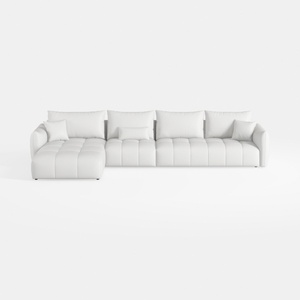
Minimalist White Fabric L Shape Sectional Sofa 3D Model

Modern Minimalist Two Tone Solid Wood TV Stand Cabinet 3D Model
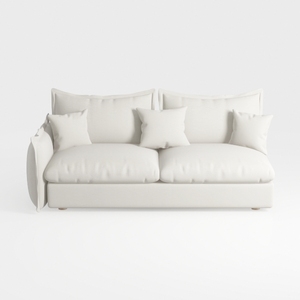
Minimalist White Fabric Loveseat Sofa with Throw Pillows 3D Model
Looking to elevate your home design game? Homestyler offers an exceptional online design tool paired with stunning 3D rendering and a wealth of design projects. Plus, access engaging DIY video tutorials to inspire your creativity. Transform your space effortlessly, whether you're a pro or just starting out!
Progetta ora GRATIS
































