

Having designed more compact theaters than expansive media rooms, I've learned that the essence lies in simplicity: scaling down components, optimizing acoustics, and carefully arranging lighting. In smaller settings, precision is far more effective than extravagance. Utilizing an appropriately sized screen, maintaining proper seating distances, and opting for quiet surfaces will always outperform oversized equipment.
Two key factors guide my initial choices. Firstly, the WELL Building Standard emphasizes that managing luminance and glare can significantly decrease eye fatigue and enhance visual comfort, which is essential in dimly lit viewing rooms where a single light hotspot may disrupt the overall picture quality (WELL v2, Light Concept: L03-L04). Secondly, research from Herman Miller underscores that neutral postures and supportive seating can alleviate fatigue during lengthy viewing sessions, which directly contributes to a more immersive film experience (Herman Miller Research). For additional context on lighting effectiveness, I refer to IES guidelines regarding luminance ratios and the layering of ambient and task lighting to ensure legibility without glare (IES Standards).
Start with the Room Design: Dimensions, Ratios, and Sightlines
For small rooms measuring between 100 to 160 square feet, it's crucial to aim for harmonious proportions that facilitate consistent sound quality and clear sightlines. Ideally, ceiling heights should be maintained at a minimum of 8 feet; if that's not possible, consider low-profile acoustic treatments to avoid further reduction in volume. A common guideline for screen size is about 0.84 times the seating distance for 16:9 content, with many compact rooms landing around a 92 to 110-inch diagonal screen. It's important to aim for a 15 to 20-degree vertical sightline from the seated eye level to the center of the screen to minimize neck strain. If your space is irregularly shaped, create a rectangular “acoustic core” using thick drapes or sound-absorbing wall panels to regularize acoustic reflections.
Optimizing Layout for Every Square Foot
In narrow spaces, a single row of 2 to 3 seats paired with a loveseat or chaise often performs better than two crowded rows. Ensure there’s 24 to 30 inches of clearance behind seats whenever possible. The left/center/right speakers should frame the screen within a 22 to 30-degree arc from the primary listening position. Subwoofers can be effectively placed in corners of small rooms; I usually test the front-left corner versus mid-side placements to achieve balance. For those modifying furniture and speaker setups, utilizing a user-friendly interior layout planner can help visualize clearances and angles before making commitments.
Use the room layout tool to design seating arrangements, screen dimensions, and speaker configurations: interior layout planner.
Acoustic Treatment: First Absorb, Then Diffuse
Small theaters require targeted acoustics rather than general absorption. Address first reflection points on side walls with 2 to 4-inch panels (or thick fabric-wrapped mineral wool). Incorporate bass traps in at least two corners; if floor space is limited, consider super-chunk or soffit traps. Diffusion can be applied to the back wall to retain room liveliness without causing slap echo—shallow quadratic residue diffusers or poly diffusers help maintain minimal depth. Aim for a balanced reverb time (RT60) of around 0.3 to 0.5 seconds in smaller rooms to ensure crisp dialogue without sounding lifeless.
Selecting Screens: Size, Gain, and Projection Distance
For rooms with limited depth, short-throw or ultra-short-throw projectors can be an excellent choice, but it's crucial to check the throw ratios against your screen's dimensions. Ambient light rejecting (ALR) screens are beneficial when utilizing soft perimeter lighting. In very compact rooms with some daylight, a 75 to 85-inch OLED or Mini-LED display can surpass a projector due to its greater native contrast and lower sensitivity to stray light. Keep screen gain within a moderate range (approximately 1.0 to 1.3) to avoid hotspot issues and maintain off-axis viewing for those seated to the sides.
Lighting: Create Layers that Respect Contrast
Glare can be detrimental to small screen experiences. Consider using indirect lighting sources such as coves, dimmable sconces equipped with shielded optics, and low-level lighting beneath seats. A warm color temperature of 2700 to 3000K will keep skin tones natural and prevent blue light spill onto the screen. I recommend employing ELV or 0-10V dimming controls for smooth transition effects, ensuring a baseline illumination of 0.1 to 0.3 footcandles during playback. The WELL Light concept highlights the importance of regulated luminance ratios and reduced glare for visual comfort, which translates to enhanced contrast and decreased eye fatigue (v2.wellcertified.com).
Seating Comfort and Flow
Compact settings do not equate to cramped scenarios. Maintain a clearance of 20 to 24 inches from arm to arm for each seat, and a 36-inch wide entry lane on at least one side if space allows. Recliners equipped with wall-hugger mechanisms can save valuable inches; chaise segments provide room for two individuals to stretch without requiring a second row. Prioritize firm lumbar support, breathable upholstery, and adjustable headrests in alignment with ergonomic research advocating for neutral posture during extended periods (hermanmiller.com/research). If children are part of the audience, consider placing a low bench or poufs up front for flexible overflow seating.
Audio Configuration: 5.1.2 Typically Outperforms Excess
Dolby Atmos in small spaces is best approached with moderation. A 5.1.2 or 5.1.4 setup usually provides superior results compared to denser configurations, as speakers can maintain accurate angles and separations. Position ear-level channels slightly above the seated ear height and angle surround speakers at 100 to 120 degrees relative to the main seat. Ceiling speakers should ideally be placed between 65 and 100 degrees from the front-back axis for coherent height effects, ensuring mounting depth accommodates joist cavities. Precise calibration of levels and delays is critical; in smaller volumes, even a 1 to 2 ms adjustment can have a notable impact.
Material Selection: Quiet, Textured, and Elegant
Choose sound-absorbing materials such as wool upholstery, heavy draperies, acoustic wall fabrics, and thick carpets paired with dense padding. Disrupt parallel surfaces with ribbed wooden slats or fabric-wrapped battens; these additions contribute diffusion and rhythm without visually constraining the room. Use low-sheen paints (matte or eggshell) in deep neutrals—such as charcoal, ink blue, and olive black—to minimize reflections while enhancing perceived contrast. Limit hard surfaces to necessary millwork and opt for soft-close hardware to prevent rattling.
Managing Cables and Equipment Cooling
In smaller theaters, heat and noise tend to build up quickly. Ensure proper ventilation for the AV cabinet with a quiet, thermostat-controlled fan and create an intake pathway near the floor. Utilize conduit or flexible raceways for future cable installations; ensure both ends are labeled. If mounting racks, leave a 1U gap between heat-generating devices. Decouple subwoofers using isolation pads to avoid vibrations in multi-family environments.
Doors, Windows, and Noise Isolation
Replacing hollow-core doors with solid-core ones featuring perimeter seals and a drop bar bottom can be vital. If replacement isn't an option, consider adding a secondary decorative door or heavy acoustic curtains. For windows, layer treatments using blackout shades, heavy drapes, and side returns to eliminate light intrusions and manage reflections. Simple enhancements like weather stripping, outlet gaskets, and rug pads can significantly improve isolation without requiring major renovations.
Smart Control Systems and Scene Settings
Utilizing a single keypad or app with predetermined scenes such as “Trailers,” “Feature,” “Intermission,” and “Credits” is far more efficient than managing numerous switches. Integrate audio levels, screen masking (if applicable), and light dimming to prevent fumbling around in the dark. Establish a low-lux pathway light scene for bathroom visits that won’t disrupt the viewing experience.
Key Budget Considerations
In confined spaces, clarity consistently triumphs over mere volume. Allocate initial funds towards acoustic treatment, calibrated audio systems, and effective light control. Select a screen size that caters to your seating distance, followed by budgeting for a quiet ventilation solution. Should funds permit, enhance seating ergonomics and add diffusion elements for depth.
Quick Starter Layout Examples
- 10' x 12': Single-row, three seats, with a 100 to 110" screen, utilizing a 5.1.2 Atmos layout and a front-left corner sub, incorporating side-wall first reflection treatments and rear diffusion panel.
- 9' x 14': Two loveseats paired with a chaise, featuring a 92 to 100" screen, a 5.1.4 setup with in-ceiling speakers, and an ALR screen if ambient light conditions are mild, including cove and sconce dimming options.
- 8' x 10' flexible den: Wall-mounted 77 to 83" OLED, slim LCR on-wall speakers, micro-sub positioned under the console, blackout drapes, and a single-row bench with poufs for additional seating.
My Trusted Design Process
Begin by mapping the space, establishing sightlines, modeling various layouts, and then testing sound and light options. I repeatedly adjust seating and speaker arrangements using a layout simulation tool before making any cuts. Once the geometry appears sound, I fine-tune lighting for reflections and finalize the design with low-sheen textures. The end result is a compact theater that blends into the backdrop once viewing begins.
Frequently Asked Questions
Q1: What screen size is ideal for a small room?
Typically, a diagonal size ranging from 92 to 110 inches works well for viewing distances of 10 to 12 feet for 16:9 content. Adjust according to the formula: screen width ≈ 0.84× seating distance. For tighter spaces that have limited projection capability, a 77 to 85 inch OLED is often preferable.
Q2: Should I choose a projector or a TV for compact theaters?
If you can manage lighting effectively and have adequate projection distance, a projector with an ALR screen will create a more immersive experience. However, when light control is limited, a high-contrast OLED or Mini-LED display (75 to 85 inches) frequently yields better results and simplifies setup.
Q3: How can I reduce glare and eye strain?
Utilize dimmable, indirect lighting within the range of 2700 to 3000K, avoid direct illumination on the screen, and maintain footcandles at 0.1 to 0.3 during playback. This practice aligns with glare management best practices as set out by the WELL standards and IES recommendations.
Q4: What is a realistic surround sound format for a small room?
Typically, a 5.1.2 or 5.1.4 configuration offers the best balance of sound separation and simplicity. Densely packed speaker setups often struggle with maintaining speaker angles and can congest the ceiling area.
Q5: Where should I place the subwoofers?
Initial placement should be in the front-left corner or along the mid-side wall, followed by measurements. In smaller rooms, modal interactions are more pronounced, so using two smaller subs can provide smoother bass response, given space permits.
Q6: Which acoustic treatments are most important?
Address first reflections using 2 to 4 inch absorbers, incorporate bass traps in a minimum of two corners, then consider adding diffusion to the rear wall. Aim for a balanced acoustical quality rather than a dead space.
Q7: How much clearance do I need behind the seats?
Try to achieve a clearance of 24 to 30 inches for comfortable passage. When floor space is limited, opt for wall-hugging recliners and keep rear wall treatments shallow.
Q8: Which finishes enhance picture quality?
Utilizing low-sheen dark paints, matte surfaces, thick drapes, and textured fabrics can significantly detract from reflections and enhance perceived contrast, especially in proximity to the screen wall.
Q9: Is specialized ventilation necessary?
In compact rooms, heat can build up quickly. It is advisable to provide a quiet exhaust and low-level intake; using a fan with thermostat control in the AV cabinet protects equipment and keeps noise levels down.
Q10: Can I see excellent results without building a second seating row?
Absolutely. A single well-placed row featuring ergonomic seating along with a low bench or poufs for additional guests can frequently outperform tightly arranged risers in smaller spaces.
Q11: How do I effectively plan the layout?
Model your room's seating clearances, sightlines, and speaker placements prior to making any purchases. Utilizing a visualization tool for room design allows you to iterate quickly and helps you avoid unnecessary expenses.
Q12: What is the most impactful upgrade for a tight budget?
Focus on acoustic treatment and light control. A properly calibrated audio setup in a well-treated environment often surpasses larger speakers in a reflective space every time.

ivoros 75" Convertible Folding Sofa Bed, Modern Sl
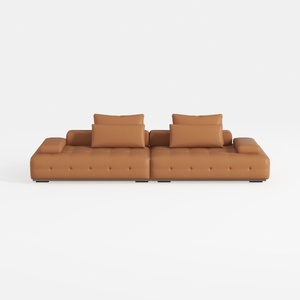

Valencia Nathan Nappa Leather Couch - 4 Seats with
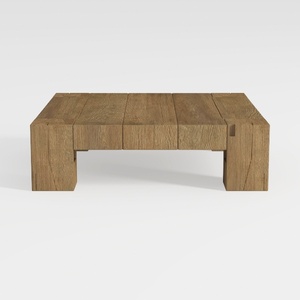
GiftGo Coffee Table Mid Century Modern Center
Looking to transform your space? Homestyler offers an intuitive online design tool, stunning 3D renderings, and a wealth of design projects and video tutorials. Whether you're a novice or a pro, you'll find inspiration and guidance to effortlessly bring your home design visions to life!
지금 무료로 디자인하세요
































