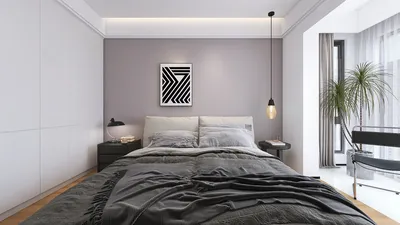


Visualizing a room design can be a thrilling experience that allows you to transform your concepts into a tangible preview before beginning the real work. Whether you're a professional designer or a passionate hobbyist, crafting a mockup enables you to play around with room layouts, color schemes, and furniture selections within a digital environment. To kick off the process, seek inspiration from design magazines, online sources, or applications that align with your aesthetic preferences. Once you have a clear idea of how you want your room to look, consider utilizing tools such as Homestyler, which features a vast catalog of furniture models and templates to help you materialize your vision. Begin by drafting a basic floor plan, noting the dimensions of your room and the location of windows, doors, and other architectural elements. This floor plan will be critical as the groundwork for your design mockup. Next, select a design program that caters to your requirements; Homestyler stands out as an excellent choice for creating a 3D visualization of your space with ease. After you're set with the floor plan, start dragging and dropping various furniture pieces into your design. With Homestyler, you have access to a multitude of furniture models, allowing you to personalize your environment precisely. Keep scale and proportion in mind to ensure your mockup appears realistic and inviting. Following the placement of furniture, don’t hesitate to play around with various color palettes and textures. This is your moment to unleash creativity! Leverage the program's rendering capabilities to see how different shades blend with the natural sunlight and the overall atmosphere. Remember to pay attention to the finer details—accessories like rugs, curtains, and artworks can significantly uplift your design. Integrate these components into your mockup to assess their impact on the overall look. Lastly, after finalizing your design, take the time to review and fine-tune any areas that might need adjustment. It can be beneficial to seek feedback from friends or fellow design aficionados, as they might shine a light on elements you hadn’t considered. When you feel ready, share your stunning design on Homestyler’s platform to inspire other creative minds. Designing a room mockup transcends mere visualization; it’s an opportunity to realize your artistic vision in an enjoyable and practical manner. By leveraging the right tools and strategies, you can curate a space that genuinely reflects your unique style and fulfills your functional needs. Enjoy the designing process!
Tips 1:
Be sure to save multiple versions of your mockup. This way, you can easily revert to earlier concepts and arrangements if needed.
FAQ
Welcome to Homestyler
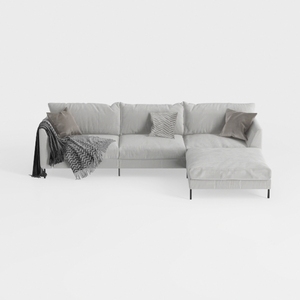
Legend Vansen Velvet Sofa sectional for Living Roo
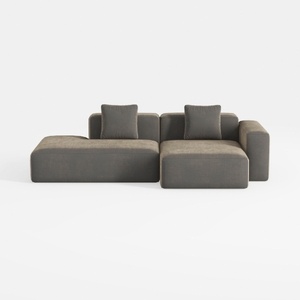
WJShome Cloud Couch Modular Sectional Sofa,102inch
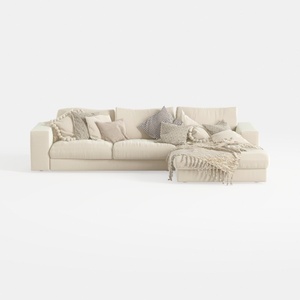
Oversized Modular Sofa, Extra Deep Cloud Chenille
Homestyler is your go-to online home design platform, ideal for both novices and seasoned decorators. With user-friendly design tools, stunning 3D renderings, inspiring design projects, and helpful video tutorials, you can effortlessly create and visualize your dream space. Start your design journey today!
Design jetzt kostenlos
































