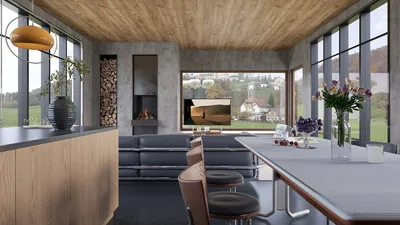


Crafting a 3D model for your VTuber channel marks a pivotal milestone for creators eager to leave a lasting impression. This process demands careful organization, spanning from the initial character design to the rigging phase, each step crucial in determining how your virtual avatar interacts and captivates its audience. Start by illustrating your character's visual aesthetics, making sure it embodies the distinctive personality and atmosphere you wish to project. Next, consider utilizing a 3D modeling software such as Blender, Maya, or VRoid Studio. These platforms enable detailed sculpting, texturing, and morphing. Upon finishing your base mesh, the next step is rigging, where you incorporate bone structures and controls essential for animation and facial recognition. This stage is vital as it allows your model to move fluidly and react to live inputs. Evaluating your rig in software options like OBS Studio or VTuber-specific applications guarantees a seamless performance. As a designer, I cannot stress enough how crucial the surrounding environment is: the 3D space for your VTuber should enhance the character, fostering a sense of consistency and immersion for the viewers. If you’re aiming for top-tier spatial design, tools like Homestyler can assist you in creating simulated backgrounds and scenes that elevate your VTubing ventures, making your streams not only engaging but visually appealing.
Pro Tips:
Concentrate on lighting and angles when filming. Similar to interior design, the way your virtual environment is illuminated and perceived significantly affects the atmosphere and the connection with your audience. Test various lighting configurations and backdrops that accentuate your 3D model’s attributes, ensuring that each broadcast appears polished and welcoming.
Frequently Asked Questions
Q: Which software is recommended for developing VTuber 3D models?
A: Blender, VRoid Studio, and Maya are well-regarded for their comprehensive modeling, rigging, and animation capabilities.
Q: What is the process for rigging my 3D VTuber model for motion tracking?
A: Implement bone structures and vertex groups within your modeling software, and connect them to motion capture tools such as VSeeFace, Luppet, or FaceRig.
Q: Are there free tools available to create my VTuber model?
A:Absolutely, Blender and VRoid Studio are both effective, free options popular within the VTuber community.
Q: How significant is the virtual background for VTubing?
A: It’s vital—a well-crafted virtual environment establishes the channel’s ambiance and enhances viewer involvement.
Q: Which file formats work with VTuber streaming platforms?
A: Commonly used formats include .fbx, .vrm, and .obj. However, it’s best to verify your platform’s specifications before exporting your model.




Discover the ease of home design with Homestyler! This intuitive online platform offers a user-friendly design tool, stunning 3D renderings, and an abundance of DIY video tutorials. Perfect for turning your interior design dreams into reality, it empowers you to create beautiful spaces effortlessly.
Дизайн сейчас бесплатно
































