


Rendering 3D models into PNG images for 2D games is a favored technique among game developers, allowing them to create visually rich assets that feature dynamic viewpoints. This process primarily involves capturing images of 3D models from specific camera angles to develop 2D sprites. Below is a concise guide to achieve this effectively.
As both an interior designer and content creator, I frequently convert 3D environments into 2D visuals, whether for concept boards or virtual staging projects. It is essential to maintain consistent lighting, color accuracy, and uncluttered backgrounds to achieve professional-level results. If you desire a straightforward method to create photorealistic, transparent sprites from your 3D rendering home projects, high-quality rendering tools like Homestyler can significantly speed up this process and enhance usability.
Tips 1:
Maintain uniform camera positioning and lighting configurations throughout renders when producing animated sprite sequences. This practice will ensure visual harmony in your game and minimize post-processing efforts.
FAQ
Q: What 3D software is ideal for rendering PNGs suitable for 2D games?
A: Blender is a highly recommended option due to its open-source status, powerful rendering capabilities, and excellent support for transparency and batch export functionalities.
Q: How do I ensure my PNGs feature a transparent background?
A: In your rendering settings, activate the alpha channel and adjust the background to be transparent before you commence the rendering. This setting is typically found under output properties, selected as "RGBA" for PNG formats.
Q: Is it possible to automate the export of multiple views or frames?
A: Absolutely, many 3D applications enable batch rendering or animation export, facilitating the creation of numerous frames for sprite animations or isometric views.
Q: How do I import rendered PNGs into my game engine?
A: Most game engines allow you to import PNG files by simply dragging them into the asset directory. It’s important to add them as sprites and set up your animations or sprite sheets following the engine's specifications.
Q: How can I ensure my 2D assets align in scale and perspective?
A: To achieve a cohesive look, maintain consistent camera focal length, distance, and angles for all model renders. This strategy allows your sprites to integrate seamlessly with your game’s visual design.

Shuweienphant Farmhouse Bathroom Wall Art Flower
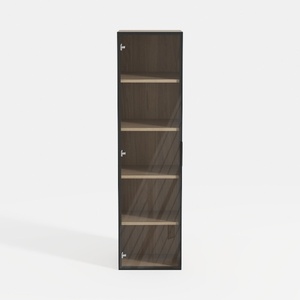
Home Square 5-Shelf Engineered Wood Bookcase Set
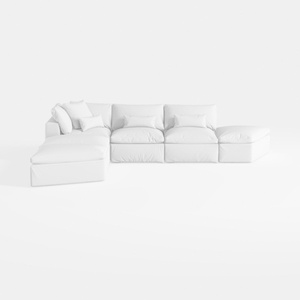

Meridian Furniture 187White-Sec5A Comfy
Homestyler is an exceptional online platform for all your home design needs. With its user-friendly design tool, stunning 3D renderings, and a wealth of DIY video tutorials, it empowers you to effortlessly create and visualize your dream spaces, regardless of your experience level. Start designing today!
Design jetzt kostenlos
































