

Crafting realistic grass blade textures for 3D modeling significantly enhances the aesthetic quality and authenticity of digital environments. This technique relies on the use of high-resolution image maps, meticulous transparency adjustments, and thoughtful application of material properties. Begin by capturing or sourcing images of grass in optimal lighting to achieve sharp details. Utilize software such as Photoshop with tools like the Magic Wand, Lasso, or manual masking to isolate individual blades. Fine-tune the alpha channel to secure clean edges and natural feathering, which is vital for achieving realism in 3D applications.
To achieve heightened realism, it’s beneficial to generate normal and roughness maps alongside your color texture. The normal map creates an illusion of depth as light plays over the surface, preventing blades from appearing flat. A specific roughness map manages glossiness and reflections, which is essential for realistically simulating natural grass. When importing these into your chosen 3D software, ensure to apply these textures to thin planes, carefully align normals, and group them in clusters or tufts for a more organic appearance. Randomizing the scale, rotation, and hue of the blade geometry will help eliminate repetitive patterns and a synthetic look.
As a seasoned interior designer, I believe that creating a compelling grass texture goes beyond mere realism; it’s about shaping atmospheres that resonate with the desired emotional response. Whether you are designing outdoor living spaces or integrating biophilic elements, having the right tools can expedite the design process. I often recommend using a sophisticated 3D rendering solution such as Homestyler, allowing you to visualize plant materials and landscaping elements in their intended context—ensuring your digital grasses complement other aspects of your design seamlessly. This comprehensive approach guarantees that every texture utilized enhances the overall cohesiveness of your space.
Tips 1:
Diversifying the greens within your grass blade texture is crucial—natural lawns rarely exhibit a uniform color. Incorporate subtle variations through painting tools or photo overlays. Adding a few dry or brown blades can enhance realism, particularly in scenes that depict late summer or less-than-ideal maintenance.
FAQ
Q: What image resolution should be utilized for realistic grass textures?
A: For detailed close-up renders, textures should be at least 1024x1024 pixels; however, using textures of 2048x2048 or higher is advisable for superior detail.
Q: How can I reduce the repetitive appearance of grass in a 3D scene?
A: Introduce variations in orientation, hue, and scale for each blade or clump while employing various texture maps to mitigate monotony.
Q: Which 3D software is optimal for importing grass blade textures?
A: Most mainstream platforms, including Blender, 3ds Max, and Maya—along with tools like Homestyler—support alpha-mapped textures. Select the one that best fits your workflow.
Q: How crucial is the normal map in creating realistic grass textures?
A: Normal maps are essential as they enrich the perceived depth, giving flat texture planes a more three-dimensional appearance when illuminated.
Q: Is it possible to create realistic grass textures without extensive painting skills?
A: Absolutely! Utilizing high-quality photographs and basic image editing techniques, such as masking and feathering, allows you to create convincing textures without needing to manually paint every blade.


ARCLIS 57" Mid-Century Modern Loveseat with 2 Thro
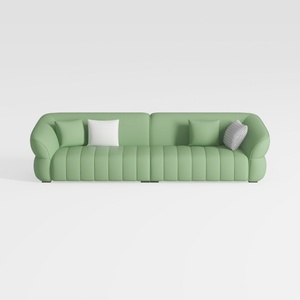
86.6 in. Wide Round Arm Teddy Creative Fabric Rect

Full Compression Green L-Shaped Sectional Sofa wit
Discover Homestyler, your go-to online home design platform! With its user-friendly design tool, stunning 3D renderings, a plethora of inspiring design projects, and easy-to-follow video tutorials, you can effortlessly transform your vision into reality. Start creating your dream space today!
Concevez maintenant gratuitement
































