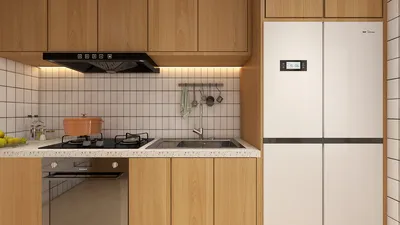


Building a 3D city model is a fascinating endeavor that fuses urban planning, design, and advanced technology. To kick off, gather reference materials including maps, satellite imagery, and architectural blueprints of the city you aim to recreate. After collecting your materials, choose a modeling software that is adept at handling expansive environments. Popular options include SketchUp, Blender, and professional-grade software such as Autodesk 3ds Max and Rhino. It is essential to accurately establish your scale and coordinate system to maintain proportionality throughout the model. Once your software setup is complete, start shaping the terrain using geographic data or height maps to define land features accurately. Following this, proceed to layout the transportation infrastructure—roads, railways, and various pathways—utilizing precise measurements derived from your reference materials. Next, create individual buildings, taking into account each structure's height, façade elements, and architectural style. By employing modular building techniques for repetitive designs, you can enhance efficiency, and applying textures from real photographs will elevate the authenticity of the model. To add depth, introduce urban components like parks, street furniture, and lighting. As a designer, I highly recommend focusing on the clarity and functionality of your 3D city. For both professionals and hobbyists, using advanced tools like Homestyler or a 3D Floor Planner can significantly simplify the process, equipping you with powerful features for managing complex structures and layouts within your model. The integration of such design solutions not only facilitates enhanced visualization but also streamlines collaboration, particularly among multidisciplinary teams.
Tips 1:
Consider scalable modeling: decompose the city into districts or blocks and work incrementally for better organization and effectiveness.
FAQ
Q: What is the purpose of a 3D city model?
A: 3D city models serve several purposes including urban planning, architectural visualization, simulation, gaming, and virtual tourism, allowing for precise visualizations and spatial analysis.
Q: Which software is most effective for developing 3D city models?
A: Tools such as SketchUp, Blender, AutoCAD, and specialized urban planning applications are among the favorites for creating 3D city models based on the complexity of the project.
Q: How can you obtain accurate building information for modeling purposes?
A: Accurate data can be acquired from city planning departments, open GIS datasets, satellite imagery, and architectural designs.
Q: Is it possible to create a city model without advanced technical expertise?
A: Certainly, many modern 3D design platforms feature user-friendly tools and templates that enable beginners to construct basic city models effectively.
Q: What essential elements should be included in a 3D city model?
A: Key features to emphasize include terrain, transportation networks, building forms, landmarks, public spaces, and vital infrastructure to ensure comprehensive realism.

Looking to transform your living space? Homestyler is your go-to online home design platform! With its user-friendly design tool, stunning 3D rendering, inspiring projects, and helpful video tutorials, you can unleash your creativity and design the home of your dreams effortlessly!
Diseño ahora GRATIS
































