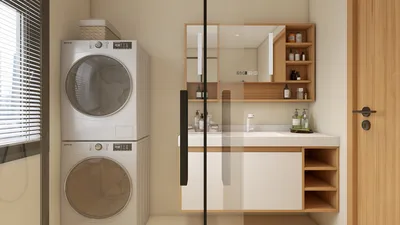


Crafting outlines for 3D models within Blender is a widely embraced method to achieve a stylized, cartoonish, or comic book aesthetic in your visual presentations. Outlines serve to highlight shapes, enhance clarity, and infuse an artistic flair into your works. Below is a detailed guide on how to effectively create outlines for your 3D models in Blender:
For those involved in designing 3D interior environments or rooms, ensuring that your outlines boost both clarity and visual attractiveness is crucial. These techniques can be adjusted or merged to align with your unique artistic vision. Bringing an interior designer's perspective to your workflow guarantees that your stylistic choices not only appear aesthetically pleasing but also clearly communicate spatial arrangements. To enhance the visualization of layouts prior to applying outline effects, utilizing a tool like Homestyler can be a game-changer.
Tip 1:
When crafting outlines, pay attention to their thickness and color in relation to the overall lighting and color scheme of your scene. A well-designed outline can draw attention to significant elements and help distinguish between various objects, yet lines that are excessively thick or high-contrast might overpower the visual composition. Always evaluate your outlines from various camera perspectives to ensure uniformity and clarity.
FAQ
Q: Is it simple to switch outlines on and off for different renders in Blender?
A: Absolutely, with the Freestyle feature or shader-based techniques, you can swiftly toggle outlines on or off for specific renders by adjusting appropriate settings or material nodes.
Q: Do outlines significantly affect rendering times?
A: Yes, Freestyle lines may introduce some additional rendering time, particularly in intricate scenes. However, shader and inverted hull techniques are quite efficient and mostly operate in real-time, although they may increase memory usage in larger environments.
Q: Are outline effects functional in Blender’s Eevee and Cycles render engines?
A: Yes, outline techniques are supported by both Eevee and Cycles, but certain methods such as Freestyle are only natively functional in Cycles and the standard Blender renderer. Techniques like shaders and inverted hulls work well in both engines.
Q: Can I utilize outlines for animations, or are they limited to still images?
A: Outlines can be used for both still images and animations. For animated projects, the Freestyle render ensures consistent line quality, while the shader and inverted hull techniques smoothly animate alongside the model.
Q: Which outline method is ideal for stylized interior scenes?
A: Freestyle offers in-depth control and is excellent for architectural visualizations, while shader-based outlines provide immediate feedback and customization options. Experiment with each method to discover which one complements your project's needs and aesthetic.



Homestyler is your go-to online home design platform! Its user-friendly design tool and stunning 3D renderings make it easy to visualize your ideas. Plus, with a plethora of design projects and DIY video tutorials, you’ll find endless inspiration to transform your space effortlessly!
立即免费设计
































