

Crafting lifelike 3D insect models merges artistry with scientific precision, necessitating meticulous attention to detail, a solid grasp of anatomy, and expertise in digital design software. Whether you're an emerging 3D artist or an established professional aiming to enhance your creative process, skillfully modeling insects can introduce depth and realism to various projects, including animations, games, scientific visualizations, or concepts in interior design that call for a natural element. In this guide, I will walk you through the entire procedure of developing your own digital insect, from initial concept to final render, while incorporating tools like Homestyler for seamless integration into your design projects.
Step 1: Collect Reference Images
Start by gathering high-resolution images of the specific insect you plan to create. Ensure you have references from multiple perspectives—top, bottom, side, and close-ups of wings, legs, antennae, and the exoskeleton. Additionally, scientific illustrations can greatly assist in comprehending proportions and anatomical nuances.
Step 2: Analyze Proportions and Structures
Examine your references thoroughly, paying close attention to the overall shape and how different body segments (head, thorax, abdomen) relate to each other in terms of size and position. In my experience, focusing on these aspects enhances the model's credibility and informs its placement within a scene—whether it’s a contemporary living space or a playful children's room using concepts facilitated by Homestyler.
Step 3: Select Your Modeling Software
Choose a 3D modeling application that aligns with your workflow and project objectives. Popular options are Blender (which is free), Autodesk Maya, Cinema 4D, and ZBrush. Opt for a tool that excels in the precise modeling and sculpting of organic shapes.
Step 4: Create the Base Mesh
Begin by forming the essential shapes for each body part using basic geometric forms (spheres, cylinders). Adjust their size and placement carefully to align with your reference materials. This phase establishes the fundamental structure and proportions of the insect.
Step 5: Sculpting and Refinement Process
Transition into sculpting mode to refine the base mesh. Utilize the sculpting tools to create curves, enhance edges, and integrate intricate details such as exoskeleton plates, joint segments, and textural elements. Pay attention to the finer features—claws, mouthparts, hairs, and segments of the antennae.
Step 6: Adding Details and Textures
Once your insect's shape is finalized, unwrap the model’s UVs and capture fine details with bump, normal, and displacement maps. Apply or project realistic textures: meld patterns, shading, and transparency for wings and eyes. Tools like Substance Painter can be crucial during this phase.
Step 7: Rigging (Optional)
Should your insect require animation, rig the model with a skeleton and movement controls. This allows you to pose its legs, wings, and feelers for dynamic configurations within scenes or renders.
Step 8: Lighting and Rendering Techniques
Configure the lighting in accordance with your desired ambiance: utilize natural daylight for realism or stylized lighting for dramatic flair. Render your scene, adjusting camera placements and depth of field to emphasize the intricate details of your creation.
As a designer, incorporating 3D insect models into interior design environments is critical for ensuring they are not only anatomically accurate but also visually cohesive with the room's aesthetic. When I design modern living environments and wish to introduce elements inspired by nature, I depend on advanced rendering tools like those featured in Homestyler to blend organic models seamlessly into virtual spaces, making every project engaging and vivid.
Tips for Modeling:
When crafting, always start with larger forms before moving to minor details. Organize your workflow using layers or sculpting subdivisions and regularly compare your work against reference images to uphold anatomical fidelity.
Frequently Asked Questions
Q: Which software is most suitable for beginners to create 3D insect models?
A: Blender is an excellent choice for novices since it’s free, has a supportive community, and possesses robust modeling and sculpting capabilities.
Q: How critical is reference material in insect modeling?
A: Incredibly critical—having accurate references guarantees anatomical correctness and enhances the believability of your models.
Q: Is it possible to use scanned images or photos for texturing purposes?
A: Absolutely, high-quality macro photography of insects or textures can be mapped onto your 3D models for authentic visual effects.
Q: Which file formats are standard for exporting 3D insect models?
A: Widely-used formats include OBJ, FBX, and STL, which are compatible with most rendering engines and 3D printing services.
Q: Should I rig my insect model if intended solely for static interior renders?
A: Rigging can be optional for static renders; however, slight adjustments in pose might enhance realism, making simple rigs potentially beneficial.
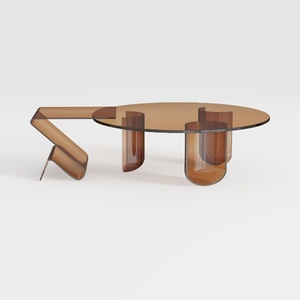
Modern Minimalist Amber Acrylic Glass Coffee Table 3D Model


Minimalist Solid Wood Accent Cabinet with Textured Top 3D Model

Minimalist Solid Wood Linen Fabric Three Seat Sofa 3D Model
Homestyler is your go-to online home design platform! With an intuitive design tool, stunning 3D renderings, and a wealth of DIY video tutorials, it's easy to convert your visions into reality. Perfect for all skill levels, unleash your creativity and transform your space today!
Diseño ahora GRATIS
































