

The process of creating 3D modeled opening wings is an intriguing endeavor that finds extensive applications in animation, gaming, and product visualization. Typically, this journey begins within a 3D modeling program such as Blender, Autodesk Maya, or 3ds Max. By utilizing reference images, you can meticulously shape the wing mesh for precision. It's essential to focus on the anatomical structure of wings—whether they be avian, insect-inspired, or fantastical—to achieve authentic movement and proportions. After the base mesh is established, you will proceed to the crucial phase of rigging, which is pivotal for animating the opening motion. Here, you will introduce an armature (a skeleton) and meticulously bind bones to the distinct segments of the wings, enabling both individual and coordinated motions. The technique of weight painting plays a vital role in this step, as it determines how the mesh vertices respond when the bones shift, resulting in a seamless and lifelike opening effect. Animation of the wings comes next, where you create keyframes for both the closed and open states. To ensure the animation appears fluid, it is beneficial to adjust the timing and movement arcs, referencing real-world wing behaviors or slow-motion recordings when possible. Texturing the wings with fitting materials and intricate details can significantly enhance realism. The final stages involve lighting and rendering—select an environment that complements the wing design, ensuring light and shadows are rendered effectively. As a designer, I always evaluate how different elements interact within a space; opening wings not only add visual appeal but also serve functional purposes, whether they are part of a decorative piece, a furniture design, or a character in digital artwork. When crafting motion for any 3D component, particularly one as dynamic as wings, employing high-caliber tools like a 3D floor planner is instrumental. It aids in visualizing and incorporating moving parts into cohesive spatial designs, especially for projects that involve interior setups or interactive displays. Keep in mind that the fusion of technical expertise and creative insight is essential. Pay attention not just to the mechanics, but also to how the movement of opening wings contributes to the overall composition or user experience in both digital and physical environments. Incorporating solutions like Homestyler can further streamline your design process, enhancing the integration of animated elements into your projects.
Tips 1:
For those venturing into modeling and animating wings for the first time, it’s advisable to start with straightforward references and progressively tackle more intricate designs. Utilize mirror and symmetry functions in your chosen 3D software, ensuring that both wings are perfectly mirrored. Layer your details effectively—consider applying modifiers for realistic feather effects or textures and conduct test animations to hone the movement accurately.
FAQ
Q: Which software is best for creating 3D modeled opening wings?
A: Top contenders include Blender, Maya, and 3ds Max. Blender stands out as a free option packed with powerful rigging and animation tools.
Q: How do I ensure realistic wing motion in my animation?
A: Analyze reference videos, employ bone constraints, and make use of precise weight painting to achieve smooth and lifelike movements.
Q: Can 3D wings be integrated into interactive scenes?
A: Absolutely! Rigged models can be seamlessly used in game engines or visualization tools like Homestyler to facilitate interactive movements such as opening and closing.
Q: What file formats are suitable for exporting animated wings?
A: The FBX and OBJ formats are commonly used for exporting, with FBX being ideal as it retains animation data for further software use.
Q: How do I add detailed textures to my 3D wings?
A: Implement UV unwrapping in your modeling software and apply high-resolution textures, either hand-painted or sourced from photographs, to boost realism.
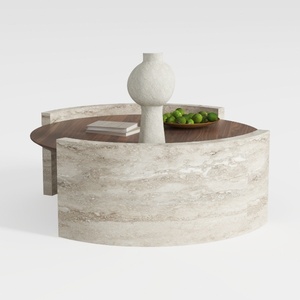
Round Coffee Table,29.52IN Wooden Coffee Table,Mid
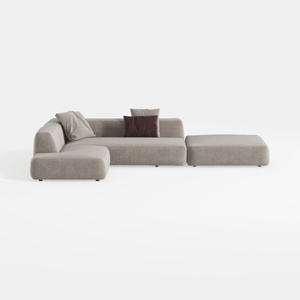
106" Cloud Sectional Couch with Chaise Lounge

Palace Imports Solid Wood Bookcase - 6-Tier
Homestyler is your go-to platform for effortless home design! With its easy-to-use online design tool, stunning 3D renderings, and a wealth of inspiring design projects and DIY video tutorials, you'll transform your space into a dream home in no time. Perfect for all skill levels!
Desain sekarang Gratis
































