


If you've ever needed to envision a space, knowing how to create a floor plan on your MacBook can be immensely beneficial. Whether you're an interior designer or simply someone interested in revamping a room, a well-structured floor plan is vital. Fortunately, there are many tools and software options available that make this task straightforward and enjoyable, with Homestyler being a prominent choice among them.
Selecting the Ideal Software
Before you begin drawing, it's essential to choose the most suitable software for your floor plan design. Options such as Homestyler’s Floor Planner are known for their user-friendly interfaces, specifically tailored for Mac users. These applications often feature convenient drag-and-drop functions, simplifying the process of arranging your space.
A Comprehensive Guide to Creating Your Floor Plan
After selecting your software, follow these straightforward steps to develop your floor plan:
Begin by measuring the dimensions of the area you wish to design. Precise measurements are critical for an effective floor plan, and remember to account for the location of doors and windows.
Before launching the software, it may be helpful to draft a rough layout on paper. This preliminary sketch can aid in visualizing the space and deciding where to place furniture.
Now, open the software and enter your room dimensions. Take advantage of the various tools provided to incorporate walls, windows, and doors. Additionally, you can easily drag and drop furniture from the available library.
Feel free to experiment with various layouts. The advantage of using digital tools is that you can modify your design effortlessly without needing to start anew.
Once you're happy with your floor plan, ensure to save your work. Many applications, including Homestyler, permit you to export your finished design or share it directly with clients and family members.
Frequently Asked Questions
What software is the most effective for crafting floor plans on a MacBook? There are several excellent options available, but Homestyler stands out for its comprehensive and user-friendly platform for designing floor plans.
Can I generate 3D floor plans on my MacBook? Absolutely! Numerous floor plan applications, including Homestyler, enable you to create impressive 3D renderings of your designs.
Welcome to the Premier Floor Planner


BAXMUY 94.4” Oversized Cloud Couch, Pink Chenille
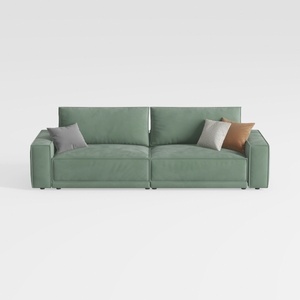
HIFIT 112" Sectional Couches for Living Room- Pull
Looking to transform your space? Homestyler is your go-to online home design platform! With an intuitive design tool, stunning 3D renderings, and a wealth of DIY video tutorials, it’s never been easier to visualize and create your dream home. Start designing today!
Design jetzt kostenlos
































