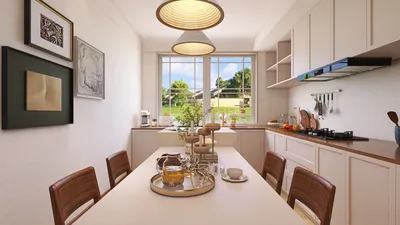


Transforming 3D models into sprites is a prevalent practice in game design, particularly for those aiming for the sharp aesthetics and efficiency of 2D graphics while benefiting from the versatility of 3D modeling tools. This technique typically entails rendering or 'baking' various angles or animations from a 3D model into flat images suitable for your 2D game engine. As a designer, it is vital to consider not only the technical aspects but also how the final product integrates into your overall visual framework. Below is a detailed guide to generating cohesive and visually engaging sprites from your 3D assets using tools like Homestyler.
As a designer, I give careful consideration to the consistency of perspective, color palette, and scale across my sprites within a single project. Utilizing 3D rendering software, particularly those that provide photorealistic output, can enhance visual clarity and ensure that your sprites reflect a refined finish. Experimenting with various camera angles and lighting configurations is beneficial as it allows you to experiment with different visual effects before you finalize your sprite sheet creation.
Tips 1:
Batch rendering can significantly reduce the time spent if you are working on multiple animated sprites. It's wise to set up standard lighting rigs and camera presets tailored to your style, enabling the processing of new models with minimal adjustments. Additionally, always preview your sprites in the context of your game scene; slight modifications may be necessary to ensure they align with the overall color scheme and UI design of your game.
FAQ
Q: Which software is recommended for converting 3D models into 2D sprites?
A: Notable options include Blender (which is free), Maya, and 3ds Max. These tools provide precise control over camera angles, lighting, and output settings, which are crucial for achieving high-quality sprites.
Q: What dimensions should my sprite images have?
A: It’s advisable to use dimensions that are powers of two (e.g., 64x64, 128x128 pixels) for improved compatibility and performance. The size should effectively balance clarity and optimization, contingent on your game’s resolution and artistic style.
Q: How can I create transparent backgrounds for my sprite images?
A: Ensure to render your images with an alpha channel activated (PNG format is preferable) and in your editing software, confirm that the backgrounds are completely transparent.
Q: Is it possible to use 3D renders for isometric or top-down games?
A: Definitely. Just adjust your camera to align with the desired game perspective—true isometric views usually require a 30 or 45-degree angle.
Q: What exactly is a sprite sheet, and what benefits does it offer?
A: A sprite sheet compiles multiple animation frames into a single image. Game engines can utilize sprite sheets more effectively, which helps minimize load times and memory usage.

Discover your inner designer with Homestyler! This user-friendly online design platform offers a powerful design tool, stunning 3D renderings, and a treasure trove of inspiring projects and DIY video tutorials. Transform your home effortlessly and unleash your creativity today!
Concevez maintenant gratuitement
































