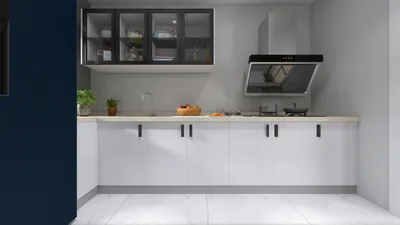


Crafting augmented reality (AR) 3D models may appear intimidating initially, but with the appropriate resources and methods, you can awaken your creativity. Let’s explore the fundamental steps to develop captivating AR models effortlessly.
Step 1: Select Your 3D Modeling Software
The first key step in creating AR 3D models involves picking the right software. Notable choices include Blender, Autodesk Maya, and Tinkercad, which accommodate users from novices to seasoned experts. These applications allow for the creation of complex 3D designs seamlessly, including the capabilities provided by tools like Homestyler.
Step 2: Design Your 3D Model
After choosing your software, it’s your cue to start designing! Begin with a conceptual sketch before converting it into a 3D model. Be mindful of the scale and complexity of your design, as these factors will impact the AR experience. Strive for an ideal mix of intricacy and operational efficiency.
Step 3: Optimize Your Model for AR
Optimization is vital for AR applications. Aim to lower polygon counts where feasible and employ textures judiciously. Export your 3D model in formats such as .GLB or .USDZ, which are commonly used in AR applications. This action guarantees smooth performance on mobile devices.
Step 4: Choose an AR Platform
Next, select an AR platform that suits your requirements. Options like ARKit for iOS, ARCore for Android, and Unity provide robust tools to incorporate your 3D model into an AR environment. Each platform features unique strengths, so evaluate your target audience when making your choice.
Step 5: Implement Your Model in AR
Once you have picked a platform, the next step is to embed your 3D model into the AR environment using the corresponding SDKs. This process involves coding and establishing scene interactions, allowing users to interact with your AR model in engaging ways.
Step 6: Test and Enhance Your AR Experience
Testing is a vital aspect of the development process. Ensure the model operates effectively under various lighting conditions and on different devices. Collect user feedback and make adjustments to improve the overall experience, always aiming for clarity and interactivity in your design.
Step 7: Publish and Share
After polishing your AR experience, it’s time to unveil your creation! Publish it on platforms like the Apple App Store or Google Play. Use social media to promote your work and encourage friends and users to interact with your AR model and share feedback.
FAQ
Q: Can I create AR models with no prior experience?
A: Definitely! Numerous tools provide tutorials to assist beginners in grasping the basics. Start with simple projects and gradually develop your skills over time, possibly utilizing platforms like Homestyler for straightforward model creation.

If you're looking to transform your space effortlessly, try Homestyler! This user-friendly online home design platform offers a fantastic design tool, stunning 3D renderings, and a wealth of design projects and DIY video tutorials—perfect for both beginners and seasoned designers alike!
Projete agora para LIVRE
































