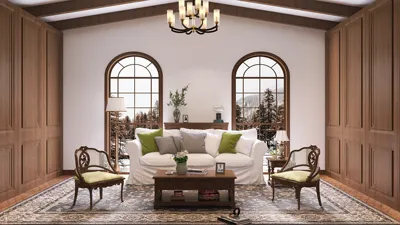


Crafting compelling reference images for 3D modeling is vital for any designer who aspires to enhance realism and accuracy in their creations. The significance of these images is paramount; they act as a visual blueprint for elements such as dimensions, hues, and textures in your models. Have you ever found yourself confronting a blank canvas, feeling apprehensive about where to start?
Let’s jump right into the steps for creating reference images that can transform your 3D models from mediocre to remarkable.
Grasping the Essentials of Reference Images
Before you grab your pencil or digital stylus, it's essential to comprehend what constitutes an effective reference image. A quality reference isn’t solely about visual attractiveness; it should encompass various angles, proportions, and intricate details.
Begin by collecting real-world images related to your subject matter. Whether your focus is on a character, a vehicle, or an interior layout, the more visual data you accumulate, the better your modeling process will be. Utilizing platforms like Pinterest allows you to curate boards specifically dedicated to reference materials.
Procedure to Create Reference Images
1. **Select Your Subject**: Identify what you aim to model. Is it a character or an object? Your choice will dictate how you proceed.
2. **Gather Visual References**: Look for images that display your subject from different angles and detail levels. Aim to secure at least three perspectives—front, side, and top views are essential for effective 3D modeling.
3. **Sketch the Fundamental Shapes**: After assembling your references, begin outlining the basic shapes. At this stage, avoid getting caught up in minor details; instead, establish the fundamental framework, including outlines and shapes that suggest volume.
4. **Incorporate Details and Textures**: Slowly begin to add finer details to your sketch. This phase is where you’ll articulate textures, folds in clothing, or mechanical components. Consider how these details will affect the surface characteristics of your 3D model.
5. **Consider Color and Lighting**: In cases where your modeling incorporates color, think about how lighting interacts with your subject. Illustrate highlights and shadows to impart depth to your reference images, which will aid in comprehending how colors play off each other in a three-dimensional environment.
Final Touches on Your Reference Image
Once you’re content with your sketches, consider digitizing them. Scanning or taking high-resolution photographs will enable you to organize them efficiently and maintain easy access for your modeling software. Be sure to annotate your images with notes on essential details crucial for your modeling!
Although the task of creating reference images might appear intimidating at first, with ongoing practice, it will evolve into a more instinctive process. Remember, every successful 3D model starts with a solid reference, so dedicate your efforts to assembling a thorough visual guide.
Frequently Asked Questions
Q: What should I include in my reference images? A: Aim to encompass various angles, dimensions, colors, and textures relevant to your subject.
Q: Is it acceptable to use online photos as references? A: Absolutely, but make sure you have the rights to use them, particularly for commercial projects.
Q: What tools are available for creating reference images? A: You can utilize traditional sketching tools or digital drawing applications, such as Adobe Photoshop or Procreate, or even 3D modeling software like Homestyler to create your references.
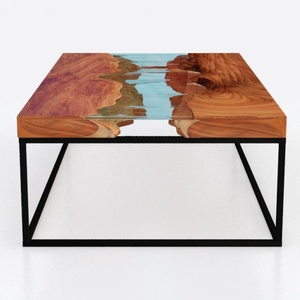
Custom 3D Waves Ocean Dining Table, Blue Ocean
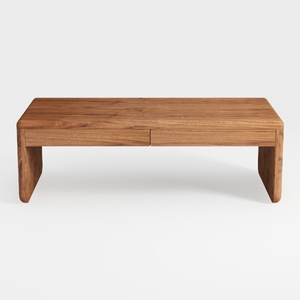
Coaster Home Furnishings Lynette Rectangular Eco F

Meridian Furniture 77054Natural Everson Collection
Homestyler is your go-to online home design platform, featuring an easy-to-use design tool and stunning 3D renderings. With a wealth of design projects and helpful DIY video tutorials, you'll effortlessly transform your space and unleash your creativity!
Design Now for FREE
































