


Developing a 3D representation of water pollution serves as an impactful method to illustrate and convey the ecological consequences of pollutants in aquatic settings. Start by determining the focal point of your model—are you illustrating a contaminated river, a lake, or a section of the ocean? Consider which pollution sources to highlight, such as plastic debris, chemical runoff, or oil spills. Gather reference materials and draft an initial layout. Then, select user-friendly 3D modeling software like Blender (which is free), SketchUp, or online platforms that facilitate straightforward model creation. Begin your project by modeling the water body, ensuring to incorporate transparency and color gradients to reflect pollution. Enhance the scene with elements like floating rubbish, underwater sediment, unusual color patches, or deceased fish to effectively showcase the visible impacts of pollution.
If you approach this from a designer's perspective, reflect on how lighting, perspective, and scale can elevate the educational impact of your 3D model. Texture mapping is crucial for features like oil sheen or murky water. For educational or collaborative initiatives, you might incorporate 3D rendering methods traditionally used in architectural visualization to achieve depth and realism. By integrating these principles, your finished model will not only represent environmental concerns but also act as a dynamic, instructional tool—ideal for presentations, classroom settings, or awareness campaigns. Utilizing platforms like Homestyler can further simplify this process, allowing you to create impressive visuals effortlessly.
Tips 1:
Try out various material finishes and lighting arrangements to optimize the visual contrast between pristine and polluted zones. This strategy, commonly employed in interior design to emphasize focal points within a space, can also be effective in environmental models to underscore critical areas of concern.
FAQ
Q: Which 3D modeling software is most suitable for creating models of water pollution?
A: Well-known choices include Blender, SketchUp, and various web-based 3D tools. Opt for a platform that accommodates texture mapping and transparent materials to achieve realistic water effects.
Q: How can I depict different forms of water pollution in my 3D model?
A: Utilize a range of textures and objects—incorporate plastics for physical debris, darker tones for chemical or oil pollution, and particle effects for elements like microplastics or suspended pollutants.
Q: Is it possible to animate the dispersal of pollution in my 3D model?
A: Absolutely! Most sophisticated 3D modeling platforms, including options available on Homestyler, allow for animation. You can keyframe the movement of pollutants or alter water characteristics over time to realistically represent spreading contamination.
Q: Where can I source reference images for constructing my model?
A: Numerous environmental organizations, academic resources, and stock image websites provide a wealth of real-world examples of water pollution, which can inform your modeling and texturing choices.
Q: In what ways can a 3D model enhance public understanding of water pollution?
A: 3D models foster visually captivating, interactive experiences that make complex environmental issues more accessible and comprehensible to a wide range of audiences.

Modern Marble Top Solid Wood Console Table With Decorative Accents 3D Model
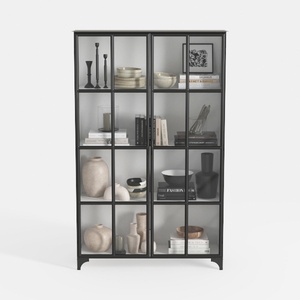
Modern Black Metal Glass Display Cabinet 3D Model
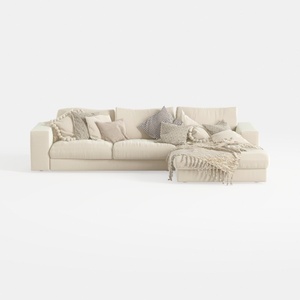
Minimalist Beige Fabric L Shaped Sectional Sofa with Throw Pillows 3D Model
Discover the joy of home design with Homestyler! This user-friendly online platform offers an intuitive design tool, stunning 3D renderings, an array of design projects, and informative video tutorials. Whether you're a novice or a seasoned designer, Homestyler makes it easy to create your dream space!
Progetta ora GRATIS
































