

Designing an impressive 3D shark model presents an exciting opportunity for both budding designers and hobbyists. To get started, it's crucial to choose the perfect modeling software—options such as Blender, Maya, or 3ds Max are widely recognized for their capacity to produce intricate organic forms. Begin your project by collecting various reference images of real sharks from different perspectives; this practice aids in achieving anatomical precision and realistic dimensions. When shaping the initial outline, emphasize significant characteristics like the streamlined body, dorsal fin, pectoral fins, and the distinct jaws of the shark. During the sculpting process, meticulously focus on the subtle muscle definition and the elegant curves that define shark shapes.
Once the basic model is defined, it's time to add intricate surface details: utilize texturing methods to capture the unique skin patterns, scars, and gill characteristics. To achieve realism, apply bump or displacement maps that imitate the textured dermal denticles of the shark, and use gradient color palettes for dimensionality—consider cool grays, deep blues, and gentle whites. Proper lighting is essential to highlight your model's features; explore underwater lighting effects with tessellated shadows and caustic patterns to enhance the visual impact.
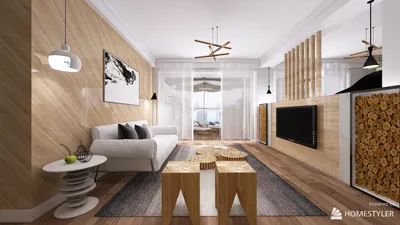
From a designer's perspective, I find that digital modeling mirrors the workflow inherent in interior design. Just as the spatial arrangement is crucial in a home, the balance between anatomical features, textural details, and overall presentation is vital for 3D modeling. If you were to apply these concepts to an interior design project, tools like Homestyler could greatly assist in incorporating realistic elements—such as a beautifully designed aquarium—into a living area. The fusion of artistry and practicality elevates both the model and its surrounding space.
Tips for Enhancing Realism:
To add realism, animate your shark's movement through water, employing smooth curves and natural motion sequences. Consider utilizing particle effects for bubbles or gentle ripples on the water surface. This approach not only enhances your portfolio but also prepares your model for potential use in films, video games, or augmented reality applications.
Frequently Asked Questions
Q: Which software is ideal for crafting a 3D shark model?
A: Blender serves as an excellent free choice, while Maya and 3ds Max provide advanced solutions for professional designers.
Q: What techniques help make my shark model appear realistic?
A: Reference images, detailed texturing, the use of bump or displacement maps, and thoughtful underwater lighting are key elements.
Q: Are there efficient methods for sculpting organic shapes?
A: Utilizing digital sculpting brushes and symmetry features can significantly expedite the sculpting process.
Q: Is it possible to integrate my 3D shark into a virtual scene?
A: Absolutely, most 3D software supports importing models into various environments, which is especially beneficial for creating visual effects or interior renderings.
Q: Where can I expand my knowledge on underwater rendering techniques?
A: Online courses, tutorials, and specialized forums like CGSociety and Blender Artists provide valuable step-by-step resources.
Convertible Futon Sofa Bed, Sleeper Sofa Bed with

Power Lift Recliner Chair Leather Adjustable Back

3-Piece Sofa Set with Solid Wood Legs,Buttoned
Homestyler is your go-to online platform for easy and inspiring home design. With its user-friendly design tool, stunning 3D renderings, and informative video tutorials, you can effortlessly create and visualize your dream spaces. Start turning your ideas into reality today!
Progetta ora GRATIS
































