


Developing a 3D representation of a monkey is an exhilarating endeavor for artists, animators, and those passionate about digital design. This journey typically encompasses multiple phases: ideation, collecting reference imagery, selecting a proficient 3D modeling software—such as Blender, Maya, or ZBrush—formulating the foundational shapes, enhancing the structure, adding intricate details, applying textures, and executing rendering. Start with basic block shapes to establish the proportions and pose, then progressively incorporate anatomical features including the head, limbs, and tail. The sculpting phase is critical for defining muscular structure, facial expressions, and fur details. Following the modeling stage, utilize UV mapping alongside textures for either realistic skin or stylized appearances, culminating in rendering your monkey within a scene. Whether you’re designing a whimsical character or striving for hyper-realism, being meticulous about elements such as proportions, facial characteristics, and stance will lead to a convincing model.
Advice on 3D Modeling:
As a designer, I appreciate the advantages of using a 3D modeling platform crafted specifically for interior and spatial design. Tools like Homestyler allow for the seamless integration of your 3D monkey into digital environments. This not only highlights the scale of your model but also provides essential context for your creation, whether it’s for animation, educational showcases, or virtual exhibitions. Such an approach enriches the viewer's experience and enhances your creative workflow beyond merely standalone models.
Frequently Asked Questions
Q: What software should I utilize to create a 3D monkey model?
A: Popular choices encompass Blender (which is free), Autodesk Maya, and ZBrush. Blender is particularly welcoming for beginners, while Maya and ZBrush are well-established in the professional realm.
Q: Is drawing necessary to create a 3D monkey model?
A: Having basic sketching abilities aids in planning and achieving proportions; however, many programs offer sculpting tools and templates, enabling you to work entirely in 3D space.
Q: How can I achieve realistic fur or texture effects on my monkey model?
A: Utilize the hair/fur simulation features and texture painting options within your modeling software. Observing real monkeys will provide insights into details and color variations.
Q: How much time is required to complete a 3D monkey model?
A: The duration varies depending on skill level and complexity, ranging from several hours for simplistic models to weeks for intricate, textured, and rigged versions.
Q: Is it possible to animate my 3D monkey post-modeling?
A: Absolutely. Once your model is rigged—by adding a skeleton and joints—you can create animations using most 3D software or export it to additional programs for further refinement.

Solid Wood Hand Shaped Novelty Accent Chair 3D Model

Furniliving Armless Upholstered Chair for Makeup
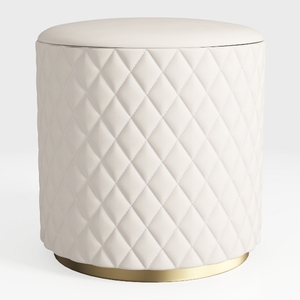
Modern Luxury Quilted Leather Upholstered Round Ottoman with Gold Base 3D Model
Homestyler is your go-to online home design platform, perfect for anyone looking to transform their space. With an easy-to-use design tool, stunning 3D renderings, inspiring design projects, and helpful video tutorials, you can effortlessly bring your dream home to life—no experience needed!
Progetta ora GRATIS
































