


Crafting a 3D wolf model offers a fulfilling experience, merging creativity with technical expertise. This project could serve various purposes, such as animations, video games, or conceptual renderings in interior design. The typical workflow includes crucial stages like gathering references, modeling, sculpting, texturing, rigging, and rendering. Start by collecting high-quality references of wolves from multiple angles to study their anatomy and fur characteristics. Then, utilize reliable 3D modeling software such as Blender, Maya, or 3ds Max to create basic shapes, focusing on proportions and notable anatomical features.
After establishing the primary form, enhance the model with digital sculpting tools to accurately depict muscles and facial characteristics, as well as subtle anatomical details. Once you're satisfied with the overall shape, perform UV unwrapping and apply intricate textures—such as fur, eyes, nose, and claws—to elevate the realism of your model. Texture painting software like Substance Painter can be particularly effective for producing lifelike results. If you intend to animate the wolf, the next phase involves rigging, which creates a digital skeleton and skins the mesh for realistic movements. Ultimately, set up your lighting and render the model, possibly using engines that facilitate photorealistic outputs. As an interior designer, I recognize the significant benefits of integrating 3D animal models to inject narrative and emotional depth into interior visualization projects. For instance, incorporating a meticulously crafted 3D wolf model into your renderings can serve as an impressive focal point or enrich thematic ambiance, especially within rustic, nature-themed, or eclectic interiors. Utilizing a comprehensive 3D render home solution like Homestyler simplifies this integration, allowing both professionals and hobbyists to effectively showcase distinctive design elements with significant impact.
Tips 1:
Always design in layers: Begin by outlining your wolf’s basic shapes, then progressively add details. Utilize symmetry tools while modeling and sculpting to accelerate your workflow and maintain anatomical fidelity. For more realistic final renders, reference natural lighting conditions.
FAQ
Q: What software is ideal for creating a 3D wolf model?
A: Popular selections comprise Blender (which is free and multifaceted), Autodesk Maya, and 3ds Max, as they all provide comprehensive tools for modeling, sculpting, and rendering.
Q: How can I achieve realistic fur textures on my 3D wolf?
A: Consider using hair and fur simulation tools available in most 3D software packages, or create detailed fur textures and implement normal/bump maps to enhance realism.
Q: Is it possible for beginners to create a 3D wolf model?
A: Definitely. Beginners can start with introductory tutorials on animal modeling and gradually advance to complex techniques like sculpting and texturing.
Q: What purpose does a 3D wolf model serve in interior design projects?
A: It can introduce thematic elements, function as a statement piece, or enhance visualization renders for clients interested in unique, nature-inspired designs.
Q: What file formats should I use for exporting my 3D wolf model?
A: Some commonly used file formats include .obj, .fbx, or .glb, depending on the rendering pipeline or target platform.
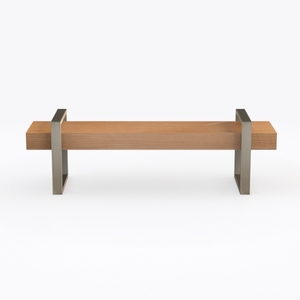
Generico Vassoio Pieghevole da Comodino, Tavolo per Laptop, scrivania da Ufficio in Legno di Pino Industriale, Spessore 5 cm, banco da Lavoro per Computer, Lunghezza Regolabile 80-180 cm, mobili Mode
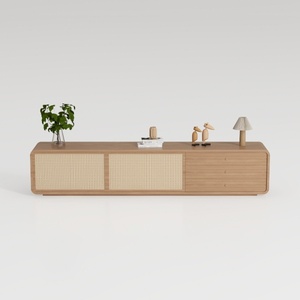
Walker Edison Sasha 4-Door Sideboard Buffet with

Homestyler is your go-to online platform for home design! With its user-friendly design tool, stunning 3D renderings, and an array of DIY video tutorials, transforming your space has never been easier. Bring your creative vision to life and explore endless design possibilities today!
Progetta ora GRATIS
































