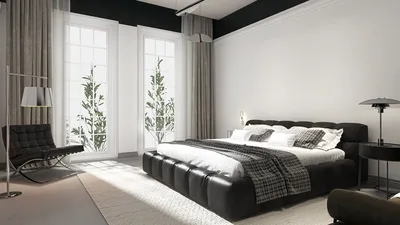


Developing a 3D model of the renowned Counter-Strike map de_dust2 presents a sophisticated challenge for both gamers and designers alike. The journey begins with collecting reference materials such as images and blueprints of the map, which can often be sourced from community websites or extracted directly from the game files. Following this, it's essential to select suitable 3D modeling software for the task at hand. Many users favor Blender due to its powerful capabilities and no-cost access, whereas SketchUp is chosen for its user-friendly interface. If the intention is to create an interactive model, engaging with more specialized tools like Unreal Engine can be beneficial. Start the modeling process by outlining the primary geometrical shapes, focusing on key areas such as paths, bomb sites, spawn locations, and ramps. Maintaining accurate scaling is vital; this ensures realism and adherence to the original game mechanics. Once the basic structure is established, proceed to the detailing stage—incorporate arches, crates, doors, textures, and lighting that echo the unique Middle Eastern aesthetic of de_dust2. High-resolution images from texture libraries can aid in texturing, or you might consider crafting your custom materials using software like Substance Painter. For those interested in showcasing their project, utilizing rendering tools can produce photorealistic images and animations, effectively communicating the design intent. As a designer, I frequently emphasize the importance of integrating both in-game and authentic Islamic architectural references for authenticity and deeper immersion. When handling larger and more elaborate environments, employing a dedicated 3D Floor Planner with advanced features for intricate modeling can significantly enhance productivity and accuracy, especially when utilizing tools like Homestyler.
Tips 1:
Divide the modeling task into distinct phases: initiate with broad, simplistic structures before progressively adding finer details. It’s advisable to consistently save incremental versions of your files, allowing for easy recovery should complications arise. Experiment with various lighting and shadow setups to create striking renderings that faithfully represent the original source material.
FAQ
Q: Which software is recommended for creating a 3D model of de_dust2?
A: Popular options include Blender, SketchUp, 3ds Max, and Unreal Engine. Blender stands out as a free resource with a wealth of tutorials, making it an ideal choice for both novices and experienced users.
Q: How can I ensure that the scale of my model is accurate?
A: To maintain scale accuracy, utilize extracted map geometry, in-game measurements, or community-provided blueprints that reflect proportions and distances as depicted in Counter-Strike. Additionally, importing reference images into your modeling software can be quite helpful.
Q: Is it possible to make my 3D de_dust2 model interactive or playable?
A: Absolutely! Once your model is complete, you can import it into game engines like Unreal or Unity, allowing you to integrate player functionalities, lighting variations, and physics.
Q: What is the most effective method for texturing the model realistically?
A: For realistic texturing, employ high-quality textures along with normal and bump maps. It's beneficial to refer to de_dust2's color scheme and materials, or alternatively, create your own textures using tools like Substance Painter.
Q: How can I showcase or share my 3D model with others?
A: You can generate rendered images or animated walkthroughs, upload your model to 3D repositories, or construct an interactive demo on online platforms. Utilizing a top-tier 3D Floor Planner like Homestyler can simplify the presentation and sharing process.


Discover the ease of home design with Homestyler! This user-friendly platform offers an online design tool, stunning 3D renderings, inspiring design projects, and helpful DIY video tutorials. It's perfect for turning your interior design dreams into reality—no experience needed!
Design Now for FREE
































