


Constructing a 3D representation of a potassium atom is an excellent method to visualize its atomic structure and grasp fundamental chemistry principles. Potassium (K), with an atomic number of 19, contains 19 protons and, in a neutral state, also 19 electrons. The electron arrangement (1s² 2s² 2p⁶ 3s² 3p⁶ 4s¹) creates distinct shells around the nucleus, which can be effectively represented in three dimensions. Here’s a guide to develop a straightforward 3D model, ideal for educational purposes, display, or digital applications:
As a designer, precision and presentation are my priorities. Effective spatial arrangement along with clear color differentiation enhances both the educational value and visual attractiveness. To elevate your models—be it for teaching, interactive demonstrations, or prototyping atomic structures in educational settings—utilizing a resource like Homestyler can aid in creating incredibly realistic, multi-layered designs that seamlessly merge scientific accuracy with visual clarity.
Tips 1:
For educational institutions or STEM initiatives, using modular components or digital design tools enables straightforward modifications. Transitioning between different atoms only requires adjustments to the nucleus and electron quantities, facilitating scalability in educational sessions or exhibit displays. When working in a digital format, tweak lighting and materials to accentuate significant aspects of atomic configuration, achieving a balance between educational content and appealing presentation, similar to techniques employed in interior design renderings.
FAQ
Q: What materials are best suited for creating physical models of atoms?
A: Popular choices include colored clay, Styrofoam balls, beads, and wire, as these materials are lightweight and easily moldable for crafting models.
Q: How should I arrange electrons in their shells accurately?
A: Adhere to the designated capacities for shells: the first shell can hold 2, the second 8, the third 8, and for potassium, the fourth shell accommodates 1. Ensure that electrons are evenly spaced within each shell.
Q: Which software options are recommended for creating 3D atomic simulations?
A: Tools like Blender and Tinkercad, in addition to web-based applications such as Homestyler, are user-friendly and offer export functionalities for effective visualization.
Q: Is it feasible to use a 3D atomic model for interactive educational experiences?
A: Definitely! Both physical and digital models foster hands-on exploration, enhance visualization, and engage learners with atomic theory effectively.
Q: How can I modify my atomic model to represent ions or isotopes?
A: To illustrate ions, simply add or subtract electrons; for isotopes, adjust the number of neutrons in the nucleus to reflect the changes.
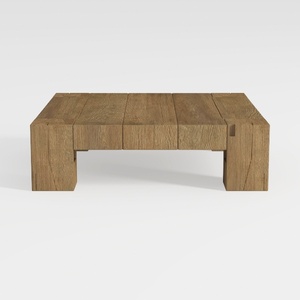
Rustic Solid Oak Wood Coffee Table Minimalist Living Room 3D Model

Minimalist Walnut Round Coffee Table 3D Model


Modern Leather Walnut Metal Office Desk With Storage Drawers 3D Model
Homestyler is an amazing online home design platform that simplifies your design journey. With an easy-to-use design tool, stunning 3D renderings, a plethora of design projects, and helpful DIY video tutorials, you can effortlessly create your dream space, no matter your experience level!
Concevez maintenant gratuitement
































